Transcription of INFORMATION TECHNOLOGY (CODE 402)
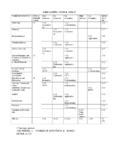
1 Page 1 of 9 CBSE | DEPARTMENT OF SKILL EDUCATION CURRICULUM FOR SESSION 2020-2021 INFORMATION TECHNOLOGY (CODE 402) JOB ROLE: DOMESTIC DATA ENTRY OPERATOR RATIONALIZED CURRICULUM FOR CLASS X FOR SESSION 2020-21 Total Marks: 100 (Theory-50 + Practical-50) UNITS NO. OF HOURS for Theory and Practical 200 MAX. MARKS for Theory and Practical 100 Part A Employability Skills Unit 1 : Communication Skills-II 10 10 Unit 2 : Self-Management Skills-II 10 Unit 3 : INFORMATION and Communication TECHNOLOGY Skills-II 10 Unit 4 : Entrepreneurial Skills-II 15 Unit 5 : Green Skills-II 05 Total 50 10 Part B Subject Specific Skills Theory (In Hours) Practical (In Hours) Marks Unit 1: Digital Documentation (Advanced) 12 18 8 Unit 2: Electronic Spreadsheet (Advanced) 15 23 10 Unit 3: Database Management System 18 27 12 Unit 4.
2 Web Applications and Security 15 22 10 Total 60 90 40 Part C Practical Work Practical Examination 15 Written Test 10 Viva Voce 10 Total 35 Part D Project Work/Field Visit Practical File/ Student Portfolio 10 Viva Voce 05 Total 15 GRAND TOTAL 200 100 402 INFORMATION TECHNOLOGY Class X - 2020-2021 Page 2 of 9 DETAILED CURRICULUM/TOPICS: Part-A: EMPLOYABILITY SKILLS S. No. Units Duration in Hours 1. Unit 1: Communication Skills-II 10 2. Unit 2: Self-management Skills-II 10 3. Unit 3: INFORMATION and Communication TECHNOLOGY Skills-II 10 4. Unit 4: Entrepreneurial Skills-II 15 5. Unit 5: Green Skills-II 05 TOTAL DURATION 50 NOTE: For detailed Curriculum/ Topics to be covered under Part A: Employability Skills can be downloaded from CBSE website.
3 Part-B SUBJECT SPECIFIC SKILLS S. No. Units Duration in Hours 1. Unit 1: Digital Documentation (Advanced) 30 2. Unit 2: Electronic Spreadsheet (Advanced) 38 3. Unit 3: Database Management System 45 4. Unit 4: Web Applications and Security 37 TOTAL DURATION 150 UNIT 1: DIGITAL DOCUMENTATION (ADVANCED) S. No. LEARNING OUTCOMES THEORY PRACTICAL 1. Create and Apply Styles in the document Styles/ categories in Word Processor Styles and Formatting window.* Fill Format.* Creating and updating new style from selection Load style from template or another document. Creating a new style using drag-and-drop.* Applying styles. List style categories. Select the style from the Styles and Formatting window.
4 Use Fill Format to apply a style to many different areas quickly. Create and update new style from a selection. Load a style from a template or another document. Create a new style using drag-and-drop. (* To be assessed in Practicals only. No question shall be asked from this portion in Theory Exams) 402 INFORMATION TECHNOLOGY Class X - 2020-2021 Page 3 of 9 S. No. LEARNING OUTCOMES THEORY PRACTICAL 2. Insert and use images in document Options to insert image to document from various sources. Options to modify, resize, crop and delete an image. Drawing objects and its properties. Creating drawing objects and changing its properties. Resizing and grouping drawing objects.
5 Positioning image in the text. Insert an image to document from various sources. Modify, resize, crop and delete an image. Create drawing objects Set or change the properties of a drawing object Resize and group drawing objects Position the image in the text 3. Create and use template Templates. Using predefined templates. Creating a template. * Set up a custom default template. Updating a document.* Changing to a different template. Using the Template. Create a template. Use predefined templates. Set up a custom default template. Update a document. Change to a different template. Use the Template. 4. Create and customize table of contents Table of contents.
6 Hierarchy of headings. Customization of table of contents. Character styles. Maintaining a table of contents. Create table of contents. Define a hierarchy of headings. Customize a table of contents. Apply character styles. Maintain a table of contents. 5 Implement Mail Merge Advance concept of mail merge in word processing, Creating a main document, Creating the data source, Entering data in the fields, Merging the data source with main document, Editing individual document,* Printing a letter and its address label Demonstrate to print the label using mail merge, do the following to achieve Create a main document, Create the data source, Enter data in the fields, Merge the data source with main document, Edit individual document, Print the letter and address label (* To be assessed in Practicals only.)
7 No question shall be asked from this portion in Theory Exams) 402 INFORMATION TECHNOLOGY Class X - 2020-2021 Page 4 of 9 UNIT 2: ELECTRONIC SPREADSHEET (ADVANCED) S. No. LEARNING OUTCOMES THEORY PRACTICAL 1. Analyse data using scenarios and goal seek. Using consolidating data. Creating subtotals. Using what if scenarios. Using what if tools Using goal seek and solver. Use consolidating data Create subtotals Use what if scenarios Use what if tools Use goal seek and solver 2. Link data and spreadsheets Setting up multiple sheets. Creating reference to other sheets by using keyboard and mouse. Creating reference to other document by using keyboard and mouse.
8 * Relative and absolute hyperlinks Hyperlinks to the sheet. o Linking to external data. o Linking to registered data sources. Setup multiple sheets by inserting new sheets. Create reference to other sheets by using keyboard and mouse. Create reference to other document by using keyboard and mouse. Create, Edit and Remove hyperlinks to the sheet. Link to external data. Link to registered data source. 3. Share and review a spreadsheet Setting up a spreadsheet for sharing.* Opening and saving a shared spreadsheet. Recording changes. Add, Edit and Format the comments. Reviewing changes view, accept or reject changes. Merging and comparing. Set up a spreadsheet for sharing.
9 Open and save a shared spreadsheet. Record changes. Add, Edit and Format the comments. Review changes view, accept or reject changes. Merge and compare sheets. 4. Create and Use Macros in spreadsheet Using the macro recorder. Creating a simple macro. Using a macro as a function. Passing arguments to a macro. Passing the arguments areas values. Macros to work like built-in functions. Accessing cells directly. Sorting the columns using macro. Use the macro recorder. Create a simple macro. Use a macro as a function. Pass arguments to a macro. Pass the arguments are as values. Write macros that act like built-in functions Access cells directly.
10 Sort the columns using macro. (* To be assessed in Practicals only. No question shall be asked from this portion in Theory Exams) 402 INFORMATION TECHNOLOGY Class X - 2020-2021 Page 5 of 9 UNIT 3: DATABASE MANAGEMENT SYSTEM S. No. LEARNING OUTCOMES THEORY PRACTICAL 1. Appreciate the concept of Database Management System Concept and examples of data and INFORMATION , Concept of database, Advantages of database, Features of database, Concept and examples of Relational database, Concept and examples of field, record, table, database, Concept and examples of Primary key, composite primary key, foreign key, Relational Data base management system (RDBMS) software.