Transcription of Injury Tracking Application CSV Documentation
1 Injury Tracking Application CSV Documentation Page 1 of 8 Injury Tracking Application File Upload Data Dictionary: Establishment and form 300a To report your establishment(s) Injury and illness records using the File Upload feature, you must upload a CSV (comma separated value) file to the Injury Tracking Application (ITA) in the format specified below. This data dictionary will define the fields and formats that are required to upload information about the establishment and the summary data from form 300a . If your file is processed correctly, you will receive a confirmation email listing the establishments that have been successfully submitted, meaning that OSHA considers the information to be complete. If your file is not processed correctly, you will receive an email listing the errors that were found. Once corrected, you may re-upload the file. You also always have the option to add or edit data using the web forms.
2 NOTE TO USERS: Please be aware that if you are submitting data for just one or for a small handful of establishments, it is much easier to enter the data using the web forms rather than by creating and uploading a CSV file. Simply click on the "Create Establishment" button and fill out two web forms for each establishment and you're finished. If you already provided your establishment information for a previous collection(s), you only need to click on View establishment list , select the already entered establishment and provide the new 300a summary data. Commas and Quotes in a CSV Batch File A CSV batch file can contain special characters, such as commas and/or quotes, so long as the value which contains the comma or quotes is surrounded by quotes. For example: A value which contains commas, such as 1, 2, 3 Street, would need to be entered as "1, 2, 3 Street" A value which contains quotes, such as "123 & 4 Street", would need to be entered as ""123 & 4 Street"" Testing Your CSV Batch File A testing/sandbox environment is available at which can be used to validate your CSV Batch file.
3 Please Note: Data submitted to this environment does not satisfy an employers requirement to provide their Injury and illness data to OSHA. Data submitted to this environment will be purged periodically. Injury Tracking Application CSV Documentation Page 2 of 8 Help If you have any questions or problems, please use the contact form located at FAQ Q: How long will it take to upload my CSV? A: The amount of time it takes to upload a CSV will depend on the size of the CSV as well as the amount of current traffic the server is handling. Generally, most CSV submissions are uploaded within just a few minutes. After they have been uploaded, the CSVs will be put in a queue. Files in queue are processed every three hours. Q: How many establishments can I upload at a time? A: There isn t a limit to the number of establishments that can be uploaded at a time via CSV. However, we highly recommend limiting a file to 1000 records ( submit multiple files of 1000 or fewer records).
4 This will reduce the processing time required. Q: I didn t receive an email after I submitted my CSV. A: Double-check your spam folders for an email and verify that there aren t any filters in place that would prevent you from receiving an email. If the problem persists, please complete the help request form in the link above. Q: I am trying to submit my data using a CSV, but it keeps stripping the leading zeros from my zip codes and/or EIN field. How can I fix this problem? A: To stop this from happening, put an apostrophe (') in front of the zero then save it. Be aware that if you open the file again with Excel, it will strip the zeros again. You can also edit it with Notepad (right click on the file and choose the "Open " feature). Notepad will not strip the zeros. Q: Can I include decimals in my numbers? A: No. The system will reject the file if you include decimals in any of the number fields. Only enter whole numbers.
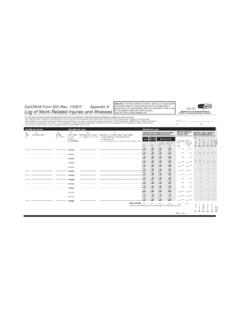
5 Injury Tracking Application CSV Documentation Page 3 of 8 Changelog 2019-19-08 2019-05-06 Added EIN number Updated the FAQ section with information on leading zeros 2017-11-09 Updated the information on submitting Forms 300 and 301 Added an FAQ section 2017-08-01 Added Testing/Sandbox environment information 2017-03-01 Added CSV escape character instructions Corrected the Annual Average Number of Employees needs to be greater than the total number of cases (Field G-J) additional validation edit check Injury Tracking Application CSV Documentation Page 4 of 8 Establishment and Summary Data Dictionary first row of the Establishment and Summary file must be a header row containing the column names ( , company_name,establishment_name, etc.) specified in the table subsequent row must contain the corresponding establishment and 300a summary information for a single Establishment and Summary Data file can contain data for one or more for each establishment should come from that establishment s completed OSHA Forms for Recording Work-Related Injuries andIllnesses ( form 300a ) or equivalent Element Definition and Validations Format Length Required establishment_name The name of the establishment reporting data.
6 The system matches the data in your file to existing establishments based on establishment name. Each establishment MUST have a unique name. Character 100 Yes ein An Employer Identification Number (EIN) is also known as Federal Tax Identification Number and is a unique nine-digit number assigned by the IRS and is used to identify business entities operating in the United States. Should not include dashesCharacter (do not include dashes) 9 Yes company_name The name of the company that owns the establishment. Character 100 No street_address The street address of the establishment. Should not contain a PO Box addressCharacter 100 Yes city The city where the establishment is located. Character 100 Yes state The state where the establishment is located. Enter the two character postal code for the or Territory in which the establishment 2 Yes zip The full zip code for the establishment. Must be a five or nine digit numberText 9 Yes Injury Tracking Application CSV Documentation Page 5 of 8 Data Element Definition and Validations Format Length Required naics_code The North American Industry Classification System (NAICS) code which classifies an establishment s business.
7 Use a 2012 code, found here: Must be a number and be 6 digits in length Integer 6 Yes industry_description Industry Description You may provide an industry description in addition to your NAICS code. Character 300 No size The size of the establishment based on the maximum number of employees which worked there at any point in the year you are submitting data for. Enter 1 if the establishment has < 20 employees Enter 2 if the establishment has 20-249 employees Enter 3 if the establishment has 250+ employees Integer 1 Yes establishment_type Identify if the establishment is part of a state or local government. Enter 1 if the establishment is not a government entity Enter 2 if the establishment is a State Government entity Enter 3 if the establishment is a Local Government entity Integer 1 No year_filing_for The calendar year in which the injuries and illnesses being reported occurred at the establishment.
8 Must be a four digit number Cannot be earlier than 2016 Integer 4 Yes annual_average_employees Annual Average Number of Employees Must be > 0 Must be a number Should be < 25,000 Integer (do not include decimals) 10 Yes Injury Tracking Application CSV Documentation Page 6 of 8 Data Element Definition and Validations Format Length Required total_hours_worked Total hours worked by all employees last year Must be > 0 Must be numeric total_hours_worked divided by annual_average_employees must be < 8760 total_hours_worked divided by annual_average_employees should be > 500 Integer (do not include decimals) 10 Yes no_injuries_illnesses Whether the establishment had any OSHA recordable work-related injuries or illnesses during the year. Enter 1 if the establishment had injuries or illnesses Enter 2 if the establishment did not have injuries or illnesses Integer 1 Yes total_deaths Total number of deaths ( form 300a Field G) Must be >= 0 Must be a number Integer 10 Yes total_dafw_cases Total number of cases with days away from work ( form 300a Field H) Must be >= 0 Must be a number Integer 10 Yes total_djtr_cases Total number of cases with job transfer or restriction ( form 300a Field I) Must be >= 0 Must be a number Integer 10 Yes total_other_cases Total number of other recordable cases ( form 300a Field J) Must be >= 0 Must be a number Integer 10 Yes total_dafw_days Total number of days away from work ( form 300a Field K)
9 Must be >= 0 Must be a number Integer 10 Yes Injury Tracking Application CSV Documentation Page 7 of 8 Data Element Definition and Validations Format Length Required total_djtr_days Total number of days of job transfer or restriction ( form 300a Field L) Must be >= 0 Must be a number Integer 10 Yes total_injuries Total number of injuries ( form 300a Field M(1)) Must be >= 0 Must be a number Integer 10 Yes total_skin_disorders Total number of skin disorders ( form 300a Field M(2)) Must be >= 0 Must be a number Integer 10 Yes total_respiratory_conditions Total number of respiratory conditions ( form 300a Field M(3)) Must be >= 0 Must be a number Integer 10 Yes total_poisonings Total number of poisonings ( form 300a Field M(4)) Must be >= 0 Must be a number Integer 10 Yes total_hearing_loss Total number of hearing loss ( form 300a Field M(5)) Must be >= 0 Must be a number Integer 10 Yes total_other_illnesses Total number of all other illnesses ( form 300a Field M(6)) Must be >= 0 Must be a number Integer 10 Yes change_reason The reason why an establishment s Injury and illness summary was changed, if applicable Character 100 No Additional Data Validations In addition to the validations listed in the Data Dictionary, the following checks will be performed on your data to ensure that it is complete: The sum of Injury and Illness Types ( form 300a Fields M1-M6) must equal the sum of the Number of Cases ( form 300a Fields G-J).
10 The Annual Average Number of Employees should be greater than the total number of cases (Field G-J). Injury Tracking Application CSV Documentation Page 8 of 8 If there are cases with days away from work ( form 300a Field H), there must be days away from work ( form 300a Field K). If there are days away from work ( form 300a Field K), there must be cases with days away from work ( form 300a Field H). Days away from work ( form 300a Field K) must be equal to or greater than cases with days away from work ( form 300a Field H). If there are cases with job transfer or restriction ( form 300a Field I), there must be days with job transfer or restriction ( form 300a Field L). If there are days with job transfer or restriction ( form 300a Field L), there must be cases with days away OR job transfer or restriction reported ( form 300a Field H or I).