Example: dental hygienist
INSTALLATION GUIDE - DMP.com
multiple 716 modules. Refer to the 717 Installation Guide (LT-0235) and 716 Installation Guide (LT-0183). Central Station Communication The panel reports to DMP SCS-VR or SCS-1R Receivers using digital dialer, cellular, network, or Contact ID communication. The panels connect at the premises to a standard RJ31X or RJ38X telephone jack. Use the ...
Tags:
Information
Domain:
Source:
Link to this page:
Documents from same domain
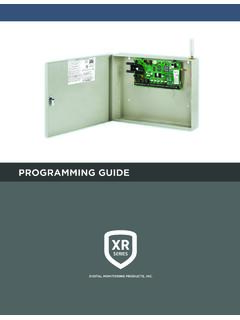
PROGRAMMING GUIDE - DMP
buy.dmp.comXR150/XR550 Series Programming Guide Digital Monitoring Products 1 INTRODUCTION XR PROGRAMMING INFORMATION This guide provides programming information for the DMP XR150/XR550 Series panel. Before starting to program, we recommend that you read through the contents of this guide.
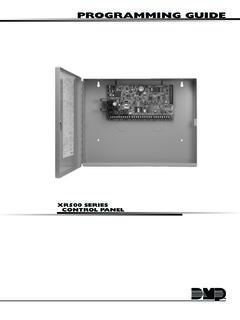
PROGRAMMING GUIDE - DMP
buy.dmp.comMODEL XR500 SERIES CONTROL PANEL PROGRAMMING GUIDE Contains programming Instructions for use with the Model XR500, XR500N, XR500E Series Control Panels

PROGRAMMING AND INSTALLATION GUIDE
buy.dmp.comDualCom Programming and Installation Guide Digital Monitoring Products 3 Backlit Logo The backlit logo indicates the power and armed status of the communicator.
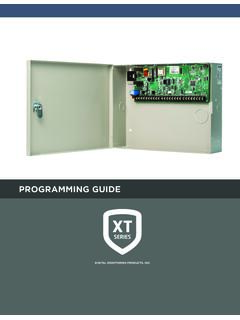
PROGRAMMING GUIDE - DMP
buy.dmp.comAs you go through the programming, the keypad display shows any current programming already stored in the panel memory. If no change is required for an …

SYSTEM USER GUIDE
buy.dmp.comChime Press Chime to turn the chime feature on and off. If chime is on, the keypad will sound an alert and display a notification when external doors and windows (with sensors installed) are opened. Reset Press Reset to reset fire and panic sensors after they have triggered an alarm. Favorites Favorites displays a list of your Z-Wave favorites.

Training Institute Troubleshooting Guide
buy.dmp.comThe first Diagnostic function displayed is: [TEST LX-BUS]. This Diagnostics function allows you to test the ability of the Interface Cards (Models 481, 462N, 462P, 462FM, and 472) to communicate with zone and output expanders connected to the LX-Bus™. TECH NOTE: The XR500 Command Processor™ series has one built-in LX-Bus™. An

SYSTEM USER GUIDE - DMP.com
buy.dmp.comSecureComTM Video SecureCom Video allows you to add wired or wireless cameras inside or outside the building. You can easily record clips or view live video feed at any time using the Virtual Keypad App or VirtualKeypad.com. Virtual Keypad App and VirtualKeypad.com The Virtual Keypad App and VirtualKeypad.com allow you to control and monitor
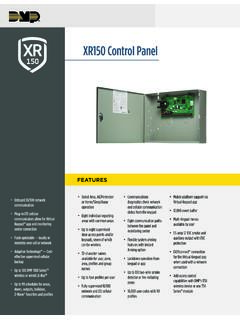
XR150 Control Panel - DMP.com
buy.dmp.comOne Built-In LX Bus (100 zones) SIMPLE ZONE EXPANSION WITH THE 1154/1158 WIRELESS INPUT MODULES When a DMP panel is installed in the same location as a non-DMP panel, the ... advantage of access control capabilities in hard …

XR550 Control Panel - DMP
buy.dmp.comNo to confirm alarm status and send it to the monitoring center. DMP WIRELESS DMP 1100 Series wireless communication employs 900 MHz frequency-hopping spread-spectrum to ensure clear and accurate signal transmissions without interference in practically any environment. Receivers are alerted of transmitters that go missing with two-way ...

XT30 and XT50 Panels - DMP
buy.dmp.comfour-digit user codes with authority levels 100-event (XT30) or ... Four onboard and eight wireless outputs for annunciation and control applications Supports up to eight ... a customer may be preparing to cancel their monitoring contract. With this …
Related documents
Roku TV User Guide for U.S. and Canada - Hisense
www.hisense-usa.comApr 21, 2016 · TV shows, with tons of live sports, a broad selection of music streaming channels, popular programming in a dozen international languages, 24x7 live news and so much more, your new Roku TV has your sweet spot. A paid subscription or other payments may be required for some channels. 3. Find Antenna TV shows in the Smart Guide
EXPERIMENTAL SOLUTIONS PRICING WORKSHEET - Garmin
www8.garmin.comPART NUMBER DESCRIPTION LIST PRICE MAP SELECTION ... 013-00235-00 GA™ 35 GPS/WAAS Antenna $352.00 ... Guide (G3X Touch only) $1,350.00 $1,199.00 010-01318-01 GMA™ 245 BLUETOOTH Audio Panel with Installation Kit …

User Guide - Asus
dlcdnets.asus.com• Increases/Decreases values or moves your selection up/down/left/right. • Displays the input selection bar when the monitor enters standby mode or displays the “NO SIGNAL“ message. 2. button • Exits the OSD menu item. • Displays the input selection bar when the monitor enters standby mode or displays the “NO SIGNAL“ message.
Intel(R) WiFi Adapter Information Guide
www.intel.comconfigured with the correct selection of frequency and channel for the country of use. The device transmit power control (TPC) interface is part of the Intel® PROSet/Wireless WiFi Connection Utility Software. Operational restrictions for Equivalent Isotropic Radiated Power (EIRP) are provided by the system manufacturer. Any deviation
Choosing a Ham Radio - ARRL
www.arrl.orgmodels. You’ll need two types of antenna; a dual-band quarter-wave mobile whip antenna for 2 meters and 70 cm (there are also tri-band antennas that include 6 meters), and a mobile HF antenna. A permanent or magnetic mount with one or more interchangeable single-band HF whip antenna is a good way to try operating from your vehicle.

VEHICLE - Amazon S3
s3-us-west-2.amazonaws.comFeb 19, 2013 · Wire Guide The PowerConnect Vehicle Dock has a wire guide at the top rear that can help you to organize the cables and wires connected to the dock. If you need to bring a cable or wire from one side of the dock to the other, utilize the wire guide by looping the cable though the wire guide as shown. Wire Guide Introduction

SonicWave Deployment Guide
www.sonicwall.comSonicWall SonicWave Deployment Guide Hardware Overview 8 SonicWave 231c Ports and LEDs The back of SonicWave 231c provides a LAN/POE port where the PoE Ethernet cable connects the access point
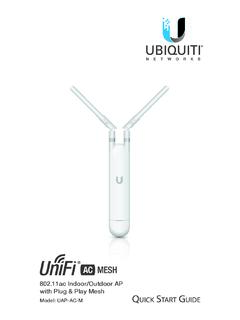
802.11ac Indoor/Outdoor AP with Plug & Play Mesh - Ubiquiti
dl-origin.ubnt.comof a Ubiquiti high-gain antenna. Perform the steps for the appropriate installation: Wall Mount To mount the UniFi AP on a wall, use the included Wall Mount Bracket, Screws, and Screw Anchors. 1. Place the Wall Mount Bracket at the desired location on the wall in the orientation shown below. 2. Ensure the level is plumb and mark the two screw holes

HDHomeRun Installation Instructions (20121008)
www.silicondust.comHDHomeRun QuickTV HDHomeRun QuickTV is a fast and easy way to watch live TV. Using HDHomeRun QuickTV: • Open HDHomeRun QuickTV from the Start menu • Channels will be displayed along the right side. Click on a channel to watch it. • Right-click on a channel name and select Favorite to set or unset the channel as a favorite. Favorite channels appear at the top of …

ATP 6-02.53 TECHNIQUES FOR TACTICAL RADIO …
armypubs.army.mil*ATP 6-02.53 DISTRIBUTION RESTRICTION: Approved for public release; distribution is unlimited. *This publication supersedes ATP 6-02.53, dated 7 January 2016.