Transcription of INSTALLATION INSTALLATION AND OPERATING …
1 COPYRIGHT 2006 LUX PRODUCTS CORPORATION. ALL RIGHTS RESERVED In cool weather,when the system switch is set to HEAT, the TX500 will maintain cooler set back room temperatures to save energy. It will then change to warmer comfort settings - all automatically, atspecified times during the day. In warm weather,when the system switch is set to COOL, the TX500 will maintain warmer set back roomtemperatures to save energy. It will then change to cooler comfort settings - all automatically, at specifiedtimes during the day. A large liquid crystal displayshows time, day of the week, and room and set temperatures.
2 5/2 Minute Selectable Minimum Run/Off Timefor Short Cycle/Compressor Protection. Two Energizer or DURACELL AA alkaline batteries(not included) are used to retain your time andtemperature you for your confidence in our product. To obtain the bestresults from your investment, please read this manual and acquaintyourself with your purchase before installing your new follow the INSTALLATION procedures, one step at a time. Thiswill save you time and minimize the chance of damaging thethermostat and the systems it controls. These instructions maycontain information beyond that required for your particular instal-lation.
3 Please save for future !READ The TX500 can be used with most 24 volt gas, oil or electric heating and air conditioning systems or gas millivolt heating systems. It cannot be used with 120 volt heating systems or heat pumps. Ask your dealer for other LUX thermostats to control those systems. The TX500 is are four programming periods per day. Each period can be programmed separately. You can use the built-in time/ temperature programs, or alter them to suit your schedule. The TX500 provides separate programming for weekdays and weekends for bothheating and cooling.
4 You can override the programmed temperatures for as little as oneprogramming period or for an entire PendingSIMPLIFIED INSTRUCTIONSTO SET PROGRAMS Rotate Dial to SETWEEKDAY,SATURDAY orSUNDAY PROGRAM. Press UP/DOWN toadjust start time. Press NEXT. Press UP/DOWN toadjust temperature. Press NEXT. Repeat as needed orrotate dial to RUN tostop TEMPERATUREOVERRIDE Press UP/DOWN toadjust set temperature. To clear OVERRIDE pressUP/DOWN until original settemperature appears or waitfor the start tf the next HOLD Press HOLD. Adjust temperatureas desired with UP/DOWN.
5 To clear, press HOLD SET TIME & DAY Rotate Dial to set DAY/TIME. Press UP to changecurrent day. Press NEXT. Press UP/DOWN to set thedial tothe RUNpositionto closethe Active Program PeriodLiquidCrystalDisplayFan SwitchSystem SwitchThermostat CoverLUXS peed Dial ThermostatBody/Sub-baseThe Set TemperatureCAUTION Your thermostat is a precision instrument. Please handle it with care. Turn off electricity to the appliance before installing or servicing thermostat or any part of the not turn electricity back on until work is completed. Do not short (jumper) across electric terminals at control on furnace or air conditioner to test thesystem.
6 This will damage the thermostat and void your warranty. All wiring must conform to local codes and ordinances. This thermostat is designed for use with 24 volt and millivolt systems. The thermostat should belimited to a maximum of amps; higher amperage may cause damage to the thermostat. If you arein doubt, call your utility company. TX500b SERIESSMART TEMP ELECTRONIC THERMOSTATHEATOFFCOOLAUTOONFANRESETHOLDN EXTRUNSETSUNDAYPROGRAMSETWEEKDAYPROGRAMS ETDAY/TIME500 Patents PendingSIMPLIFIED INSTRUCTIONSTO SET PROGRAMS Rotate Dial to SETTEMPORARY TEMPERATUREOVERRIDETO SET TIME & DAY Rotate Dial to set PendingSIMPLIFIED INSTRUCTIONSTO SET PROGRAMS Rotate Dial to SETWEEKDAYTEMPORARY TEMPERATUREOVERRIDEPUP/DOWN tTO SET TIME & DAY Rotate Dial to set Heat or CoolSet Day & TimeInstalls EasilyEasy as1 2 3 INSTALLATION AND OPERATING INSTRUCTIONSC omplete.
7 Easy To Read Programming And INSTALLATION InstructionsLUX PRODUCTS CORPORATION Philadelphia, PA 19112 WARNING: Use Energizer or DURACELL Alkaline Batteries is a registered trademark of Eveready Battery Company, Inc. DURACELL is a registered trademark of The Gillette Company, :Use Energizer or DURACELL Alkaline Batteries read all instructions carefully beforebeginning REQUIRED#1 Phillips screwdriver (small)Drill with 3 16-in. ( ) bitTHERMOSTAT LOCATIONOn replacement installations, mount the new thermostat in place of the old one unlessthe conditions listed below suggest new installations, follow the guidelines listed Locate the thermostat on an inside wall, about 5 ft.
8 ( ) above the floor, and in a room thatis used often. 2. Do not install it where there are unusual heating conditions, such as: in direct sunlight; near alamp, radio, television, radiator, register, or fireplace; near hot water pipes in a wall; near astove on the other side of a wall. 3. Do not locate in unusual cooling conditions, such as: on a wall separating an unheated room;or in a draft from a stairwell, door, or window. 4. Do not locate in a damp area. This can lead to corrosion that will shorten thermostat Do not locate where air circulation is poor, such as: in a corner or an alcove; or behind anopen door.
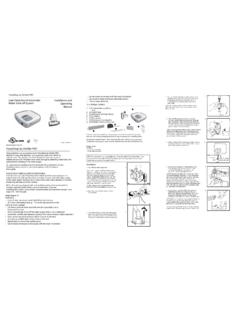
9 6. Do not install the unit until all construction work and painting has been completed. 7. This thermostat does not require THE OLD THERMOSTATS witch electricity to the furnace and air conditioner OFF; thenproceed with the following steps. CAUTIONRead instructions carefullybefore removing any wiringfrom existing must be labeled beforethey are removed. Whenremoving wires from theirterminals, ignore the color ofthe wires since these maynot comply with thestandard. CAUTIONBe careful not to drop the body or disturb electronic parts. Leave the cover closed while the body is being removedfrom the Remove cover from old are snap-on types and simplypull off.
10 Some have locking screwson the side. These must Fill wall opening withnon-combustibleinsulation to preventdrafts from affectingthe thermostat. NOTEIf you are mounting the base to a soft materiallike plasterboard or if you are using the oldmounting holes, the screws may not hold. Drilla 3/16-in. ( ) hole at each screw location,and insert the plastic anchors provided. Thenmount the base as RCTerminalsBaseLatch ButtonScrew Anchors (2)YW1. Strip insulation 3 8in.( ) from wireends and clean offany avoid electrical shock and to prevent damage to the furnace, air conditioner, and thermostat, disconnect the power supply beforebeginning work.