Example: confidence
INSTALLING AND USING BIG IP VPN-WINDOWS 10 - UTH
INSTALLING AND USING BIG IP VPN-WINDOWS 10 P a g e 4 | 4 PART 2: CONNECTING TO YOUR WORK COMPUTER Make a successful BIG-IP VPN client connection, as explained in the instructions in PART 1 above. 1. Click the Window search icon 2. Type "Remote Desktop Connection" in the search box 3. Click Remote Desktop Connection from the list 4.
Information
Domain:
Source:
Link to this page:
Documents from same domain

The Eight Steps of the NCLEX Examination Process
nursing.uth.edu1. Apply for licensure to the board of nursing in the state or territory where you wish to be licensed. Contact the state board for the requirements. 2. Register for the NCLEX examination with Pearson VUE by mail, telephone or via the internet. A. The name with which you register must match exactly with the printed name on the identification you

Strategies for Successful Clinical Teaching
nursing.uth.eduIt is important for a clinical instructor to clarify expectations at the start of the clinical rotation and restate these as needed. Feedback should be timely and based on direct student observation.8 Feedback should also be constructive and specific, and the instructor should recognize areas of growth before pointing out areas for improvement.
Related documents

Remote Access to your Desktop using VPN
cdn1.sph.harvard.eduVPN is a “virtual private network.” The VPN protocol is how your HOME computer connects to the HSPH network. The VPN client, Cisco Anyconnect, creates a tunnel to the HSPH network, through which you can access other computers on the HSPH . network. Before connecting with remote desktop software, a VPN tunnel must be

Using RADIUS Authentication for Remote Access VPN
community.checkpoint.comAccess VPN This guide will show step by step instructions for configuring Remote Access VPN to utilize RADIUS authentication. There is also an appendix that includes instructions for integrating DUO MFA with a Check Point Remote Access Gateway. We will use the following: • R80.10 Security Management Server • R80.10 Gateway running NGTX
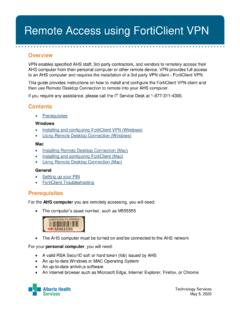
Installing and using FortiClient VPN
www.albertahealthservices.caRemote Access using FortiClient VPN Technology Services May 5, 2020 Overview VPN enables specified AHS staff, 3rd-party contractors, and vendors to remotely access their AHS computer from their personal computer or other remote device. VPN provides full access
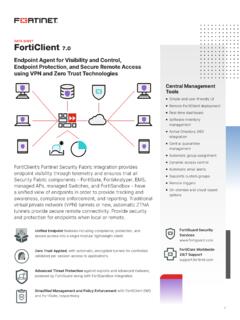
FortiClient Data Sheet
www.fortinet.comVPN FortiClient provides flexible options for VPN connectivity. It supports both secure sockets layer (SSL) and Internet Protocol security (IPsec) VPN. The split tunneling feature enables remote users on SSL VPNs to access the Internet without their traffic having to pass through the corporate VPN headend, as in a typical SSL VPN tunnel.

Contents
www.honeywell.comClick on Set Password to set your Remote Access(VPN) password. 8. Enter Password and Confirm Password and click on SUBMIT. 9. Click on CLOSE. 10. Restart the Computer and then perform the following steps to verify the connectivity.

Install & Configure SSL VPN Client access in windows
www.iiap.res.inStep 2 Download SSL VPN Configuration tar file Click the below link from your browser and login to the portal using your IIA username and password. (If your mail id is sample@iiap.res.in, ie your username is sample. & password is your mail id password) https://192.168.1.254:8443 (Inside IIA …

PHONE-BASED VPN ACCESS: PERSONAL OR PHS REMOTE …
www.partners.orgPHONE-BASED VPN ACCESS: PERSONAL OR PHS REMOTE-BUILD COMPUTERS Learn how to install Virtual Private Networking (VPN) and connect to the Partners network from home or a remote location. Instructions are for a personal or PHS remote-build computer with Windows 10. NEED HELP? Get a copy of this guide in IS Service Desk article KB0023967.

Forcepoint VPN Client
www.websense.comVPN Client can connect to Forcepoint NGFW Firewall/VPN gateways only. Virtual IP addresses for the Forcepoint VPN Client The primary access method for production use is the Virtual Adapter feature. This feature allows the Forcepoint VPN Client to have a second, virtual IP address that is independent of the end-user computer address in the local ...