Example: tourism industry
INSTRUCTION MANUAL
2. Turn on the camera and press the Wi-Fi button on the side of the device. The Wi-Fi logo will appear on the screen. 3. Using your smart device’s Wi-Fi settings, locate the camera’s Wi-Fi connection. It will appear as SPORTS DV followed by the camera’s serial number. The default password is 12345678. When you have successfully connected ...
Tags:
Information
Domain:
Source:
Link to this page:
Related documents

Cut and Press Settings for Products at Adhesive Vinyl
www.143vinyl.comSep 24, 2020 · Cut and Press Settings for Products at Heat Transfer Vinyl (HTV) Continued **These settings were tested on each machine by 143VINYL. Please keep in mind that each machine cuts differently based on sharpness of blade, state of mat, and other factors. Adjust cut and pressing settings and do test cuts as needed.** Last update: 9/24/20
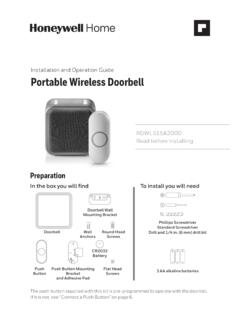
Installation and Operation Guide ... - Consumer Products
www.honeywellstore.com1. Press and hold the Setting button on the doorbell for three seconds. The halo light will circle. 2. Press the push button. 3. Within 12 seconds of pressing the push button, press the Music button to select the ring for that push button. 4. Within 12 seconds of pressing the push button, press the Sunlight button to select a halo light color
Garmin Dash Cam™ Mini 2 Owner’s Manual
www8.garmin.com2 Remove the protective film from the mount adhesive. 3 Position the mount over the mounting location. TIP: The adhesive is extremely sticky. Avoid touching the adhesive to the windshield until the mount is properly positioned and aligned. 4 Press the mount firmly onto the windshield, and maintain pressure for 30 seconds.

GARMINOwner’s Manual DASH CAM MINI
www8.garmin.com2 Remove the protective film from the mount adhesive. 3 Position the mount over the mounting location. TIP: The adhesive is extremely sticky. Avoid touching the adhesive to the windshield until the mount is properly positioned and aligned. 4 Press the mount firmly onto the windshield, and maintain pressure for 30 seconds.
How to reduce paper consumption in your office - Panda
awsassets.panda.orgcoatings, plastic windows, bright colours including goldenrod, laser printer inks, adhesive products. 6) Use less paper by effectively using computers and other technology Today’s information and communication technologies provide many opportunities for businesses to function with far less paper. Electronic mail, Intranets, Internet and document

User's Guide - L3210
files.support.epson.com• If you have trouble loading a stack of envelopes, press each envelope flat before loading it or load one envelope at a time. • Do not load envelopes that are curled, folded, or too thin, or that have plastic windows or exposed adhesive flaps. • Check the paper package for any additional loading instructions.
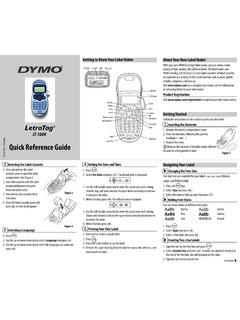
Quick Reference Guide - DYMO
download.dymo.com1. Press . 2. Select Style and press . 3. Select a font style and press . Creating Two-Line Labels 1. Type the text for the first line and press . 2. Select Second Line and press . A multi-line symbol is inserted at the end of the first line, but will not print on the label. 3. Type the text for the second line. Selecting a Language 1. Press . 2.