Transcription of IPTV Huawei Set Top Box User Guide For Model …
1 EC2108E STB user Guide Contents Issue 01 (2010-01-05) Huawei Proprietary and Confidential Copyright Huawei Technologies Co., Ltd. i iptv Huawei Set Top Box user Guide For Model EC2108E Contents EC2108E STB user Guide ii TM & Huawei Proprietary and Confidential Copyright Huawei Technologies Co., Ltd. Issue 01 (Feb 2010) Contents 1 Product Overview .. 1-1 2 Product Features .. 2-1 3 Appearance .. 3-1 Front Panel .. 3-1 Rear Panel .. 3-2 4 Working States of the EC2108E STB .. 4-1 5 Remote Control .. 5-1 6 How to Use the EC2108E STB for the First Time .. 6-1 Connecting Cables.
2 6-1 Starting the EC2108E STB .. 6-2 7 Common Operations .. 7-1 Adjusting the Audio Output .. 7-1 Switching Between Audio Channels or Between Audio Tracks .. 7-1 Adjusting the Volume .. 7-1 Muting the Audio .. 7-1 Watching TSTV Programs .. 7-1 Fast Forwarding or Rewinding VOD Programs .. 7-2 Switching Between the Standby State and the Working State .. 7-2 Switching Between Character Input Methods .. 7-2 8 Safety Suggestions .. 8-1 9 Troubleshooting .. 9-1 EC2108E STB user Guide Figures Issue 01 (2010-01-05) Huawei Proprietary and Confidential Copyright Huawei Technologies Co., Ltd.
3 Iii Figures Figure 3-1 Front panel of the EC2108E STB .. 3-1 Figure 3-2 Uncovered front panel of the EC2108E STB .. 3-2 Figure 3-3 Rear panel of the EC2108E STB .. 3-2 Figure 3-4 Right-Side Panel of the EC2108E STB .. 3-3 Figure 4-1 Switching between the states .. 4-1 Figure 5-1 Remote control of the EC2108E STB .. 5-2 Figure 6-1 Cable connection of the EC2108E STB .. 6-1 EC2108E STB user Guide Tables Issue 01 (2010-01-05) Huawei Proprietary and Confidential Copyright Huawei Technologies Co., Ltd. v Tables Table 5-1 Functions of the buttons on the remote control of the EC2108E STB .. 5-3 EC2108E STB user Guide 1 Product Overview Issue 01 (2010-01-05) Huawei Proprietary and Confidential Copyright Huawei Technologies Co.
4 , Ltd. 1-1 1 Product Overview Thank you for choosing the EC2108E IP Set Top Box (hereinafter referred to as the EC2108E STB), which will bring you a brand-new entertainment experience. The EC2108E STB is a digital information electronic device provided for household subscribers. It is a terminal that provides streaming services through a TV set on a VDSL or FTTH connection. The EC2108E STB provides a new solution for operators to launch fee-based iptv services on a broadband network. The EC2108E STB is a cost-effective product. It provides a variety of external interfaces, and can decode high-definition (HD) and standard-definition (SD) MPEG-2 and content.
5 It runs on an embedded real-time operating system and provides the functions of remote configuration, remote monitoring, and remote upgrade. EC2108E STB user Guide 2 Product Features Issue 01 (2010-01-05) Huawei Proprietary and Confidential Copyright Huawei Technologies Co., Ltd. 2-1 2 Product Features The EC2108E STB has the following features: High reliability and stability Support for three access modes: PPPoE, DHCP, and static IP address Easy-to-use remote control Simple menus, which facilitate operations Support for HD decoding Compliance with MPEG standards High compatibility Powerful network management capabilities implemented through the embedded real-time operating system Multiple control modes.
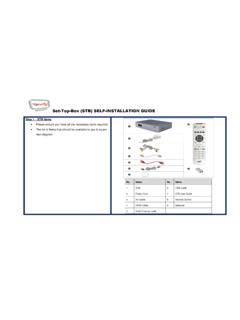
6 Terminal control and remote control Modular design, which facilitates upgrade Support for online upgrade Support for HTML, JavaScript, and Cookies Multiple audio and video output ports OSD flicker prevention Quick startup Cost-effectiveness EC2108E STB user Guide 3 Appearance Issue 01 (2010-01-05) Huawei Proprietary and Confidential Copyright Huawei Technologies Co., Ltd. 3-1 3 Appearance Front Panel Figure 3-1 shows the front panel of the EC2108E STB. Figure 3-1 Front panel of the EC2108E STB No. Name Description 1 Power indicator When the EC2108E STB is working, the indicator is green.
7 When the EC2108E STB is standby, the indicator is red. 2 Link indicator When the EC2108E STB is properly connected to a network cable, the indicator is on. When the EC2108E STB is disconnected from a network cable, the indicator is off. 3 IR indicator When the EC2108E STB is receiving signals from the remote control, the indicator blinks. 4 LED Monitor The working status of the EC2108E STB is displayed on the LED monitor. Figure 3-2 shows the uncovered front panel of the EC2108E STB. 3 Appearance EC2108E STB user Guide 3-2 Huawei Proprietary and Confidential Copyright Huawei Technologies Co.
8 , Ltd. Issue 01 (2010-01-05) Figure 3-2 Uncovered front panel of the EC2108E STB No. Name Description 5 MENU You can press the key to access the main menu. 6 LEFT/RIGHT You can press the keys to adjust volume, or move the cursor leftward or rightward on the EPG. UP/DOWN You can press the keys to switch between channels, or move the cursor upward or downward on the EPG. 7 OK You can press the key to confirm an operation. Rear Panel Figure 3-3 shows the rear panel of the EC2108E STB. Figure 3-4 shows the right-side panel of the EC2108E STB. Figure 3-3 Rear panel of the EC2108E STB EC2108E STB user Guide 3 Appearance Issue 01 (2010-01-05) Huawei Proprietary and Confidential Copyright Huawei Technologies Co.
9 , Ltd. 3-3 Figure 3-4 Right-Side Panel of the EC2108E STB No. Name Description 1 RJ45 It is the 10/100 Mbit/s Base-T Ethernet port. It is connected to RG. 2 Y, Pb, and Pr They are connected to the Y, Pb, and Pr input ports of a TV set. 3 CVBS It is connected to the composite video input port of a TV set. Cable type is RCA. (USED IF NO HDMI CABLE PROVIDED). Audio (R) It is the port for the output of the right-channel analog audio. Cable type is RCA. (USED IF NO HDMI CABLE PROVIDED). Audio (L) It is the port for the output of the left-channel analog audio. Cable type is RCA. (USED IF NO HDMI CABLE PROVIDED).
10 4 S-VIDEO It is connected to the S-Video input port of a TV set. (IF USED, FOR AUDIO USE Audio (R) and Audio (L)) 5 S/PDIF It is an optical S/PDIF output port. Use for high quality audio equipment such as amplifier or speaker 6 HDMI It is an HDMI output port. 7 USB It is a port. Special functions can be added through the USB port to meet operation requirements. 8 It is the power input port (12 V and 2 A DC). 9 ON/OFF It is the power switch. It is used to turn on or turn off the power. 10 It is a USB host port. EC2108E STB user Guide 4 Working States of the EC2108E STB Issue 01 (2010-01-05) Huawei Proprietary and Confidential Copyright Huawei Technologies Co.