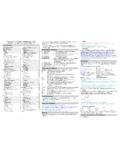
Transcription of Just Enough Mathematica to Make you Dangerous - Cheat …
1 % mathUse ssh to get to the % promptIn[1]:= Exit or hit control-dLeave Mathematica (when you re ready to!)% math < > more Mathematica commands from (non-interactively) with output to [2]:= [2]= as a good old hit ENTER (or shift-ENTER) after each commandIn[3]:= 15!Out[3]= 1307674368000 Large values are no problem; you could even compute 1500 factorial if you wanted toIn[4]:= ?LogLog[z] gives the natural logarithm of z (logarithm to base e). Log[b, z] gives the logarithm to base [5]:= Log[10, ]Out[5]= help with a function? Enter a ? followed by the name of a Mathematica function. Not sure of a function s name? You can use a * to see possible matches, , ?L*Note that Mathematica functions are case sensitive and begin with a capital [6]:= (4000/23)^3 64000000000 Out[6]= ----------- 12167In[7]:= %//NOut[7]= 106 Operations done on whole numbers are always represented exactly when means recall the last result and //N means provide an approximate numerical result In[8]:= Sin[60 Degree] Sqrt[3]Out[8]= ------- 2 Function args must be put in square functions are in radians by default.
2 Want a numeric value? Remember //NInverse functions? ArcSin[ ]/DegreeIn[9]:= Sum[i/(i^i),{i,1,\Infinity}]//NOut[9]= evaluate an infinite can continue long Mathematica commands lines with a \ at the end of a lineIn[10]:= BaseForm[223,2]Out[10]//BaseForm= 110111112In[11]:= 16^^FAE7 + 16^^2C3 EOut[11]= 75557In[12]:= BaseForm[%,16]Out12//BaseForm= 1272516 Convert the value 223 (decimal) to base 2 (binary).Add FAE7 (hex) to 2C2E (hex); output by default is in decimal, but you can then force that output into hex, too, if you [1]:= Expand[(x+y)^2]Out[1]= x2 + 2 x y + y2In[2]:= Factor[%]Out[2]= (x + y)2 Mathematica can expand an algebraic or factor it back to a compact [3]:= Solve[x^2==81,x]Out[3]={{x -> -9}, {x -> 9}}Find the roots of an equation; note use of == (rather than just =) in writing the [4]:= Solve[x^2==-4,x]Out[4]= {{x -> -2I},{x -> 2I}}Imaginary numbers?
3 No [5]:=Solve[{x+y==1,3x+y==2}] 1 1 Out[5]= {{x -> -, y -> -}} 2 2 Mathematica can also solve systems of algebraic equations in multiple [1]:= Limit[x/(Sqrt[x+1]-1),x->0]Out[1]= 2 Evaluate a limitIn[2]:= Dt[x^3+2x,x]Out[2]= 2 + 3 x2 Compute a total derivative In[3]:= D[(x^2)(y^3)+4y+x+2,x]Out[3]= 1 + 2 x y3 Partial derivatives work the same wayIn[4]:= D[x^3+2x,x,x]Out[4]= 6 xTake the 2nd derivative with respect to xIn[5]:= Integrate[3x^2+2x,x]Out[5]= x2 + x3 Mathematica can also do integrals, just as you d [6]:= Integrate[E^x,{x,0,1}]Out[6]= -1 + EDefinite integral are also easy to [7]:= <<Calculus`VectorAnalysis`In[8]:= SetCoordinates[\Cylindrical]Out[8]= Cylindrical[Rr,Ttheta,Zz]In[9]:= Integrate[Sqrt[1+4Rr^2]\Rr,{Rr,0,1},{Tth eta,0,2Pi}]//NOut[9]= space is the default, but not our only option.
4 For example, let s find the surface area of the parabola z=1+x2+y2 where x2+y2 <=1. Because of the nature of that restriction, it is easier to work in cylindrical coordinates. We do so via the vector analysis package (note the backtick marks, , used when loading a package!). Package info is at In[1]:= w={{a,b},{c,d}}Out[1]= {{a, b}, {c, d}}Create a 2x2 matrix (we re using symbols, but you could equally easily use numeric values)In[2]:= w.{x,y}=={k1,k2}Out[2]= {a x + b y, c x + d y} =={k1, k2}Use a dot product to apply that matrix of coefficients to two variables to form a system of two equations with constants {k1, k2}In[3]:= Transpose[w]//MatrixFormOut[3]//MatrixFo rm= a c b dMathematica can easily do most standard linear algebra operations, for example, we can easily transpose matrix [4]:=Inverse[{{1,-1},{2,2}}] 1 1 1 1 Out[4]={{-, -},{-(-), -}} 2 4 2 4Or compute the inverse of a 2x2 numeric [5]:= Det[{{a,b,c},{d,e,f},\{g,h,i}}]Out[5]= -(c e g) + b f g + c d h - a f h - b d i + a e iOr compute the determinant of a 3x3 symbolic [6].
5 = Table[If[EvenQ[i]||EvenQ[j]\,1,0],{i,3}, {j,3}]//MatrixFormOut[6]= 0 1 0 1 1 1 0 1 0In addition to entering matrices on an elementby element basis, Mathematica will also let us construct matrices using rules, such as this example that sets elements of a 3x3 matrix to be 1 if the column or row is an even [1]:= Plot[x^2,{x,-5,5}]Out[1]= -Graphics-In[2]:= Display[" ",%,"GIF"]Out[2]= -Graphics-Note: besides GIF format, you can also use the Display function to save Mathematica graphics in PDF, EPS, PCL, PBM and other a function over an interval. If connecting from a Unix workstation or an X terminal, your graph will be shown in a new window; we also show saving graphic output in gif format. In[3]:=!
6 ! [etc]In[4]:= newvals=ReadList[ \" ",{Number,Number}]Out[4]= {{ , },[etc]}In[5]:= plot1=ListPlot[newvals]Out[5]= -Graphics- [not shown]In[6]:= Fit[newvals,{1,x},{x}]Out[6]= + xIn[7]:= plot2=Plot[%,{x,1,8}]Out[7]= -Graphics- [not shown]In[8]:= Show[plot1,plot2]Out[8]= -Graphics-In[9]:= Display[" ",%,"GIF"]Out[9]= -Graphics-Work with (x,y) data points from an external file.!! shows us the contents of the in pairs of numbers from that file, storing the list of values by the name newvals. Plot the dataset. Fit a line to the points & plot that. Finally, overlay both and save as a gif(* Approach No. 1 *)w=Join[Table[0,{7}],Table[5,{7}],\Tabl e[10,{4}],{25}];<<DiscreteMath`Combinato rica`x=Union[KSubsets[w,7]];Select[x,(Pl us@@##)<=45&]\//TableFormPrint["\n ",Length[%]," soln s"](* Approach No.)
7 2 *)solns=0;Do[If[((25i+10j+5k<=45)&&\ (i+j+k<=7)),\ solns++, Null],\ {i,0,1},{j,0,5},{k,0,7}];Print["\n",soln s," soln s"]If Mathematica doesn t have precisely what you need (or what it has is overkill), you can always use Mathematica as a programming language and write your own code. For example, assume you have a pile of 5, 10 and 25 pound weights. Using no more than 7 of them in any instance, how many combinations can you form that will total no more than 45 pounds?We can solve that problem using Mathematica s Combinatorica package, or we can just write a little program to solve that problem directly bylooping through a three way nested do loop, using an if statement to tally only solutions that meet the specified more information, please ~hak/mathematicaThe Mathematica Book, 4th Ed.
8 , See also and for online copies of many Mathematica documents.