Example: quiz answers
Keyboard shortcuts for macOS - Visual Studio Code
⇧⌘V Open Markdown preview ⌘K V Open Markdown preview to the side ⌘K Z Zen Mode (Esc Esc to exit) Debug F9 Toggle breakpoint F5 Start/Continue F11/ Step into/ out F10 Step over ⇧F5 Stop ⌘I Show hover terminal ` Show integrated terminal ⌃⇧` Create new terminal ⌘C Copy selection ⌘↑ / ↓ Scroll up/down
Tags:
Information
Domain:
Source:
Link to this page:
Documents from same domain
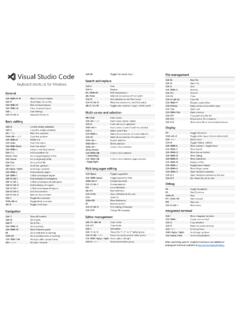
Keyboard shortcuts for Windows - Visual Studio Code
code.visualstudio.comCtrl+C Copy line (empty selection) ... Ctrl+M unassigned shortcuts available at Toggle Tab moves focus Search and replace Ctrl+F Find Ctrl+H Replace F3 / Shift+F3 Find next/previous Alt+Enter Select all occurences of Find match Ctrl+D Add selection to next Find match
Related documents
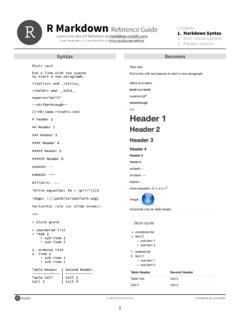
Syntax Becomes - RStudio
www.rstudio.comOct 30, 2014 · Contents: 1. Markdown Syntax 2. Knitr chunk options 3. Pandoc options 2 Syntax Becomes Make a code chunk with three back ticks followed by an r in braces.

Use Python with R with reticulate : : CHEAT SHEET
raw.githubusercontent.comR Python Single-element vector Scalar Multi-element vector List List of multiple types Tuple Named list Dict Matrix/Array NumPy ndarray Data Frame Pandas DataFrame Function Python function NULL, TRUE, FALSE None, True, False py_to_r(x) Convert a Python object to an R object. Also r_to_py(). py_to_r(x) tuple(..., convert = FALSE) Create a