Example: air traffic controller
Keyboard shortcuts for Microsoft PowerPoint
Expand text below a heading. Alt+Shift+Plus Sign (+) Collapse text below a heading. Alt+Shift+Minus Sign (-) Work with shapes, pictures, boxes, objects, and WordArt Insert a shape 1. To select Shapes, press Alt+N, S, and then H. 2. Use the arrow keys to move through the categories of shapes, and select the shape you want.
Tags:
Information
Domain:
Source:
Link to this page:
Related documents
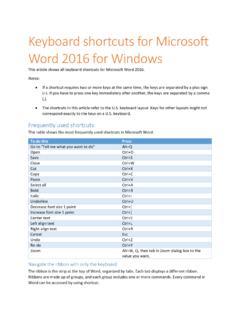
Keyboard shortcuts for Microsoft Word 2016 for Windows
www.ucdc.eduPaste Ctrl+V Select all Ctrl+A Bold Ctrl+B Italic Ctrl+I Underline Ctrl+U Decrease font size 1 point Ctrl+[ Increase font size 1 point Ctrl+] Center text Ctrl+E Left align text Ctrl+L Right align text Ctrl+R Cancel Esc Undo Ctrl+Z Re-do Ctrl+Y Zoom Alt+W, Q, then tab in Zoom dialog box to the value you want.
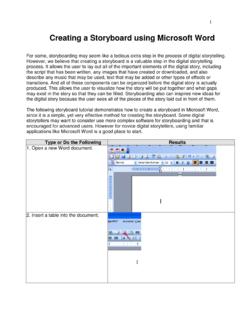
Creating a Storyboard using Microsoft Word
digitalstorytelling.coe.uh.edupieces of text from your script into your storyboard. This text will go in the left- hand column cell. 17. Some digital storytellers like to customize the labels for music, narration, titles, effects, etc., by using different colors for each different element of the story.
Lesson: Actions - Present Continuous - ESL KidStuff
www.eslkidstuff.com9. Do "Magazine cut and paste activity" Before class you will need to prepare some old magazines, catalogues or newspapers. Anything with pictures of people doing things which you can cut out. The more you can get the better. You’ll also need some large sheets of …
Creating Presentations with Prezi - University of Illinois ...
www.uis.edu2. After you have finished adding the text and inserting the pictures and shapes you want for the subject you have been working on, you need to group the information together. a. On the top toolbar, click Frames and Arrows. b. After selecting the desired frame, hold down your mouse and drag it until it is the appropriate size.

Command cheat sheet - Dragon Professional Individual, v15
www.nuance.comClick text field or click edit box Click [radio] button Click checkbox Click image Clickk list box then show choices – If more than one match: choose <n> or hide numbers or cancel Select text Select all Select <xyz> Select next <n> words Select <start> through <end> Select previous paragraph Select document Unselect that Correct Dragon’s errors
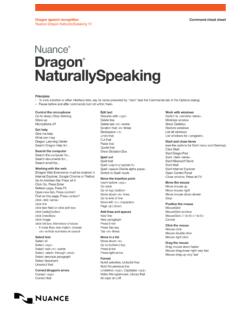
Dragon NaturallySpeaking Cheat Sheet - Nuance …
www.nuance.comclick text field or click edit box click [radio] button click checkbox click image click list box then show choices – If more than one match: choose <n> or hide numbers or cancel Select text Select all Select <xyz> Select next <n> words Select <start> through <end> Select previous paragraph Select document Unselect that Correct Dragon’s errors
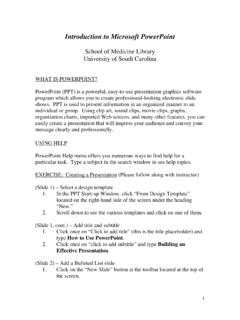
Introduction to Microsoft PowerPoint
uscm.med.sc.edu• Click on the Paste icon on the toolbar (looks like a clipboard). The screen you saved will now appear on your blank slide. • Click once on the image and then drag the corners to fill the screen. Note: You may want your slide to have a white background to better display the Web screen shot. To do this, click the “Format” menu, click

Word 2010 - Tutorialspoint
www.tutorialspoint.comWord 2010 i About the Tutorial Microsoft Office Word 2010 allows you to create and edit personal and business documents, such as letters, reports, invoices, emails and books.