Example: barber
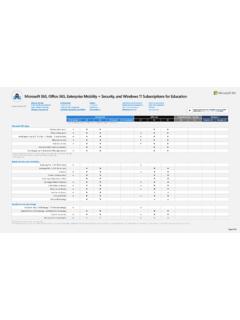
Live events Webinars Microsoft Whiteboard OneNote Class ...
1 Includes Word, Excel, PowerPoint, OneNote, Outlook, Access (PC only), and Publisher (PC only) 2 Includes Word, Excel, PowerPoint, Outlook, and OneNote mobile Apps 3 Mobile apps only 4 Available beginning August –December 2021 depending on region Exchange Plan 1 (50 GB mailbox) Exchange Plan 2 (100 GB mailbox) Calendar
Tags:
Information
Domain:
Source:
Link to this page:
Documents from same domain
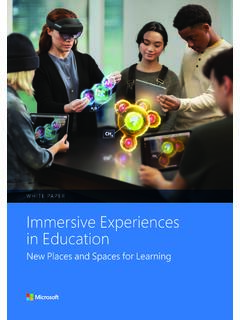
Immersive Experiences in Education
edudownloads.azureedge.netIMMESIVE EPEIENCES IN EDUCATIN 1 About the author Alice Bonasio is a technology journalist, author and consultant. She is currently Editor-in-Chief of techtrends.tech

Teaching & Learning
edudownloads.azureedge.net2 Table of Contents Introduction Create and share in entirely new ways Teach and learn through doing and exploring Accommodate individual learning needs
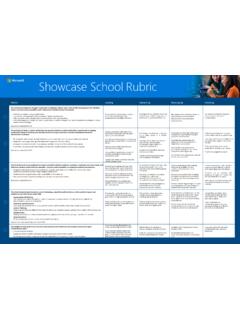
Showcase School Rubric
edudownloads.azureedge.netHas developed a shared vision and plan incorporates all four pillars of the ETF ... • Monitoring and evaluation dataresults are shared with stakeholders for transparency, buy-in, and participation ... Showcase School Rubric . Created Date: 9/16/2019 11:10:15 AM ...

The Future of Learning
edudownloads.azureedge.netin supporting the health and well-being of learners, and indeed the whole school community, through school health and well-being programs, has become more appreciated than ever. 6 The Learning Zone When in the Learning Zone, and initial procedures are in place, systems begin to assess and address well-being and equity issues.
Make meetings easy with Microsoft Teams for Education
edudownloads.azureedge.net3. The recording is then processed and saved to Microsoft Stream or OneDrive, depending on your school’s settings. •Starting around August 2021, all meeting recordings will be saved to OneDrive and SharePoint. 4. Selecting the Get Link icon will provide you with a sharable link to the recording that you can paste in a message to students or ...
Microsoft Education Analytics
edudownloads.azureedge.netto organize virtual video meetings with peers all over the world, use specialized software and tools, and collaborate on shared documents or projects. Social refers to a growing trend towards social networking online as an evolution of e-learning rather than a major paradigm shift.
Supplemental licenses
edudownloads.azureedge.net7 Office 365 A5 includes DLP for Teams chat, Rules -based auto classification, advanced Information Governance, Advanced Message Encryption, and Customer Key value of Microsoft 365 A5 Information Protection and Governance but does not include Machine Learning based auto classification (trainable classifiers).
Education Transformation Framework Quick Start Guide
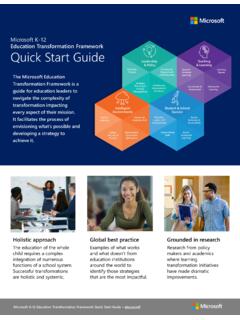
edudownloads.azureedge.netTeaching & Learning. Microsoft K-12 Education Transformation Framework Quick Start Guide – aka.ms/etf. Student-Centered Learning. Create a pedagogy inclusive of teaching and learning practices that are project and competency - based, collaborative, and require students to own their learning. Curriculum & Assessment. New forms of curriculum
Related documents

Microsoft OneNote Step by Step - pearsoncmg.com
ptgmedia.pearsoncmg.comOneNote and for people who are discovering OneNote for the first time. The Step by Step approach The book’s coverage is divided into chapters representing OneNote skill set areas, and each chapter is divided into topics that group related skills. Each topic includes expository information followed by generic procedures. At the end of the chapter,

Move Your OneNote Notebooks to Your OneDrive Cloud …
www.uwsp.eduA OneNote Notebook is not a single file which can be moved from one location to another like other discreet files. A OneNote Notebook consists of a folder containing multiple “pieces” that comprise your entire Notebook. For example in the first image below, the OneNote Notebook “Project Tasks2” contains two . Section. tabs, “Project 1”
TABLE OF CONTENTS - Getting Things Done
gettingthingsdone.comOneNote for your Project lists and plans, Next Actions lists, and Reference. The instructions and screenshots show examples for OneNote 2016 for Windows, but should apply to most recent versions of OneNote. If you are new to OneNote, this Guide should be an excellent starting point for you to build a solid GTD

Quick Start Guide - download.microsoft.com
download.microsoft.comOneNote. Quick Start Guide. New to OneNote? Use this guide to learn the basics. Quick Access Toolbar. Keep favorite commands permanently visible. Explore the ribbon. See what OneNote can do by selecting the ribbon tabs and exploring available tools. Discover contextual commands. Select any part of a table or an inserted recording to reveal ...
1. OneNote basics - North Dakota State University
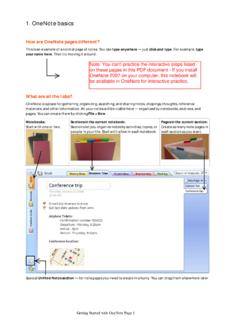
www.ndsu.eduOneNote is a place for gathering, organizing, searching, and sharing notes, clippings, thoughts, reference materials, and other information. All your notes will be visible here —organized by notebooks, sections, and pages. You can create them by clicking File > New. Notebooks:

Guide to using OneNote as a Research Notebook
eprints.gla.ac.ukOneNote offline version: to add a new section, click on the tab with a + symbol along the top. To add a new page to a section, click on the section tab and then click on ‘Add page’ on the right sidebar. Sub-pages at multiple levels can be created in …
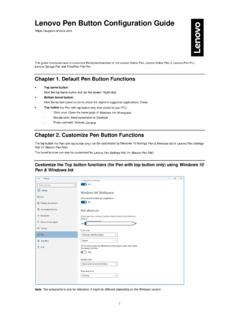
Lenovo Pen Button Configuration Guide
download.lenovo.com- Double click: Send screenshot to OneNote - Press and hold: Activate Cortana Chapter 2. Customize Pen Button Functions The top button ( for Pen with top button only) can be customized by Windows 10 Settings Pen & Windows Ink or Lenovo Pen Settings App (or Wacom Pen App).
Windows 10 Microsoft PivotTable Elements ... - CustomGuide
www.customguide.comOneNote Windows Click the links to jump to a topic FREE QUICK REFERENCE BUNDLE Microsoft Office ® Windows 10 Getting Started Windows Desktop & Start Menu Keyboard Shortcuts Settings Shortcuts Desktop Shortcuts Teams Getting Started Program Screen Keyboard Shortcuts Messaging Meetings and Calls Calendar Excel Advanced PivotTables …
OneNote 2016 Tips & Tricks - download.microsoft.com
download.microsoft.comOneNote creates a link to that page in your notebook. 4 Type two right brackets ( ]])after the page title. 3 Create automatic cross-reference links to any page by typing its title inside double brackets. NOTE If you type a title for a page that doesn’t exist, OneNote creates a new, blank page that the link will point to.