Transcription of Lutron Connect and Sonos FAQ
1 Lutron Connect and Sonos FAQ. Table of Contents What is Sonos ? .. 2. What Lutron systems are compatible with Sonos ? .. 2. What version of the Lutron Connect App is required for use with Sonos ? .. 2. What are the benefits of integrating Lutron Connect with a Sonos system?.. 2. What can I do with a Pico remote control for audio with a Sonos system? .. 2. What can I do with scenes and a Sonos system?.. 2. What Sonos products work with RadioRA 2 and HomeWorks QS? .. 2. What hardware is required from Sonos to work with RadioRA 2 or HomeWorks QS? .. 2. What software is required from Sonos to work with RadioRA 2 or HomeWorks QS? .. 2. What hardware is required from Lutron to work with Sonos ?.. 3. What software is required from Lutron to work with Sonos ? .. 3. Is there a fee for the Lutron Connect App?
2 3. How do I set up the RadioRA 2 or HomeWorks QS system to work with Sonos ? .. 3. How do I add Sonos speakers to Pico remote controls with audio engraving? .. 3. August 19, 2016 Rev. 1|Page What is Sonos ? Sonos is the home sound system that streams all your favorite music to any room, or every room. Control your music with one simple app, and fill your home with pure, immersive sound. Sonos offers a variety of speakers in different shapes and sizes for any or every room of your home. You can find out more at What Lutron systems are compatible with Sonos ? Cas ta Wireless, HomeWorks QS, and RadioRA 2 are all compatible with Sonos . What version of the Lutron Connect App is required for use with Sonos ? The version of Lutron Connect App required is x. What are the benefits of integrating Lutron Connect with a Sonos Home Sound System?
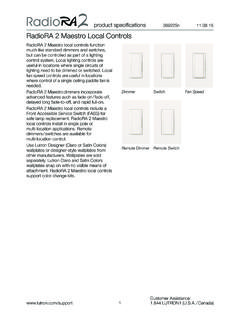
3 There are several benefits when integrating a RadioRA 2 or HomeWorks QS system, with Lutron Connect , with a Sonos system. Sonos speakers can be added to any single action scene button on an in- wall, tabletop keypad, or Lutron Connect app keypad. For example, music could be layered in with the lights, shades, and temperature control of the Morning scene, setting the perfect atmosphere for waking up in the morning and getting ready for the day. Sonos could also be included into the arriving/leaving home feature to automatically start playing music upon your arrival home while pausing them when you leave. Also, you can use the new Pico remote for audio to control your Sonos speakers from anywhere in your home ( from the wall, nightstand, coffee table). What can I do with a Pico remote control for audio with a Sonos Home Sound System?
4 The Pico remote control for audio allows you to play/pause your Sonos speakers, raise or lower the volume, skip tracks and change between your favorite stations or playlists. What can I do with scenes and a Sonos Home Sound System? You can create manual scenes that control lights, shades, and sound together ( Dinner scene, Relax scene). Additionally, if you're using the Arriving/Leaving Home feature you can automatically start playing your speakers before you arrive home and automatically pause all your speakers when you leave. What Sonos products work with RadioRA 2 and HomeWorks QS? All Sonos speakers are compatible with RadioRA 2 and HomeWorks QS, including the play:1, play:3, play:5, playbar, sub, Connect , and Connect :amp. What hardware is required from Sonos to work with RadioRA 2 or HomeWorks QS?
5 At least one compatible component listed above. When using the sub, the sub must be paired with at least one Sonos speaker or Connect :amp. What software is required from Sonos to work with RadioRA 2 or HomeWorks QS? You'll need to install the Sonos app on your smartphone in order to initially setup your Sonos Home Sound System and select your favorite stations/playlists. August 19, 2016 Rev. 2|Page What hardware is required from Lutron to work with Sonos ? You'll need a RadioRA 2 or HomeWorks QS system with a Lutron Connect Bridge, and at least one keypad with single action button programming or a Pico remote control for audio. What software is required from Lutron to work with Sonos ? You'll need to install the free Lutron Connect app for RadioRA 2 and HomeWorks QS systems on your smartphone in order to set up your system and add Sonos speakers to the Lutron app.
6 The RadioRA 2. and Homeworks QS systems must be running the or higher operating system in order to work with Sonos . Is there a fee for the Lutron Connect App? No, the app is free. How do I set up the RadioRA 2 or HomeWorks QS system to work with Sonos ? 1. First, install your Sonos speakers and follow the steps in the Sonos app on your smartphone/tablet to set up your Sonos system and create your list of favorite stations. 2. Next, the qualified Lutron installer/programmer will install, program, activate and transfer to the RadioRA 2 or HomeWorks QS system using the programming software utility. 3. Download the Lutron Connect app to your smartphone and Connect it to the system. 4. Navigate to the desired keypad under Areas . 5. Tap edit 6. Tap the chevron on the button you wish to program 7.
7 Select Speakers 8. Select how the button should interact with your audio 9. Tap Save when you're done editing the button How do I add Sonos speakers to Pico remote controls with audio engraving? 1. In the Lutron Connect app, navigate to the area tree using the Areas selection from the HomeGlance screen 2. Use the area tree to navigate to the Pico remote with audio engraving that you would like to add the Sonos speaker(s) to 3. Tap Edit in the upper-right corner of the screen 4. Tap Use this as a home audio pico *. 5. Select the speaker(s) you'd like to control 6. Tap Save . *Note: App will only be able to program a Pico remote for home audio if there is no other load type (non- Sonos ) or devices programmed to it (ex. lights, shades, fans, CCOs, etc). August 19, 2016 Rev.
8 3|Pag