May 14, 2018 2018 AT&T Intellectual Property. All rights reserved. AT&T and the Globe logo are registered trademarks of AT&T Intellectual Property. Premier make a Payment To make a Payment on your account, use one of the following methods: Pay online . To pay online , go to Premier. Pay by Mail. To pay by mail, see your AT&T bill for the Payment mailing address in your area. Pay by Phone. To pay by phone, dial 611 from your AT&T wireless device or call from any phone in the United States. Pay in Person. To pay in person, visit one of our retail Payment centers. To find a Payment center near you, use AT&T Maps.
Pay Online. To pay online, go to Premier. Pay by Mail. To pay by mail, see your AT&T bill for the payment mailing address in your area. Pay by Phone. To pay by phone, dial 611 from your AT&T wireless device or call 800.331.0500 from any phone in the United States. Pay in Person. To pay in person, visit one of our retail payment centers.
1 May 14, 2018 2018 AT&T Intellectual Property. All rights reserved. AT&T and the Globe logo are registered trademarks of AT&T Intellectual Property. Premier make a Payment To make a Payment on your account, use one of the following methods: Pay online . To pay online , go to Premier. Pay by Mail. To pay by mail, see your AT&T bill for the Payment mailing address in your area. Pay by Phone. To pay by phone, dial 611 from your AT&T wireless device or call from any phone in the United States. Pay in Person. To pay in person, visit one of our retail Payment centers. To find a Payment center near you, use AT&T Maps.
Cancel service by phone To cancel a wireless line of service, call Premier Customer Service at 800.331.0500 or dial 611 from your wireless device. Cancel service online 1. On the Premier homepage, from the I want to list on the taskbar, select Cancel/resume. Note: If this option isn’t available, call us at 800.331.0500 and request that the online
AT&T values our relationship with you and offers a return policy for equipment and services purchased directly from AT&T. This return policy may not reflect the policies of AT&T authorized retailers. If the phone or device you purchased does not meet your expectations, return it by mail within 14 days from the date the equipment was shipped.
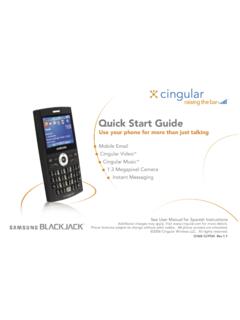
Quick Start Guide Use your phone for more than just talking See User Manual for Spanish Instructions *Additional charges may apply. Visit www.cingular.com for more details. ... Watch news, sports, weather and entertainment clips while on the go. • In Idle mode, press the key.
Quick Start Guide Use your phone for more than just talking Mobile Email Cingular Video™ Cingular Music™ 1.3 Megapixel Camera Instant Messaging See User Manual for Spanish Instructions
Reset the voicemail password for a wireless user 1. On the Premier homepage, from the I want to list on the taskbar, select Reset voicemail password. Notes: • If Reset voicemail password isn’t visible on the list, you don’t have permission to reset passwords. • If Reset voicemail password is visible but disabled, there’s a problem ...
Before you replace a SIM card, you’ll need to copy your contact information to your new SIM card (see Transfer contacts and content between phones). You won’t be able to copy your contacts after you replace your SIM card. To receive a new SIM card, visit an AT&T retail store. To order SIM cards in bulk, call Premier Support at 866.499.8008 ...
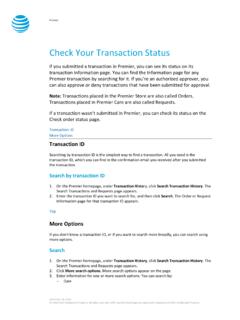
Dec 30, 2016 · If you want to check the status of a transaction that wasn’t submitted in Premier, use the Check order status page. 1. Go to the Check order status page. 2. Enter the order ID and ZIP code for the order you want to search for, and then click . Continue. The order information page for that order ID appears. Top
Chase Online demo. Secure Message Center . See Inbox Send new message See sent messages. ... See online demo Account Alerts Online Bill Payment BUSINESS FREE CHK (...1532) Go to My Accounts Make a transfer Pay bills Add payee Wire money Go to Payments & Transfers. We offer a wide range of products and services for
With Online Bill Payment, paying your bills is quick and easy. And you can pay almost any company or person in the U.S.—electric company, water company, cell phone and even the rent—with funds deducted directly from your Chase debit card account. To …
Online Bill pay Yes *CHASE BANK Liquid Card $25 $4.95 None None None No Fee $2.50 No Fee No Fee Online Bill pay Yes *SCE FEDERAL CREDIT UNION Checkless Checking $0 ($15 for membership) No Monthly Fee None None None No ee f and unrestricted $0 No Fee for Members No Fee Yes *SELF-HELP FCU Access Checking $0 ($5 or f
• Avoid scams — Chase will never contact you via e-mail or text message for personal information about your account (PIN, social security number, etc.). If you ever get a message asking for this information, do not reply. ONLINE — MY ACCOUNT • Visit www.myaccount.chase.com to enroll in Online Bill Pay and set-up your list of companies ...
• Chase card and loan payees are paid the same-day if you enter your payment details before the Online Bill Pay cutoff time. • Some payees (typically larger companies) are set up to receive electronic
payment options made possible through websites, Web portals, online bill pay services and mobile devices will challenge providers to integrate payments across every system in ways that improve workflow. Direct mail and coupons should tout faster and cheaper ways patients can pay compared to sending payment through the mail. Likewise, patient
Payments: Send payments to the address listed on the remit portion of this statement or pay online. Notice: See below for your Billing Rights and other important information. Telephoning about billing errors will not preserve your rights under federal law.
versions. By accessing your account online and engaging in other Online Services, you agree to the most recent version of this Agreement, which is available to you online at www.usbank.com, at your local U.S. Bank branch, or by calling U.S. Bank at a number listed at the end of this Agreement.
CHASE PAY CONNEXION (PCX) Frequently Asked Questions 1. How does an employer register with JP Morgan Chas e to make payments electronically through Chas e P ay Connexion (“P C X”)? Registration will occur upon first payment attempt from V3 ESS.
Instructions for Completing the Credit Card Payment Form Credit Card Information Enter all credit card information including the payment amount to be charged to your credit card and remember to sign the form. The United States Patent and Trademark Office (USPTO) cannot process credit card payments without an authorized signature.