Transcription of metraonline.com
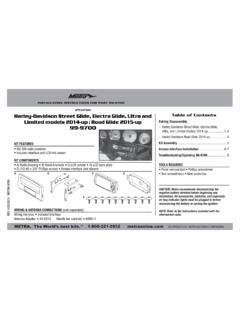
1 The World s best kits. COPYRIGHT 2017 METRA ELECTRONICS CORPORATION REV. 9/12/17 INST99-6525 INSTALLATION INSTRUCTIONS99-6525 CAUTION! All accessories, switches, climate controls panels, and especially air bag indicator lights must be connected before cycling the ignition. Also, do not remove the factory radio with the key in the on position, or while the vehicle is running. KIT FEATURES ISO DIN radio provision with pocket ISO DDIN radio provision Integrated buttons and included interface for climate functions Painted matte black (99-6525B) or high gloss black (99-6525HG)KIT COMPONENTS A) Radio trim panel with climate controls B) Radio brackets C) Lower support bracket D) Pocket E) (2) Metal panel clips F) (2) Plastic panel clips G) (2) #8 x 3/8 Phillips pan-head screws H) (2) #8 x 1/2 Phillips countersunk flat-head screws Climate extension cable (not shown) Axxess interface and wiring harness (not shown)TOOLS REQUIRED Panel removal tool Phillips screwdriver T-30 Torx driverTABLE OF CONTENTSDash Disassembly.
2 2 Kit Assembly ISO DIN radio provision with pocket ..3 ISO DDIN radio provision ..4 Axxess interface installation ..5-8 WIRING & ANTENNA CONNECTIONSW iring Harness: IncludedAntenna Adapter: 40-EU10 (sold separately)Chrysler 300 | DISASSEMBLY1. Unclip and remove the top half of the shift knob. (Figure A)2. Remove (1) T-30 Torx screw securing the knob and then remove. (Figure B)3. Unclip and remove the panel surrounding the shift knob. (Figure C)4. Unclip and remove the climate control/radio control panel. Note: The harness removed from this panel will connect to the climate extension cable. (Figure D)5. Remove (2) Phillips screws securing the pocket below the climate control panel, and then unclip and remove the pocket.
3 (Figure E)6. Remove the (4) Phillips screws securing the radio chassis, and then unplug and remove it from the dash cavity. Note: The white round cable connected to the radio chassis will connect into the Axxess interface to drive the factory display screen. Continue to Kit Assembly(Figure D)(Figure A)(Figure C)(Figure E)(Figure B)REV. 9/12/2017 INST99-65253 KIT ASSEMBLY(Figure A)(Figure C)(Figure B)ISO DIN radio provision with pocket1. Attach the provided clips to the radio trim panel (metal clips at the top; plastic clips at the bottom). (Figure A)2. Attach the lower support bracket to the radio trim panel with climate controls. (Figure A)3. Attach the radio brackets to the pocket using the provided (2) #8 x 3/8 Phillips pan-head screws towards the front of the pocket, and (2) #8 x 1/2 Phillips flat-head screws towards the back.
4 Note: If the screws are not attached this way, the assembly will not slide into the dash. (Figure B)Use countersunk screws for the rear mounts on the pocketPlastic clipMetal clips4. Remove the metal DIN sleeve and trim ring from the aftermarket Slide the radio into the pocket/bracket assembly, and then secure using the screws supplied with the radio. (Figure C) Continue to Axxess Interface Installation Plastic | ASSEMBLY(Figure A)(Figure B)ISO DDIN radio provision1. Attach the provided clips to the radio trim panel (metal clips at the top; plastic clips at the bottom). (Figure A)2. Attach the lower support bracket to the radio trim panel with climate controls. (Figure A)3. Attach the radio brackets to the radio using the screws supplied with the radio.
5 (Figure B) Continue to Axxess Interface InstallationPlastic clipMetal clipsPlastic clipREV. 9/12/2017 INST99-65255 AXXESS INTERFACE INSTALLATIONCONNECTIONS TO BE MADEFrom the 16-pin harness with stripped leads to the aftermarket radio: Connect the Red wire to the accessory wire. Note: If using an ASWC-1 (sold separately), there will be a Red wire there to connect as well. Connect the Orange/White wire to the illumination wire. (If the aftermarket radio has no illumination wire, tape off the Orange/White wire.) Connect the Blue/White wire to the amp turn-on following (3) wires are for aftermarket multimedia/navigation radios that provide these wires (if not required, tape them off and disregard them). Connect the Light Green wire to the parking brake.
6 Connect the Blue/Pink wire to the VSS or speed sense wire. Connect the Green/Purple wire to the reverse wire. Tape off and disregard the Brown, White, White/Black, Gray, Gray/Black, Purple, Purple/Black, Green, and Green/Black wires, they will not be used in this application. Plug the 16-pin harness into the interface. Continued on the next page Provides accessory power (12-volt 10-amp) Retains (retained accessory power) Used in amplified and non-amplified systems Provides NAV outputs (parking brake, reverse, and speed sense) Prewired ASWC-1 harness (ASWC-1 sold separately) High level speaker input Retains balance and fade Ability to add an aftermarket backup camera or additional video input Retains factory screen Micro B USB updatableINTERFACE FEATURES Cutting tool Crimping tool Tape Connectors (example: butt-connectors, bell caps, etc.)
7 TOOLS REQUIRED Axxess Interface 16-pin harness with stripped leads 6525 harness with stripped leadsINTERFACE COMPONENTSTABLE OF CONTENTSC onnections to be made ..5-6 Installing the interface ..6 Screen operation ..7 Updating the interface .. | TO BE MADE (CONT)INSTALLING THE INTERFACEFrom the 6525 harness to the aftermarket radio:(a) to the 18-pin harness: Tape off and disregard the Purple, Purple/Black, Green, and Green/Black wires, they will not be used in this application. Disregard the Yellow RCA jack labeled (1), it will not be used in this application. Connect the Yellow RCA jack labeled (2) to either an aftermarket backup camera, or an AUX video input. Note: This is optional if you desire to have the backup camera or AUX video image on the factory screen.
8 If you prefer to have the image on the aftermarket radio instead, connect the backup camera or AUX video to the aftermarket radio. (b) to the 22-pin harness: Connect the Black wire to the ground wire. Connect the Yellow wire to the battery wire. Connect the White wire to the left front positive speaker output Connect the White/Black wire to the left front negative speaker output Connect the Gray wire to the right front positive speaker output Connect the Gray/Black wire to the right front negative speaker output Connect the Green wire to the left rear positive speaker output. Connect the Green/Black wire to the left rear negative speaker output. Connect the Purple wire to the right rear positive speaker output.
9 Connect the Purple/Black wire to the right rear negative speaker the key in the off position Connect the 16-pin harness with stripped leads into the interface. Connect the 6525 harness into the interface, and then into the vehicle. Connect the climate extension cable into the connector behind the radio trim panel with climate controls, and then into the vehicle. Note: This harness must be connected for the climate controls to function. Connect the white round cable removed from the radio chassis in dash disassembly, into the Axxess interface. Note: If this is not connected, the factory display screen will not assemblyAttention! For models with a screen, please update the interface via the Axxess Updater available via Select screen once prompted Locate the factory antenna connector in the dash, and complete all necessary connections to the radio.
10 Metra recommends using the proper mating adapter from Metra. Note: If using the ASWC-1 (sold separately), connect it after you program and test the 99-6525, with the key in the off Before using the kit it must be initialized. Initialize the kit by turning the ignition on until the radio comes on, then turn the ignition back off, then back on again. Note: If the 99-6525 loses power for any reason, this step will need to be performed Test the radio and climate controls for proper Mount the completed assembly into the dash using the 99-6525 radio trim panel with climate controls, and then reassemble the dash in reverse order of disassembly. Note: The potentiometer which is located on the 16-pin harness side of the interface is for future 9/12/2017 INST99-65257 SCREEN OPERATION1.