Transcription of MF3010 Starter Guide - GfK Etilize
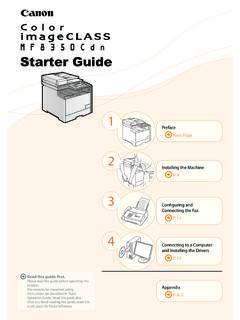
1 1 Preface the Machine P. 103 Appendix P. A-1 Before Using the Machine Next PageInstalling the Drivers Software P. 16 Read this Guide read this Guide before operating this you finish reading this Guide , store it in a safe place for future Guide6As these instructions are intended to prevent injury to the user and other persons or to prevent destruction of property, always pay attention to these instructions and operational , as it may result in unexpected accidents or injuries, do not perform any operation unless otherwise specified in the manual. WARNING Do not install the machine in a location near alcohol, paint thinner, or other flammable substances. If flammable substances come into contact with electrical parts inside the machine, this may result in a fire or electrical shock. Do not place the following items on the machine. Necklaces and other metal objects Cups, vases, flowerpots, and other containers filled with water or liquids If these items come into contact with a high-voltage area inside the machine, this may result in a fire or electrical these items are dropped or spilled inside the machine, immediately turn off the power switches of the machine and computer (1) and disconnect the interface cable if it is connected (2).
2 Then, unplug the power plug from the AC power outlet (3) and contact your local authorized Canon (3)(1)(1)(2)(3) CAUTION Do not install the machine in unstable locations, such as on unsteady platforms or inclined floors, or in locations subject to excessive vibrations, as this may cause the machine to fall or tip over, resulting in personal injury. The ventilation slots are provided for proper ventilation of working parts inside the machine. Never place the machine on a soft surface, such as a bed, sofa, or rug. Blocking the slots can cause the machine to overheat, resulting in a fire. Do not install the machine in the following locations, as this may result in a fire or electrical shock. A damp or dusty location A location exposed to smoke and steam, such as near a cookery or humidifier A location exposed to rain or snow A location near a water faucet or water A location exposed to direct sunlight A location subject to high temperatures A location near open flames When installing the machine, gently lower the machine to the installation site so as not to catch your hands between the machine and the floor or between the machine and other equipment, as this may result in personal injury.
3 When connecting the interface cable, connect it properly by following the instructions in this manual. If not connected properly, this may result in malfunction or electrical shock. When moving the machine, follow the instructions in this manual to hold it correctly. Failure to do so may cause you to drop the machine, resulting in personal Relocating the Machine WARNING Do not damage or modify the power cord. Also, do not place heavy objects on the power cord or pull on or excessively bend it. This can cause electrical damage, resulting in fire or electrical shock. Keep the power cord away from all heat sources. Failure to do so can cause the power cord insulation to melt, resulting in a fire or electrical shock. The power cord should not be taut, as this may lead to a loose connection and cause overheating, which could result in a fire. The power cord may become damaged if it is stepped on, fixed with staples, or if heavy objects are placed on it.
4 Continued use of a damaged power cord can lead to an accident, such as a fire or electrical shock. Do not plug or unplug the power plug with wet hands, as this can result in electrical shock. Do not plug the power cord into a multiplug power strip, as this can result in a fire or electrical shock. Do not bundle up or tie up the power cord in a knot, as this can result in a fire or electrical shock. Insert the power plug completely into the AC power outlet. Failure to do so can result in a fire or electrical shock. If excessive stress is applied to the connection part of the power cord, it may damage the power cord or the wires inside the machine may be disconnected. This could result in a fire. Avoid the following situations: Connecting and disconnecting the power cord frequently. Tripping over the power cord. The power cord is bent near the connection part, and continuous stress is being applied to the power outlet or the connection part.
5 Applying a shock to the power connector. Do not use power cords other than the one provided, as this can result in a fire or electrical shock. As a general rule, do not use extension cords. Using an extension cord may result in a fire or electrical shock. Remove the power plug from the AC power outlet and refrain from using the machine during a thunder storm. Lightning can result in a fire, electrical shock or malfunction. Important Safety InstructionsInstallationPower Supply1 CAUTION Do not use a power supply voltage other than that listed herein, as this may result in a fire or electrical shock. Always grasp the power plug when unplugging the power plug. Do not pull on the power cord, as this may expose the core wire of the power cord or damage the cord insulation, causing electricity to leak, resulting in a fire or electrical shock. Leave sufficient space around the power plug so that it can be unplugged easily.
6 If objects are placed around the power plug, you may be unable to unplug it in an emergency. WARNING Do not disassemble or modify the machine. There are high-temperature and high-voltage components inside the machine which may result in a fire or electrical shock. Electrical equipment can be hazardous if not used properly. Do not allow children to touch the power cord, cables, internal gears, or electrical parts. If the machine makes an unusual noise or emits smoke, heat, or an unusual smell, immediately turn off the power switches of the machine and computer and disconnect the interface cable if it is connected. Then, unplug the power plug from the AC power outlet and contact your local authorized Canon dealer. Continued use can result in a fire or electrical shock. Do not use flammable sprays near the machine. If flammable substances come into contact with electrical parts inside the machine, this may result in a fire or electrical shock.
7 Always turn off the power switches of the machine and computer, and then unplug the power plug and interface cables before moving the machine. Failure to do so can damage the cables or cords, resulting in a fire or electrical shock. Confirm that the power plug or power connector is inserted completely after moving the machine. Failure to do so can result in an overheating and fire. Do not drop paper clips, staples, or other metal objects inside the machine. Also, do not spill water, liquids, or other flammable substances (alcohol, benzene, paint thinner, etc.) inside the machine. If these items come into contact with a high-voltage area inside the machine, this may result in a fire or electrical shock. If these items are dropped or spilled inside the machine, immediately turn off the power switches of the machine and computer and disconnect the interface cable if it is connected. Then, unplug the power plug from the AC power outlet and contact your local authorized Canon dealer.
8 When plugging or unplugging a USB cable when the power plug is plugged into an AC power outlet, do not touch the metal part of the connector, as this can result in electrical shock. CAUTION Do not place heavy objects on the machine. The object or the machine may fall, resulting in personal injury. Turn off the power switch when the machine will not be used for a long period of time, such as overnight. Turn off the machine and unplug the power plug if the machine will not be used for an extended period of time, such as for several days. Open or close covers and install or remove cassettes gently and carefully. Be careful not to hurt your fingers. Keep your hands and clothing away from the roller in the output area. Even if the machine is not printing, the roller may suddenly rotate and catch your hands or clothing, resulting in personal injury. The output slot is hot during and immediately after printing.
9 Do not touch the area surrounding the output slot, as this may result in burns. Printed paper may be hot immediately after being output. Be careful when removing the paper and aligning the removed paper, especially after continuous printing. Failure to do so may result in burns. When performing copy with a thick book placed on the platen glass, do not press the platen glass forcefully. This may damage the platen glass and cause personal injury. Be careful not to drop a heavy object, such as a dictionary, on the platen glass. This may damage the platen glass and cause personal injury. Close the platen glass gently so as not to catch your hand. This may result in personal injury. The laser beam can be harmful to the human body. The laser beam is confined in the laser scanner unit by a cover, so there is no danger of the laser beam escaping during normal machine operation. Read the following remarks and instructions for safety.
10 Never open covers other than those indicated in this manual. Do not remove the caution label attached to the cover of the laser scanner unit. If the laser beam should escape and enter your eyes, exposure may cause damage to your eyes. If you operate this machine in manners other than the control, adjustment, and operating procedures prescribed in this manual, this may result in hazardous radiation exposure. This machine is confirmed as the class 1 laser product in IEC60825-1:2007. When cleaning the machine, turn off the machine and computer, and unplug the interface cables and power plug. Failure to do so can result in a fire or electrical shock. HandlingMaintenance and InspectionsConnecting to a Computer and Installing the DriversPreface1 Installing the Machine23 AppendixBefore Using the Machine2 Unplug the power plug from the AC power outlet periodically and clean the area around the base of the power plug s metal pins and the AC power outlet with a dry cloth to remove all dust and grime.