Transcription of MiCAT Planner - Quality Digest
1 MiCAT PlannerChanging the relationship between people and precision measurement with one clickThree Letter Acronyms (TLAs) MBD is Model Based Definition MBM is Model Based Manufacturing MBI is Model Based Inspection PMI is Product & Manufacturing Information DME is Dimensional Measurement EquipmentDefining MBDs MBDs include PMI, which are visible dimensions, tolerances, notes, text, or symbols MBDs are created by Design Engineering but used by Manufacturing & Inspection MBD standards include ASME Digital Product Definition Data Practicesand Mil-Std-31000A Technical Data PackageMBDs & two kinds of PMI Presentation PMI Visualizes PMI for the person Essentially creates a 3D drawing It may be organized by views in the CAD software Representation PMI Complements Presentation PMI Also known as Semantic PMI Enables Model Based InspectionJoshua Lubellat NIST notes.
2 Unambiguous representation and presentation of PMI are critical for digital product definition Ref: Lubell, J. PMI Validation and Conformance Testing for Model-based Engineering NIST Systems Engineering Conference in Washington DC (SEDC) April 3, 2014 The MBD Journey Drawing Based workflow, where the 2D Drawing is the Master Model Centric workflow, where the 2D Drawing is the Master and the 3D Model provides part geometry Model Based Definition Workflow, where the 3D Model with PMI is the MasterTo assess your company s model based capability.
3 & Supplemental Geometry Supplemental geometry communicates design requirements but is not intended to represent a real part feature Some examples of supplemental geometry are-Center Lines-Center Planes-Datum Targets-Bolt CirclesQuestions before we proceed?What s Requiredfor MBI? A 3D BRepSolid Model that includes semantic PMI A virtual DME and its actual counterpart A Measurement Plan that contains Rules and Settings The MiCAT Planner , of courseDimensional Measuring Equipment Model Based Inspection is used often with CNC DMEs The most common CNC DME is the Coordinate Measurement Machine (aka CMM)
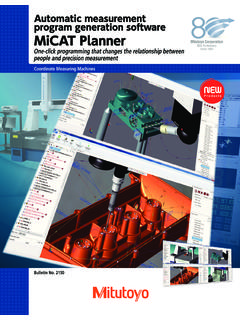
4 Most current and new mitutoyo CNC CMMs support MBI when used with the MiCAT PlannerSensors for MBITOUCH TRIGGERCONTACT SCANNINGCMMs for MBIBRIDGEShop Hardened GANTRYCMMs and Components for MBIC hange Racks, Modules& StyliiShop Hardened HORIZONTAL ARMQ uestions before we proceed?Virtual Legex CMMA ctual Legex CMMWhat is MiCAT Planner ?It is a measurement program software from mitutoyo that enables one-click automated generation of CNC CMM programs. MiCAT Planner makes model based inspection a practical and worthwhile reality.
5 Upstream of MiCAT Planner Activities upstream of the MiCAT Planner MBI solution include 3D Modeling 3D Model Annotation Model Based Procedures MBD Validation Best Practice MBI RulesThe MiCAT Planner MBI Work FlowUserParameterSettingsUser Defined RulesDefaults&IntelligenceMBDC onfigured virtual CMM (DME) MiCAT PlannerMeasurement PlanPlane A Align Plane A Circle B Origin Circle B Circle C Axis Circle B ..Inspection ProgramGenerationGeopakPart ProgramMCOSMOS PartManager(On-line/Off-line)Defaults & IntelligenceDefaults&IntelligenceDefault s & IntelligenceDefaults&IntelligenceDefault s & IntelligenceDefaults&IntelligenceDefault s & IntelligenceDefaults&IntelligenceDefault s & IntelligenceDefaults&IntelligenceDefault s & IntelligenceDefaults&IntelligenceDefault s & IntelligenceDefaults&IntelligenceProgram Generation OptionsUserParameterSettingsUserParamete rSettingsProgram Generation OptionsUserParameterSettingsProgram Generation OptionsUserParameterSettingsProgram Generation OptionsUser Defined RulesUser
6 Defined RulesUser Defined RulesRules EditorUser Defined RulesUser Defined RulesAdding a RuleTo view this video, click on the link or copy into your WEB browser: Planner Work Flow under 6 MinutesUserParameterSettingsUser Defined RulesDefaults&IntelligenceCAD ModelwithPMIDMEC onfigurationMiCAT PlannerMeasurement PlanPlane A Align Plane A Circle B Origin Circle B Circle C Axis Circle B ..Inspection ProgramGenerationGeopakPart ProgramPartManager(On-line/Off-line)MiCA T Planner Work Flow under 6 MinutesTo view this video, click on the link or copy into your WEB browser.
7 Program Tasks Automatically Completed by MiCAT Planner Part Setup Information Operator Warnings (Optional On/Off) All Positional Moves All Measurement Commands All Sensor Changes All GD&T Applied Inspection Results Report Generated Flexibility a program can automatically be generated for most part features or for just a selected few, and each program can be saved as part of a complete project Customization generate a project for First Article Inspection or in-process production or final inspection from the same MBDTo view this video, click on the link or copy into your WEB browser.
8 Projects Associativity locate and view the relationships of features and characteristics quickly and easilyTo view this video, click on the link or copy into your WEB browser: GD&T Wizard Easily add PMI to a geometry only CAD modelTo view this video, click on the link or copy into your WEB browser: GD&TModels (ex. Prototypes) without PMI? Just select the features to be Selective animation preview selected part program paths for verification, review, and measurement coverageAnimating a SelectionTo view this video, click on the link or copy into your WEB browser.
9 MiCAT Planner Benefits Streamlined processes Improved productivity Reduced manufacturing costs Enhanced traceability Up to a 95-percent savings in time compared to drawing-based methods Suppliers receive a single CAD file to inspect a partOverall MiCAT Planner Benefits Features and characteristics are transferred directly into the inspection software, reducing the risk of misinterpretation CMM configurations can be changed at any point Enhanced workflow automation Part measurement consistencyAdditional Literature/Contact Demo RequestThank