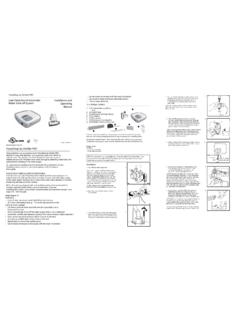
Transcription of Model 6120 Operating Motorized Electronic Instructions
1 The Sargent & Greenleaf Model 6120 combines ease of operation with security. Its advancedelectronic circuit design makes it easy to open and easy to change codes. Follow theseinstructions carefully to get the best possible use from your The Sargent & Greenleaf Model 6120 Motorized Electronic Combination Lock is shipped from the factory with a factory master code only. It is 1 2 3 4 5 6 #. This code is used to open the lock and set or change all of its codes. If the safe maker or your dealer sets a new master code, he will advise you of the change. You should set the lock to your own, unique master code immediately.
2 The Model 6120 will always open on the master code. At your discretion, it can also be set to accept up to eight different user codes. The master code holder is responsible for maintaining the number of active users programmed into each lock. The master code is designated as code #1, and the user codes (if set) are designated by user number 2, 3, 4, 5, 6, 7, 8, and 9. The user codes do not exist until they are programmed into the lock. Each time a button is pressed and the lock accepts the input, it emits a chirp, and the LED on the keypad lights momentarily.
3 All codes must contain six digits or six letters. Any digit or letter can be used as many times as you wish. For instance, the following codes (while not recommended) will operate the lock: 5 5 5 5 5 5 # OR J J J J J J # All codes end with #. This signals the lock that you have finished entering all digits of the code. If you pause more than 10 seconds between pressing buttons when entering a code, the lock will assume you do not want to continue, and it will reset itself to the original code. To open the lock, begin the code entry sequence from the first step.
4 If you realize you have pressed an incorrect button when entering a code, press* or simply pause ten seconds or more, then begin entering your code again. If four incorrect codes are entered in a row, the Model 6120 will shut down for a period of up tofifteen minutes. This is a security feature. Pressing any button anytime during the lockout period will resent the timer to its maximum penalty time. Do not touch any keypad buttons for a period offifteen minutes, then enter any valid code to open the lock. The Model 6120 does not have audit trail 1993, Sargent & Greenleaf, document is part number 630-302 Revision 2/10/03 Operating InstructionsModel 6120 Motorized Electronic Combination LockSargent & Greenleaf, Security Drive, Nicholasville, Kentucky 40356 Phone (800) 826-7652 FAX (800) 634-4843 Phone (859) 885-9411 FAX (859) 887-2057 Sargent & Greenleaf , chemin du Croset, 1024 Ecublens, SwitzerlandPhone 41-21-691-9583 FAX 41-21-691-5349TO OPEN THE LOCK.
5 Press the code digits or letters in order, followed by #. The lock bolt will retract for six seconds, allowing you time to operate the safe handle and open the door. Do not put any pressure on the safe handle until after the code has been entered. The Model 6120 will lock automatically when the safe door is closed and the handle is turned to the locked all of the preceding remedies have been exhausted and the lock still does not open, contact a qualified safe technician in your area for professional connector being inserted into the receptacle on the keypad circuit : No Audit Trail Capabilities.
6 Note: The Master Code Holder is responsible for maintaining the number of active users programmed into each CASE OF TROUBLEIf your lock should fail to open when a valid code is entered, check for the following:1. The boltwork of a safe can, under certain conditions, place pressure on the side of the lock s bolt. This is often caused by something inside the safe pressing against the door or by something caught between the safe door and its frame. When this occurs, the lock will not operate properly. To relieve side pressure on the lock bolt, move the safe s handle to the fully locked position, then re-enter a working code.
7 The lock should If the lock chirps when keys are pressed, but it will not open, the batteries may be drained to the point that they will not operate the lock s motor. Follow the battery replace-ment procedure in this If the lock makes no sound when any of the keys are pressed, dead batteries are likely to be the cause. Follow the battery replacement procedure in this If the lock makes no sound when any of the keys are pressed, but the batteries have been checked and found to be good, a loose keypad connector may be the cause. Pull the keypad away from the base as described in the battery changing procedure.
8 Check to make sure the wire connector is firmly seated into its receptacle on the keypad circuit board. The connector is designed so that it will only slide into the receptacle when aligned CHANGING CODES ..All code changing procedures begin by pressing S G*(the same as 7 4*), followed by the existing six-digit master code and #. The lock immediately chirps five times ( ).If the lock emits a series of closely spaced chirps (almost a continuous tone) you have made a mistake and must start again. Always keep the safe door open when making programming CHANGE THE MASTER CODE (CODE #1).
9 Press S G* ( _ _ _ _ _ _ ) # 1 *( _ _ _ _ _ _ ) # ( _ _ _ _ _ _ ) # Whenever # is pressed, the lock chirps to acknowledge the entry. Wait for the chirps before proceeding. If a long series of closely spaced chirps (almost a continuous tone) sounds when # is pressed, the new master code will not be accepted the old code is : It is very important to remember your master code. If it is lost, the manuafacturer of your safe may be able to help you reset the lock. S&G does not retain any lock ENTER OR CHANGE A USER CODE (CODES #2 #9).
10 Press S G*( _ _ _ _ _ _ ) # (user ) * ( _ _ _ _ _ _ ) # ( _ _ _ _ _ _ ) # Whenever # is pressed, the lock chirps to acknowledge the entry. Wait for the chirps before proceeding. If a long series of closely spaced chirps (almost a continuous tone) sounds when # is pressed, the new code will not be accepted. Any existing user code instance, if you want to enable the #2 user code (the first user code) to open the lock with a code of 4 4 6 6 3 3 , you will use the following S G* ( _ _ _ _ _ _ ) # 2 * 4 4 6 6 3 3# 4 4 6 6 3 3# This same procedure would change any existing #2 user code to 4 - 4 - 6 - 6 - 3 - 3.