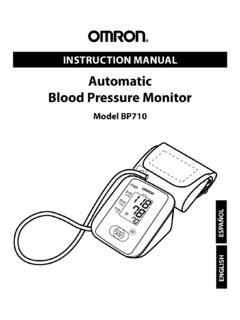
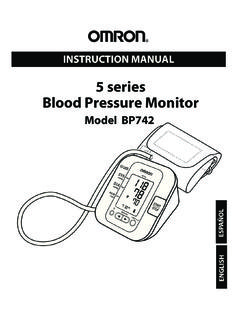
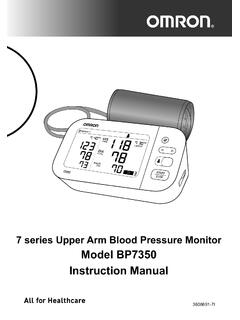
Transcription of Model BP5450 Instruction Manual
1 3787137-5 APlatinum Upper Arm Blood Pressure MonitorModel BP5450 Instruction ManualEN1 ENTable of ContentsIntroduction ..2 Safety instructions ..2 Intended Use ..2 Receiving and Inspection ..2 Symbols Glossary ..2 Important Safety Information ..31. Know Your Monitor .. Contents/Product Includes .. Monitor and Arm Cuff .. Display and Symbols .. Classification of BP (Blood Pressure) ..152. Preparation .. Installing Batteries .. Using the AC Adapter .. Setting the Date and Time .. Setting the TruRead Mode.
2 Blood Pressure Measurement Tips .. Applying the Arm Cuff .. Sitting Correctly .. Selecting a User ID ..263. Using Your Monitor without a Smart Device .. Taking a Measurement ..274. Using Your Monitor with a Smart Device .. Pairing Your Monitor with a Smart Device .. Taking a Measurement .. Disabling/Enabling Bluetooth ..335. Using Memory Function .. Viewing the Readings Stored in Memory .. Viewing the Average Reading .. Viewing Morning Weekly Averages ..376. Other Settings.
3 Deleting All Readings Stored in Memory .. Restoring Your Monitor to the Default Settings ..407. Error Messages and Troubleshooting ..428. Maintenance .. Maintenance .. Storage .. Cleaning .. Disposal .. 479. Optional Accessories .. 4810. Specifications .. 4911. FCC/ISED Statement .. 5312. Limited Warranty .. 5513. Guidance and Manufacturer s Declaration .. 572 IntroductionThank you for purchasing the OMRON BP5450 Blood Pressure Monitor. This monitor can be used by multiple users. This blood pressure monitor uses the oscillometric method of blood pressure measurement.
4 This means this monitor detects your blood movement through your brachial artery and converts the movements into a digital InstructionsThis Instruction Manual provides you with important information about the OMRON BP5450 Blood Pressure Monitor. To ensure the safe and proper use of this monitor, READ and UNDERSTAND all of these instructions . If you do not understand these instructions or have any questions, contact 1-800-634-4350 before attempting to use this monitor. For specific information about your own blood pressure, consult with your UseThis device is a digital monitor intended for use in measuring blood pressure and pulse rate in adult patient population.
5 The device detects the appearance of irregular heartbeats during measurement and gives a warning signal with of Use: HomePatient Population: AdultReceiving and InspectionRemove this monitor and other components from the packaging and inspect for damage. If this monitor or any other components is damaged, DO NOT USE and contact GlossaryFor symbol information, This monitor is contraindicated for use in ambulatory environments. This monitor is contraindicated for use on Safety InformationRead the Important Safety Information in this Instruction Manual before using this this Instruction Manual thoroughly for your for future reference.
6 For specific information about your own blood pressure, CONSULT WITH YOUR a potentially hazardous situation which, if not avoided, could result in death or serious injury. DO NOT use this monitor on infants, toddlers, children or persons who cannot express themselves. DO NOT adjust medication based on readings from this blood pressure monitor. Take medication as prescribed by your physician. ONLY a physician is qualified to diagnose and treat high blood pressure. DO NOT use this monitor on an injured arm or an arm under medical treatment.
7 DO NOT apply the arm cuff on your arm while on an intravenous drip or blood transfusion. DO NOT use this monitor in areas containing high frequency (HF) surgical equipment, magnetic resonance imaging (MRI) equipment, computerized tomography (CT) scanners. This may result in incorrect operation of the monitor and/or cause an inaccurate reading. DO NOT use this monitor in oxygen rich environments or near flammable gas. Consult with your physician before using this monitor if you have common arrhythmias such as atrial or ventricular premature beats or atrial fibrillation; arterial sclerosis; poor perfusion; diabetes; pregnancy; pre-eclampsia or renal disease.
8 NOTE that any of these conditions in addition to patient motion, trembling, or shivering may affect the measurement reading. NEVER diagnose or treat yourself based on your readings. ALWAYS consult with your physician. To help avoid strangulation, keep the air tube and AC adapter cable away from infants, toddlers and children. This product contains small parts that may cause a choking hazard if swallowed by infants, toddlers and Transmission This product emits radio frequencies (RF) in the GHz band. DO NOT use this product in locations where RF is restricted, such as on an aircraft or in hospitals.
9 Turn off the Bluetooth feature in this monitor, remove batteries and/or unplug the AC adapter when in RF restricted areas. For further information on potential restrictions refer to documentation on the Bluetooth usage by the Important Safety InformationAC Adapter Handling and Usage DO NOT use the AC adapter if this monitor or the AC adapter cable is damaged. If this monitor or the cable is damaged, turn off the power and unplug the AC adapter immediately. Plug the AC adapter into the appropriate voltage outlet. DO NOT use in a multi-outlet plug.
10 NEVER plug in or unplug the AC adapter from the electric outlet with wet hands. DO NOT disassemble or attempt to repair the AC Handling and Usage Keep batteries out of the reach of infants, toddlers and a potentially hazardous situation which, if not avoided, may result in minor or moderate injury to the user or patient, or cause damage to the equipment or other property. Stop using this monitor and consult with your physician if you experience skin irritation or discomfort. Consult with your physician before using this monitor on an arm where intravascular access or therapy, or an arterio-venous (A-V) shunt, is present because of temporary interference to blood flow which could result in injury.