Example: air traffic controller
MOMENTUM True Wireless - Sennheiser
3. Connecting the earphones to a Bluetooth device Connect the earphones to your smartphone via Bluetooth (> 14). 4. Selecting suitable ear adapters for optimum fit of the earbuds The perceived sound quality and bass performance of the earphones depends to a large extent on the correct fit of the earbuds in the ear.
Tags:
Information
Domain:
Source:
Link to this page:
Documents from same domain

MOMENTUM Wireless M2 AEBT - Sennheiser
assets.sennheiser.comThe MOMENTUM Wireless (M2 AEBT) Bluetooth The MOMENTUM Wireless (M2 AEBT) headphones comply with the Bluetooth technology 4.0 standard and are compatible with all Bluetooth 1.1, 1.2, 2.0, 2.1, 3.0 and 4.0 devices with the following profiles: • Headset Profile (HSP) 1.2 - provides the basic functionalities used by the
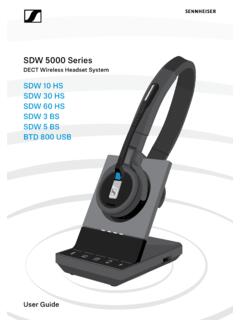
SDW 5000 Series - Sennheiser
assets.sennheiser.comDepending on the variant you can plug in the headset system to your fixed line phone and/or your computer. Via the Bluetooth dongle BtD 800 UsB you can connect mobile phones or Bluetooth headsets. Additionally you can plug a UsB headset or speakerphone in the UsB port or the busy light UI 10 BL in the back of the
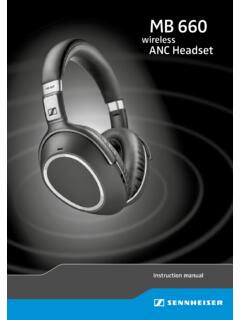
MB 660 wireless ANC headset
assets.sennheiser.comto the HSP. If a function, such as voice control, is not supported by the HSP profile, the HFP takes place. • Audio/Video Remote Control Profile (AVRCP) 1.5 – used to control music on the Bluetooth device from the headset (play, pause, skip music track, etc.). • Advanced Audio Distribution Profile (A2DP) 1.3 – used by a Bluetooth device

HD 450BT - Sennheiser
assets.sennheiser.comThe LED dis-plays the charge status: Right R 2 HRS USB-A USB-C LED Off * Using the headphones 12 | HD 450BT Connecting the headphones to a Bluetooth device To be able to use the Bluetooth connection, you must register both devices (headphones and e.g. smartphone) once. This process is

GSP 670 Gaming Headset with low latency connection and ...
assets.sennheiser.comAug 30, 2019 · the headset complies with the Bluetooth 5.0 standard. Bluetooth de vices need to support the “hands free profile” (hFP), the “headset profile” (hsP) or the “advanced audio distribution profile” (A2DP). the headset can save up to eight paired devices. If you pair the headset with a ninth device, the first

HD 4.50BTNC/HD 4 - Sennheiser
assets.sennheiser.com2 | HD 4.50BTNC/HD 4.50R Important safety instructions Important safety instructions X Read this instruction manual carefully and completely before using the product. X Always include this instruction manual when passing the product on to third parties. X Do not use an obviously defective product. X Only use the product in environments where Bluetooth® wireless …

CX True Wireless - assets.sennheiser.com
assets.sennheiser.comNotes on the ingress protection rating of the earbuds The earbuds feature an IPX4 ingress protection rating which means they are protected from the ingress of water (according to the Inter-national Protection Rating (IP code), IEC standard 60529, tested under laboratory conditions). The earbuds can be used in the rain, for example. However ...

PXC 550 - Sennheiser
assets.sennheiser.com2 | PXC 550 Important safety instructions Important safety instructions X Read this instruction manual carefully and completely before using the product. X Always include this instruction manual when passing the product on to third parties. X Do not use an obviously defective product. Preventing damage to health and accidents X Protect your hearing from high volume …

Digital Wireless Headphone System - Sennheiser
assets.sennheiser.comSennheiser head-phones sound exceptionally good at low and medium volume levels. ... – operated only within the permissible temperature range, ... Separate the transmitter and other wireless devices in a room by at least 50 cm/20” to avoid interference.

MOMENTUM True Wireless 2 - Sennheiser
assets.sennheiser.com6 | MOMENTUM True Wireless 2 Product overview Charging case M3IETW2 C LED displays the charging process/charge status of the rechargeable battery of the charging case or of the earbuds (when inserted into the charging case) Input for USB-C connector for charging the rechargeable batteries LED button activates the LED display for 5 seconds
Related documents
Mi True Wireless Earphones 2 Basic User Manual ·01 Mi True ...
i01.appmifile.comBluetooth function is disabled, the earphones will automatically enter the awaiting connection mode. If the earphones are not connected to any device within five minutes, they will enter sleep mode. Automatic connection When the earphones are in the charging case, opening the lid of the
MOMENTUM True Wireless 2 - Sennheiser
assets.sennheiser.comTrue wireless stereo earphones M3IETW2, M3IETW2 R, M3IETW2 L, M3IETW2 C Instruction manual Use the search function, the navigation (left) or the following links: Start “Product overview” “Getting started” ... sound profiles and the Bluetooth conn …

Developing Beacons with Bluetooth low energy (BLE) …
pages.silabs.comBluetooth low energy technology is a radical departure from what is known as Bluetooth Basic Rate / Enhanced Data Rate (Bluetooth BR/EDR) or Classic Bluetooth, introduced in the late 1990s and used today in handsets, www.silabs.com | Developing Beacons with Bluetooth low energy (BLE) Technology 8.
Wireless Earbuds
images-eu.ssl-images-amazon.com2) Turn on the Bluetooth of your phone or other Bluetooth devices. 3) Turn on the earbuds (when they are in shutdown state) and the earbuds enter pairing mode (LED indicator on the left earbud flashes blue and white alternately). 4) In the list of found Bluetooth devices in your phone or other Bluetooth devices, choose "D39-L" to pair.

WIRELESS EARPHONE PAIR NEW DEVICE : 0)) 00:05 PA*RING …
www.skullcandy.comView the quick setup instructions to learn basic functions of your Ink'd Wireless. Find important diagrams or bluetooth pairing details for your earbuds. Keywords: Ink'd Wireless Instructions, Ink'd Wireless Setup, Ink'd Wireless Bluetooth Pairing Created Date: 5/10/2017 10:45:19 AM