Example: air traffic controller
MY BERNINA
My BERNINA 5 WORKBOOK GETTING STARTED WITH THE Q SERIES SETTING USER PROFILES P1 is the factory default profile and cannot be overwritten. Four additional profiles may be named and created.
Tags:
Information
Domain:
Source:
Link to this page:
Documents from same domain

activa 135 Patchwork Edition - BERNINA
www.bernina.comactiva 135 Patchwork Edition activa_GB-USA135/145 Start+Stop 8.3.2002 9:33 Uhr Seite U2. In choosing BERNINA, you are assured of years of rewarding sewing. For over 100 years my family has concentrated on providing complete satisfaction to our customers. And it is my personal wish to

PLUS Upgrade for B 770 QE - bernina.com
www.bernina.comknob» anti-clockwise. > To increase the width of the stitch pattern combination proportionally, turn the ... The KickStart function enables quilting without keeping the foot control pressed. Prerequisite: • The BSR Presser Foot is fitted and connected to the machine. • The BSR display opens and a BSR Mode is active.

BERNINA Q 16 LONGARM QUILTING MACHINE
www.bernina.comeven while quilting. Speed With high-speed precision stitching for freehand quilting, you complete more quilts faster than ever. 16 inches of throat space The 16” platform offers generous quilting space and great comfort. The perfect choice …

EMBROIDERY SOFTWARE 9 - bernina.com
www.bernina.comto your reseller. You will not be entitled to a refund of any kind. ... not exact duplicates of the screen layouts generated by the software. Product License Agreement BERNINA International AG grants you, the purchaser, with a single user, non-exclusive license to use the Products according to the terms defined

MY BERNINA
www.bernina.comEach dark gray box in the Quilt Area is equal to 4 inches. Accessing icons Icons can be accessed in one of two ways: • By using the touch screen on the computer • By using a mouse (optional accessory) to access icons on the screen In this workbook, you will be given instructions for accessing and making selections using the touch screen.

DESIGNERPLUS AND CREATOR WITH WIFI FUNCTIONALITY
www.bernina.comEmbroidery Software to BERNINA Embroidery Software 9 to get all the great new features. Creator is the entry into embroidery, giving the upcoming embroiderist all the tools needed. You can use Creator to start your ... Design Optimizing Apply custom or auto fabrics ü ü ü ...

System requirements
www.bernina.comSystem requirements In order to run your software, you need to ensure that the following pre-requisite system requirements are met. PC specifications Check that your PC meets the system requirements. Check CPU/RAM as well as hard disk space. The table below provides minimum system requirements.

QUICK START UIDE
www.bernina.comBERNINA® Embroidery Software Quick Start Guide 1 INTRODUCTION Welcome to BERNINA Embroidery Software 9, the leading embroidery design application for home users. This is an MS Windows ®-based product incorporating many of the conventions with which most PC users are
Related documents
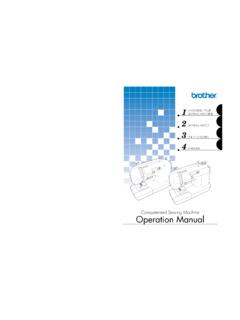
Operation ManualComputerized Sewing Machine
download.brother.comand then threading the machine. f Thread take-up lever (page 17) g Thread cutter (page 29) Pass the threads through the thread cutter to cut them. h Flat bed attachment with accessory compartment (pages 7 and 31) i Operation buttons (page 6) The operation buttons differ depending on the sewing machine model. j Operation panel (page 7)
Guidelines for U-Bolt Design - Clamps, Inc
www.clampsinc.comJul 27, 2015 · Wire for cut threads is drawn at the nominal major diameter, but as the illustration shows, wire for stronger rolled threads is drawn to a smaller diameter, approximately equal to the pitch diameter of the threads. The rolled threads are squeezed by die pressure into the roots and crowns of the threads.

User Manual - melco-service.com
www.melco-service.comOperator’s Kit Contents 29 Unpacking the Machine 30 Setting up the Machine 30 Install the Machine User Interface and X-Beam End Caps 32 Machine Overview 33 Cart Assembly 34 Step 1 34 Step 2 35 Step 3 35 Step 4 36 Step 5 36 Important! 36 Optional Tray Assembly 37 Step 1 37 Step 2 37 Step 3 37

LATHE OPERATIONS - HNSA
archive.hnsa.orgscrew, change gears for threading operations, and a precise manual crossfeed. Controls and feeds are calibrated in smaller increments than with the engine lathe and, as a result, workpieces of small dimensions can be machined to a great degree of accuracy. The jeweler's lathe is …

HPC Tuning Guide for AMD EPYC™ Processors
developer.amd.comHPC Tuning Guide for AMD EPYC™ Processors 56420 Rev. 0.7 December 2018 6 Chapter 1 Introduction AMD launched the new ‘EPYC’ x86_64 CPU for the data center in June 2017. Based on the 14nm Zen core architecture it is the first in a new series of …

Microsoft Exchange Server on VMware vSphere
www.vmware.comBEST PRACTICES GUIDE/ PAGE 5OF 58 . Microsoft Exchange Server on VMware vSphere 1. Introduction Microsoft Exchange Server is the dominant enterprise-class electronic messaging and collaboration