Example: bachelor of science
NETStudy 2.0 Quick Start Guide - Minnesota
To change a registry result selection, select No. d. Once there is a result selected in the Research Results column for all registries and any required comments are added, click Next. Step 14: NETStudy 2.0 will route you to the Applicant: Data Review page. a. Confirm the information entered on the . Profile, Identity Verification, Pre ...
Tags:
Information
Domain:
Source:
Link to this page:
Documents from same domain

August 1 2017 - Minnesota
mn.govMinnesota Sentencing Guidelines and Commentary August 1 2017 These Sentencing Guidelines are effective August 1, 2017, and determine the presumptive sentence for felony offenses committed on or after the

August 1 2016 - Minnesota
mn.govMinnesota Sentencing Guidelines and Commentary August 1 2016 The Sentencing Guidelines are effective August 1, 2016, and determine the presumptive sentence for felony offenses committed on or after the
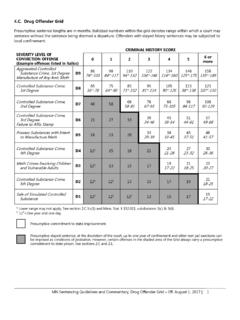
4.C. Drug Offender Grid - index / Minnesota.gov
mn.govMN Sentencing Guidelines and Commentary, Drug Offender Grid – Eff. August 1, 2017 | 1 4.C. Drug Offender Grid Presumptive sentence lengths are in months.

Guide to REAL ESTATE LICENSING - index / …
mn.govThis guide is intended to help individuals and businesses understand how to apply for and receive approval from the Minnesota Department of Commerce

GUIDELINES FOR SUPPORTING ADULTS WITH …
mn.govGUIDELINES FOR SUPPORTING ADULTS WITH CHALLENGING BEHAVIORS IN COMMUNITY SETTINGS . A Resource Manual for Georgia’s Community Programs . Serving Persons with Serious and Persistent Mental Health Issues
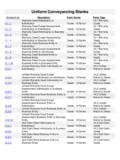
Uniform Conveyancing Blanks - Minnesota
mn.govNumber/Link Description Form Series Form Type 10.1.1 Warranty Deed Individual(s) to Individual(s) Deeds - 10 Series 10.1 Warranty Deeds 10.1.2 Warranty Deed …

It’s My Choice - index / Minnesota.gov
mn.govMore about person-centered planning Planning ahead We all have hopes and dreams for the future. Some we can work for on our own, many take support from others.
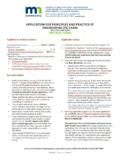
APPLICATION FOR PRINCIPLES AND PRACTICE OF …
mn.govPE Exam . Application—Instr-2. This checklist is an optional tool/for your reference only. Do not include it with your application. October 26, 2018* PE Exam Application Deadline: August 13, 2018*
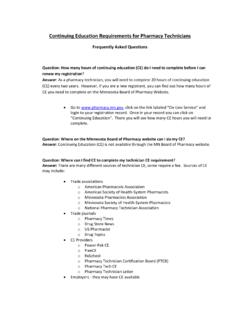
Continuing Education Requirements for Pharmacy …
mn.govContinuing Education Requirements for Pharmacy Technicians Frequently Asked Questions Question: How many hours of continuing education (CE) do I need to complete before I can

FFY2018 EAP Policy Manual - Minnesota
mn.govEAP Policy Manual . FFY2018. FFY2018 Policy Manual Changes. Page 1 . EAP Policy Manual FFY2018 . FFY2018 Policy Manual Changes . …
Related documents

A Guide to HPLC and LC-MS Buffer Selection
www.hplc.euA Guide to HPLC and LC-MS Buffer Selection. Your decision has lasting effects. Choose wisely. Ultra Inert Base-Deactivated HPLC Columns For Performance, Selectivity and Guaranteed Reproducibility ACEperformance guarantee If ACE does not outperform your existing column (of equivalent phase, particle size and dimensions), send in your comparative ...
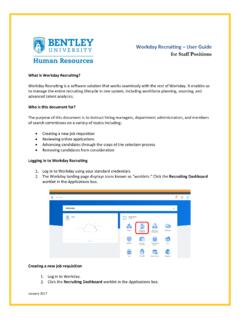
Workday Recruiting User Guide for Staff Positions
d2f5upgbvkx8pz.cloudfront.netWorkday Recruiting – User Guide for Staff Positions ... The process of advancing candidates to the next step in the selection process, or removing them from consideration, ... is noted in the Step / Disposition column. 3. The candidate details screen will appear.

KIP Print User Guide
www.kip.comUser Guide . KIP Print ... KIP Print software allows the user a number of adjustable options like selection of media type, number of copies, KIP Track fields, zoom ratio, pen table adjustments, as well as stamping and fold options. ... Click on column headers to sort images by FILE NAME, IMAGE SIZE, MODIFIED DA TE, and FILE TYPE.

HOW TO REGISTER ONLINE
n2r6x9i3.stackpathcdn.comside column. As you select the modules it will move over to the right hand side column. To remove a module that was incorrectly selected, double click on the applicable module in the right hand side column. To move to the next step click on step 2. During step 2 of the actual online registration process you need to select all