Transcription of NSDL e-Governance Infrastructure Limited e-Tutorial on …
1 Confidential. nsdl e-Gov Internal use onlyNSDL e-Governance Infrastructure Limitede-TutorialonTDS/TCSR eturnPreparationUtility(RPU)Version nsdl e-Gov Internal use , (JAVA) (RPU) Regular statements Save the file Open the saved file Create the file Correction statements Save the file Open the saved correction file Create the nsdl e-Gov Internal use onlyWhat is RPU? (RPU)(basedonJAVA platform) (s). ForForm24Q,26Q,27Q&27EQ(Regular&Correcti on) (s).UsersmayuseotherRPUprovidedbysoftwar evendorsforpreparationofquarterlyTDS/TCS S tatement(s). , ,however,Statementsexceeding20,000 nsdl e-Gov Internal use onlyPre-requisites for RPUThee- (JavaRun-timeEnvironment)[versions: ]shouldbeinstalledonthecomputerwherethee - (hardware) nsdl e-Gov Internal use onlyFeatures of Return Preparation Utility (RPU) PreparationofQuarterlyCorrectionStatemen tsusingConsolidatedTDS/TCSfilesdownloade dfromTRACES.
2 InbuiltFileValidationUtility(FVU)asfollo ws: (RegularandCorrection)fromFY2007-08uptoF Y2009-10. (RegularandCorrection) :AsdirectedbyIncomeTaxDepartment, nsdl e-Gov Internal use onlyKey features of RPU case of non-availability of PAN of deducteefor Form 27EQ, two new fields are introduced under deducteedetails which are as below: Column no. 32) Deducteeis Non-Resident (under this column two dropdown options will be provided Yes/No) Column no. 33) Deducteeis having Permanent Establishment in India (under this column two dropdown options will be provided Yes/No) This will be applicable to correction (C3) and regular statements pertains to FY 2017-18 onwards. Version nsdl e-Gov Internal use onlyWhat is FVU? FileValidationUtility(FVU)isasoftwaredev elopedbyNSDLe-Gov,whichisusedtoensuretha tthee-TDS/TCSS tatement(s)prepareddoesnotcontainanyform atlevelerror(s).
3 Deductor/CollectorshouldensurethattheQua rterlyTDS/TCSS tatement(RegularandCorrection)isvalidate dbythelatestFVUprovidedbyNSDLe-Govonly. TodownloadlatestversionsofFVU, nsdl e-Gov Internal use onlySteps to download & install RPU on your machineVersion to TIN website, on downloads and then click on Regular option under e-TDS/e-TCSGo to TIN website, nsdl e-Gov Internal use onlyStepstodownloadNSDLe-GovRPU( )Version to download nsdl e-Gov RPU9 Confidential. nsdl e-Gov Internal use onlyStepstodownloadNSDLe-GovRPU( )Version RPU on desired location10 Confidential. nsdl e-Gov Internal use onlyGuidelinesforinstallingNSDLe-Gov(RPU )( )Version click on self extract .exe which will extract your RPU folder in C drive11 Confidential. nsdl e-Gov Internal use onlyGuidelinesforinstallingNSDLe-Gov(RPU )( )Version Click to open to open RPU12 Confidential.
4 nsdl e-Gov Internal use onlyAfter clicking on following screen will appearSelect the respective form for which the Statement is to be preparedVersion queries, feedback, complaints, you may contact on below Click on RPU e-Tutorial to view for detailed procedure13 Confidential. nsdl e-Gov Internal use onlyPreparationofRegularstatementSelect Regular option to prepare regular statementVersion that form you have selected is correct one14 Confidential. nsdl e-Gov Internal use onlyFor Regular statements Deductor/Collector detailsSelect respective quarter from dropdownSelectFinancialYearOnce you select Financial Year, corresponding Assessment Year will automatically that Financial Year you have selected is deductorcategory Enter valid 10 digit Valid TAN provided by ITDE nter valid 10 digit PAN provided by ITD, in case PAN is not available quote PANNOTREQDD eductor details needs to be provided here15 Version , ( sname) nsdl e-Gov Internal use onlyRegular Statement Deductor/Collector detailsFor Central and State Govt.
5 Provide PAO code, in case PAO code is not available, quote PAOOCDNOTAVBLFor Central and State Govt. select the Ministry/ Dept. nameFor Central and State Govt. provide DDO code, in case DDO code is not available quote DDOCDNOTAVBLAIN to be quoted only if the tax has been deposited through Transfer Voucher/Book Entry 416 Version clicked on check box, fields such as Flat No., Name of Bldgetc. will be auto populated from particular of deductorGoods and Service Tax Number (GSTN) to be entered if availableConfidential. nsdl e-Gov Internal use onlyRegular Statement Deductor/Collector detailsVersion valid 10 digit PAN of person responsible for deduction of taxIf option selected in earlier field is Yes , then provide 15 digit receipt number of earlier statementIf regular statement for the TAN and Form filed earlier then select Yes other wise No.
6 Note:-ItismandatorytomentionEmailIDandmo bilenumberofdeductor/ nsdl e-Gov Internal use onlyRegular statement -Challan details for payment made through Challan/ Transfer voucherClick on to fill in challandetails Click here to add number of challans/transfer vouchersVersion nsdl e-Gov Internal use onlyRegular statement -Challan details for payment made through Challan/ Transfer voucherEnter the number of rows to be insertedAfter entering number of rows, click on OK :AsinglechallancanbeutilizedacrossallFor ms( ,26Q,27Q&27EQ). Challanof`5000 `5000/-,`2500/-utilizedforQ1ofForm24 QforFY2013-14,nowremaining`2500 nsdl e-Gov Internal use onlyRegular statement -Challan details for payment made through Challan/ Transfer voucherFor deletion of row, click on Delete Row and carryout above the row number to be deleted2. After entering number of row to be deleted , click on OK Version nsdl e-Gov Internal use onlyRegular statement -Challan details for payment made through Challan( )Select the applicable section code.
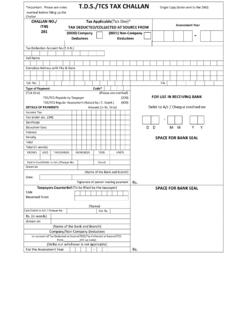
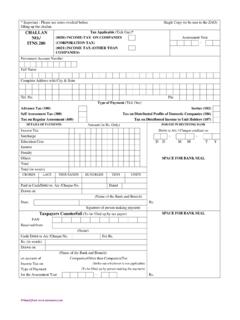
7 Refer note 1 and 3 belowEnter the challandetails TDS amount, Surcharge, Cess, Interest, Fee & Others. Refer note 2 and 4 AnnexureI , Fee column, (Samewillbeapplicableonlyforpaymentsmade throughchallan).Version nsdl e-Gov Internal use onlyRegular statement -Challan details for payment made through Challan( )Enter 7 digit BSR code of receiving branchEnter date on which tax deposited challantender date in DDMMYYYY formatEnter 5 digit challanserial number Select the mode of deposit of TDS/TCS. Refer note 2 and 3 , No . , WhetherTDSD epositedbyBookEntry?(Yes/No). TDS payable by taxpayer, select 200 or select 400 for TDS regular assessment raised by Income Tax Dept. Refer note 4 belowEnter interest amount to be allocated out of total interest depositedVersion nsdl e-Gov Internal use onlyRegular statement -Challan details for payment made through Challan( )Version Status Enquiry : Tax payers can track online the status of their challansdeposited in banks.
8 Click here to check status of challanusing CIN details To view challansbased on TANs and to download .csifile, click , (s)wherechallansarepaidthroughbank(s).Co nfidential. nsdl e-Gov Internal use onlyCorrection in OLTAS challanSl. of Correction on Challan Period for correction request (in days) 1 PAN/TAN Within 7 days from challan deposit date 2 Assessment Year Within 7 days from challan deposit date 3 Total AmountWithin 7 days from challan deposit date 4 Major HeadWithin 3 months from challan deposit date5 Minor HeadWithin 3 months from challan deposit date6 Nature of PaymentWithin 3 months from challan deposit date The fields that can be corrected by the Taxpayer through Bank are as below:Version nsdl e-Gov Internal use onlyRegular statement -Challan details for payment made through Transfer voucher( )Select the applicable section code from dropdown.
9 Refer note 1 and 2 the transfer voucher details TDS amount, Surcharge, Cess, Interest, Fee & Others* , Fee column, Fee ( ) nsdl e-Gov Internal use onlyRegular statement -Challan details for payment made through Transfer vouchers ( )Enter 7 digit 24G Receipt No. Enter date of Transfer Voucher in DDMMYYYY formatEnter 5 digit DDO serial number of Form 24 GBook entry flag should be Yes in case of payments made by transfer vouchers. Refer note 2 and 3 , , WhetherTDSD epositedbyBookEntry?(Yes/No) . ,throughtransfervoucher( ),selecttheoptionas Yes . nsdl e-Gov Internal use onlyRegular statement Deductee/Collecteedetails (Annexure I)Click on Annexure I to fill deductee/collecteedetails Click here to insert number of rowsVersion nsdl e-Gov Internal use onlyRegular statement -Deductee details (Annexure I)After entering numbers of rows, click on OK Version number will be automatically displayed hereNumber of deductee records to be mapped against each challan/transfer voucher should be entered here28 Confidential.
10 nsdl e-Gov Internal use onlyRegular statement -Deductee details (Annexure I) the row number to be deleted2. After entering number of row to be deleted, click on OK For deletion of row, click on Delete Row and carryout the below procedureVersion nsdl e-Gov Internal use onlyRegular statement -Deductee details (Annexure I) (Paymentunderspecifiedagreement.) , OK buttonfromDeducteeRecordsdialogbox,chall annumberwillbeautomaticallyselectedandif userclickson Skipthisstep button, nsdl e-Gov Internal use onlyRegular statement -Deductee details (Annexure I)Enter valid 10 digit PAN of deductee/provided by ITD. In case valid PAN is not available then enter PANNOTAVBL , PANAPPLIED or PANINVALID whichever is applicableMention name of the deducteeMention date on which amount paid/ credited to deducteeMention the amount paid to , AmountPaid/Credited (SamewillbeapplicableonlyforForm24Q&26Q) ,thenvalueunder Remarks fieldshouldbeotherthan C.