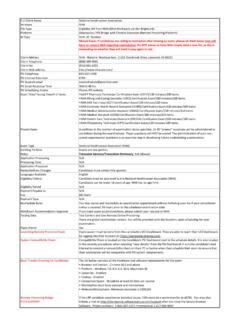
Transcription of OnVUE Technical Requirements for the Candidate
1 OnVUE Technical Requirements for the Candidate Corporate Networking Personnel should continue to page 3 for Advanced Networking Requirements . Pearson strongly recommends using equipment that meets or exceeds the Recommended Specifications. The minimum Requirements will change periodically based on the needs of our exam sponsors. Minimum Required Recommended Specifications Windows 10 (64-bit) (excluding S Mode'). macOS High Sierra ( ) and above (excluding beta versions). Note: macOS, starting with Mojave, now requires permission from the user to allow any hardware access to an application, which includes OnVUE . Operating (proctorapp). Candidates should be prompted to allow this application. System Note: Windows Operating Systems must pass Genuine Windows Validation. Windows 8 , Windows 7, Windows Vista, and Windows XP are not supported for exam delivery All Linux/Unix based Operating Systems are not supported Corporate firewalls (including VPNs) or proxies often cause this delivery method to fail.
2 We recommend testing on a personal computer. Work computers Firewall generally have more restrictions that may prevent successful delivery. Please take your exam in a setting without a corporate firewall. RAM OS specified Minimum RAM 4 GB RAM or more Minimum Resolution: Recommended Resolution: 1024 x 768 in 16-bit color. 1920 x 1080 or higher in 32-bit color. If using an external monitor, you must close your laptop and use an external Display keyboard, mouse, and webcam. Multiple monitors are forbidden. Touch screens are strictly forbidden. Supported The newest versions of Microsoft Edge, Safari, Chrome, and Firefox, for web Internet registrations or downloading the secure browser. Browsers For optimal performance, a reliable and stable connection speed of 3 Mbps down/up is required. Internet We recommend testing on a wired network as opposed to a wireless network. Connection If testing from home, ask others within the household to avoid internet use during your exam session.
3 Tethering to a mobile hotspot is explicitly prohibited. Property of Pearson VUE / May 2021 OnVUE OP Min Specs 1. Copyright 2019-2021 Pearson Education, Inc., or its affiliate(s). All rights reserved. OnVUE OP Network Admin Min Specs Minimum Required Recommended Specifications Webcam must have a minimum resolution of 640x480 @ 10 fps. Webcam may be internal, or an external webcam connected to the computer. Webcam Note: Mobile phones are strictly prohibited as a webcam for exam delivery. Note: Mac OS users may need to allow OnVUE within their System Preferences: Security & Privacy: Privacy settings for camera. Verify the audio and microphone are not muted. Headphones and headsets (wired or Bluetooth) are not allowed unless explicitly Sound &. approved by your test sponsor. Microphone Note: Mac OS users may need to allow OnVUE within their System Preferences: Security & Privacy: Privacy settings for microphone.
4 Browser Internet Cookies must be enabled. Settings All tablets are strictly prohibited, unless it has a physical keyboard and meets the Device operating system Requirements mentioned earlier. Ensure you are connected to a power source before starting your exam to avoid Power draining your battery during the exam. 2 OnVUE OP Min Specs Property of Pearson VUE. OnVUE OP Network Admin Min Specs Mac special note Note Starting with Mojave, Mac OS users are required to grant permission to applications that need hardware access, which includes OnVUE . Candidates should be prompted to allow this application. If candidates deny OnVUE the first time, they will not be prompted again and will need to manually grant permission through System Preferences. In System Preferences, they must allow OnVUE within the Security & Privacy: Privacy settings for Microphone and Camera. Additionally, OnVUE may require permission for Automation and Input Monitoring.
5 These Technical Requirements apply to any Candidate taking an exam from their office or a location with a network administrator who controls the hardware, delivery software, network configurations (firewalls, etc.), or a combination of these variables that will impact the exam experience. Note Most candidates will not be required to make any changes to successfully take Online Proctored exams . OnVUE Advanced Technical Requirements for the Networking Professional This information below describes a full set of Technical Requirements and configuration settings necessary for delivering Online Proctored exams using OnVUE and Pearson VUE Browser Lock or Pearson ITS Secure Browser. The configuration settings and Technical Requirements described are targeted at an audience of mid to higher level Technical skill. These configuration settings and Requirements should only be implemented if you are confident you understand and can implement these settings and configuration changes.
6 If you do not understand these configuration settings and Requirements DO NOT make changes without first consulting with a Technology Professional. Property of Pearson VUE OnVUE OP Min Specs 3. OnVUE OP Network Admin Min Specs Required Configurations Recommended: Ensure any security software will not block execution of JavaScript. The following URLs may need to be added as trusted sites under Internet Settings. This can be done by going to the Control Panel |. Internet Options | Security tab. Select Trusted Sites. Click the Sites button and add the following items to the list of websites. You may need to deselect the Require server verification (https:) for all sites in this zone option. o http://*. & https://*. o http://*. & https://*. o http://*. & https://*. o http://*. & https://*. o http://*. & https://*. o http://*. & https://*. o https://*.*. o https://*.*. o https://*.*. o https://*.*. o https://*.
7 *. o https://*. Sometimes it works better on certain systems if you add them in one of these fashions: Warning (1) (2) (3) *. *. (4) *. *. (5) *. *. 4 OnVUE OP Min Specs Property of Pearson VUE. OnVUE OP Network Admin Min Specs Network & Domain Level Configuration Settings This section describes the configuration settings necessary on the LAN / WAN. used for IBT Exam Delivery. A moderate to high level of Technical skill may be necessary to comply with these settings. DO NOT make changes that you do not understand without first consulting a Technology Professional. Pearson Strongly Recommends using a wired network rather than a wireless network, as it provides better exam delivery performance. Pearson Strongly Recommends avoiding network configurations involving VPN, Proxy Servers, Advanced Firewall Security Configurations and other network security measures such as but not limited to Packet Filtering or Packet Inspection.
8 These advanced security configurations are known to cause moderate to severe degradation in exam delivery performance. For Pearson IBT exams Port 80 (HTTP), Port 443 (HTTPS), and Port 1935 (video streaming) must have sustained continuous connections. It is strongly recommended that traffic on these ports should be completely unrestricted. Troubleshooting Tips If you are having performance issues or your exam will not launch, do the following: o Stop active Anti-virus scanning while taking an exam. Some anti- virus software can cause performance issues. or . o Contact your program manager to discuss having an exception made to your Pearson VUE Browser Lock process action list to allow your internet security or antivirus software used by your organization and/or candidates. Property of Pearson VUE OnVUE OP Min Specs 5.