Transcription of Operating Instructions (English) - Panasonic …
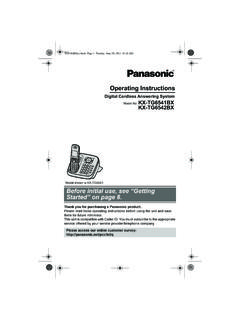
1 Operating InstructionsDigital Cordless Answering SystemModel No. KX-TG2721 ALKX-TG2722 ALModel shown is initial use, see Getting Started on page you for purchasing a Panasonic read these Operating Instructions before using the unit and save them forfuture access our online customer survey: (en) 1TG2721_22AL(en) 12012/07/30 16:53:042012/07/30 16:53:04 IntroductionModel composition ..3 Accessory information ..3 Important InformationFor your safety ..5 Important safety Instructions ..6 For best performance ..6 Other information ..7 Specifications ..7 Getting StartedSetting up ..9 Note when setting up ..10 Controls ..11 Display ..12 Turning the power on/off ..12 Initial settings ..12 One touch eco mode ..13 Making/Answering CallsMaking calls ..14 Answering calls ..14 Useful features during a call ..15 PhonebookHandset phonebook ..16 Copying phonebook entries.
2 16 ProgrammingProgrammable settings ..18 Special programming ..20 Caller ID ServiceUsing Caller ID service ..22 Caller list ..22 Answering SystemAnswering system ..24 Turning the answering system on/off ..24 Greeting message ..24 Listening to messages using the baseunit ..25 Listening to messages using thehandset ..26 Remote operation ..26 Answering system settings ..28 Voice Mail ServiceVoice mail service ..30 Intercom/LocatorIntercom ..31 Handset locator ..31 Transferring calls, conference calls ..31 Useful InformationCharacter entry ..32 Error messages ..34 Troubleshooting ..34 Wall mounting .. of ContentsTG2721_22AL(en) 2TG2721_22AL(en) 22012/07/30 16:53:042012/07/30 16:53:04 model compositionSeriesModel unitHandsetPart calls and the phonebook copy feature are only available for suffix (AL) in the following model numbers will be omitted in these Instructions :KX-TG2721AL/KX-TG2722 ALAccessory informationSupplied item/Part numberQuantityKX-TG2721KX-TG2722 AAC adaptor/PNLV226AL12 BTelephone line cord*111 CRechargeable batteries*224 DHandset cover*312 ECharger 1*1 The telephone line cord comes connected with the telephone plug.
3 *2 See page 4 for replacement battery information.*3 The handset cover comes attached to the (en) 3TG2721_22AL(en) 32012/07/30 16:53:042012/07/30 16:53:04 Additional/replacement accessoriesPlease contact your nearest Panasonic dealer for sales itemModel numberRechargeablebatteriesHHR-4 MVT/2B or HHR-4 MRT/2B*1 Battery type: Nickel metal hydride (Ni-MH) 2 x AAA (R03) size for each handsetDECT repeaterKX-A405AL*1 Replacement batteries may have a different capacity from that of the supplied (en) 4TG2721_22AL(en) 42012/07/30 16:53:042012/07/30 16:53:04 For your safetyTo prevent severe injury and loss of life/property, read this section carefully beforeusing the product to ensure proper and safeoperation of your connectionRUse only the power source marked on not overload power outlets andextension cords. This can result in the riskof fire or electric insert the AC adaptor/powerplug into the power outlet.
4 Failure to do somay cause electric shock and/or excessiveheat resulting in a remove any dust, etc. from theAC adaptor/power plug by pulling it fromthe power outlet, then wiping with a drycloth. Accumulated dust may cause aninsulation defect from moisture, in a the product from power outlets if itemits smoke, an abnormal smell, or makesan unusual noise. These conditions cancause fire or electric shock. Confirm thatsmoke has stopped emitting and contact anauthorised service from power outlets and never touchthe inside of the product if its casing hasbeen broken touch the plug with wet of electric shock prevent the risk of fire or electricalshock, do not expose the product to rain orany type of not place or use this product nearautomatically controlled devices such asautomatic doors and fire alarms. Radiowaves emitted from this product may causesuch devices to malfunction resulting in not allow the AC adaptor or telephoneline cord to be excessively pulled, bent orplaced under heavy is advised not to use the equipment at arefuelling point.
5 Users are reminded toobserve restrictions on the use of radioequipment in fuel depots, chemical plantsor where blasting operations are safeguardsRUnplug the product from power outletsbefore cleaning. Do not use liquid oraerosol not disassemble the not spill liquids (detergents, cleansers,etc.) onto the telephone line cord plug, orallow it to become wet at all. This maycause a fire. If the telephone line cord plugbecomes wet, immediately pull it from thetelephone wall socket, and do not the manufacturer of any personalmedical devices, such as pacemakers orhearing aids, to determine if they areadequately shielded from external RF(radio frequency) energy. (The productoperates in the frequency range GHz to GHz, and the RFtransmission power is 250 mW (max.).)RDo not use the product in health carefacilities if any regulations posted in thearea instruct you not to do so.
6 Hospitals orhealth care facilities may be usingequipment that could be sensitive toexternal RF and locationRNever install telephone wiring during anelectrical install telephone line sockets in wetlocations unless the socket is specificallydesigned for wet touch uninsulated telephone wires orterminals unless the telephone line hasbeen disconnected at the network InformationTG2721_22AL(en) 5TG2721_22AL(en) 52012/07/30 16:53:042012/07/30 16:53:04 RUse caution when installing or modifyingtelephone AC adaptor is used as the maindisconnect device. Ensure that the ACoutlet is installed near the product and iseasily product is unable to make calls when: the handset batteries need recharging orhave failed. there is a power recommend using the batteries notedon page 4. USE ONLY rechargeableNi-MH batteries AAA (R03) not mix old and new not open or mutilate the electrolyte from the batteries iscorrosive and may cause burns or injury tothe eyes or skin.
7 The electrolyte is toxic andmay be harmful if care when handling the not allow conductive materials such asrings, bracelets, or keys to touch thebatteries, otherwise a short circuit maycause the batteries and/or the conductivematerial to overheat and cause the batteries provided with oridentified for use with this product only, inaccordance with the Instructions andlimitations specified in this use a compatible base unit (orcharger) to charge the batteries. Do nottamper with the base unit (or charger).Failure to follow these Instructions maycause the batteries to swell or noticesRPlease ensure that a separate telephone,not dependent on local power, is availablefor emergency equipment will be inoperable whenmains power a failure occurs which results in theinternal parts becoming accessible,disconnect the power supply cordimmediately and return this unit to anauthorised service minimise the possibility of lightningdamage, when you know that athunderstorm is coming, we recommendthat you: Unplug the telephone line cord from thephone socket.
8 Unplug the AC adaptor from the ACpower 000 or other calls can be made fromthis device during a mains power earpiece on the handset is magnetisedand may retain small metallic safetyinstructionsWhen using your product, basic safetyprecautions should always be followed toreduce the risk of fire, electric shock, andinjury to persons, including the following:1. Do not use this product near water forexample, near a bathtub, washbowl,kitchen sink, or laundry tub, in a wetbasement or near a swimming Avoid using a telephone (including acordless type) during an electrical may be a remote risk of electricshock from Do not use the telephone to report a gasleak in the vicinity of the Use only the power cord and batteriesindicated in this manual. Do not dispose ofbatteries in a fire. They may with local codes for possible specialdisposal THESE INSTRUCTIONSFor best performanceBase unit location/avoiding noiseThe base unit and other compatible Panasonicunits use radio waves to communicate witheach maximum coverage and noise-freecommunications, place your base unit: at a convenient, high, and centrallocation with no obstructions betweenthe handset and base unit in an InformationTG2721_22AL(en) 6TG2721_22AL(en) 62012/07/30 16:53:042012/07/30 16:53:04 away from electronic appliances such asTVs, radios, personal computers,wireless devices, or other phones.
9 Facing away from radio frequencytransmitters, such as external antennasof mobile phone cell stations. (Avoidputting the base unit on a bay window ornear a window.)RCoverage and voice quality depends on thelocal environmental the reception for a base unit location isnot satisfactory, move the base unit toanother location for better the product away from electrical noisegenerating devices, such as fluorescentlamps and product should be kept free fromexcessive smoke, dust, high temperature,and product should not be exposed todirect not place heavy objects on top of you leave the product unused for along period of time, unplug the product fromthe power product should be kept away from heatsources such as radiators, cookers, etc. Itshould not be placed in rooms where thetemperature is less than 0 C or greaterthan 40 C. Damp basements should alsobe maximum calling distance may beshortened when the product is used in thefollowing places: Near obstacles such ashills, tunnels, underground, near metalobjects such as wire fences, the product near electricalappliances may cause interference.
10 Moveaway from the electrical careRWipe the outer surface of the productwith a soft not use benzine, thinner, or anyabrasive informationCAUTION: Risk of explosion if battery isreplaced by an incorrect type. Dispose of usedbatteries according to the for product disposal, transfer,or returnRThis product can store your private/confidential information. To protect yourprivacy/confidentiality, we recommend thatyou erase information such as phonebookor caller list entries from the memory beforeyou dispose of, transfer, or return on Disposal in otherCountries outside the European UnionThese symbols are only valid in the EuropeanUnion. If you wish to discard these items,please contact your local authorities or dealerand ask for the correct method of :GAP (Generic Access Profile)RFrequency GHz to GHzRRF transmission power:Approx. 10 mW (average power perchannel)RPower source:220 240 V AC, 50/60 HzRPower consumption:Base unit:Standby: Approx.