Example: air traffic controller
OPERATION MANUAL - TCL
satellite decoder. This socket provides an uncompressed digital connection that carries both video and audio data by way of an integrated mini-plug cable. AV IN adapter socket ... receiver. Headphone socket (output) This socket can be used to connect headphones or stereo earphones.
Tags:
Information
Domain:
Source:
Link to this page:
Documents from same domain

C725/C727/P725 SERIES
www.tcl.comWarning: Excessive sound pressure from earphones and headphones can cause hearing loss. USB2.0 or USB3.0 socket (input) The USB socket(s) can be used to connect a USB 2.0 or USB 3.0 device. Note: The number of USB sockets on the TV may vary according to TV model. LAN Router / Modem ANTENNA IN AV IN adapter V L R V R V R DIGITAL AUDIO OUT ...

4series Roku User Guide US-CA-8.1 - TCL
www.tcl.comApr 21, 2016 · Important: This television is a table model and is designed to sit on a firm, flat surface. Don’t place the TV on soft carpeting or similar surface because the ventilation slots on the bottom of the unit will be blocked, resulting in reduced lifetime from overheating. To assure adequate ventilation for this product, maintain a spacing of 4 inches
User Guide - TCL
www.tcl.comJul 10, 2020 · WARNING: The TV is unstable if it is not properly attached to the base or mounted to the wall. Be sure to follow the base or wall mounting instructions provided in the User’s Guide to ensure your safety. WARNING: Do not expose batteries to excessive heat such as sunshine, fire, and so forth. Proper operating voltage
6series Roku User Guide US-CA-8.1 - TCL
www.tcl.comApr 21, 2016 · Low power standby mode The Power button (indicated by the power symbol) on this TV and its remote control puts the TV into a very low power standby mode but does not completely turn the power off. To completely shut the power off, you must disconnect the power cord from the power outlet. The main plug/appliance coupler is used as a disconnect ...

User Guide - TCL
www.tcl.com1. When the power cord is connected, the TV will be turned on directly or be in standby mode. If the TV is in standby mode, press the button on the set or the button on the remote control to turn it on. 2. To put the TV into standby mode, press the button on the remote control. The TV set remains powered on, but with low energy consumption. 3.

Hi! Let’s get started. - TCL
www.tcl.comthe TV on soft carpeting or similar surface because the ventilation slots on the bottom of the unit will be blocked, resulting in reduced lifetime from overheating. To assure adequate ventilation for this ... harmful interference to radio or television reception, which can be determined by turning the equipment o and on, the user is encouraged ...
User Guide
www.tcl.comElectrical Code (Section 54 of the Canadian Electrical Code, Part 1) which provides guidelines for proper grounding and, in particular, specifies that the cable ground should be connected to the grounding system of the building as close to the point of cable entry as practical.

User guide. - TCL
www.tcl.com7 8 • Do not allow your phone to be exposed to adverse weather or environmental conditions, such as moisture, humidity, rain, infiltration of

3series Roku User Guide US-CA-8.1 - TCL
www.tcl.comtipped over, pushed off, or pulled off the stand. This could cause personal injury and/or damage to the TV. Refer to the Important Safety Instructions on the following pages. Low power standby mode The Power button (indicated by the power symbol) on this TV and its remote control puts the TV into a very low
Related documents

Introduction to Wireless Communications and Networks
www.egr.msu.eduThe receiver reprocessed the signal received from the channel by undoing the signal modifications made at the transmitter and the channel. The task of the receiver is to extract the message from the distorted and noisy signal at the channel output. The receiver may consist of a demodulator, a decoder, a filter, and a de-emphasizer.
SC16IS752; SC16IS762 Dual UART with I2C-bus/SPI ... - NXP
www.nxp.comBuilt-in IrDA encoder and decoder supporting IrDA SIR with speeds up to 115.2 kbit/s SC16IS762 supports IrDA SIR with speeds up to 1.152 Mbit/s1 Software reset Transmitter and receiver can be enabled/disabled independent of each other Receive and Transmit FIFO levels Programmable special character detection
TEA5767HN Low-power FM stereo radio for handheld …
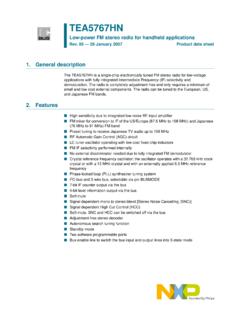
www.sparkfun.comn Adjustment-free stereo decoder n Autonomous search tuning function n Standby mode n Two software programmable ports n Bus enable line to switch the bus input and output lines into 3-state mode TEA5767HN Low-power FM stereo radio for handheld applications Rev. 05 — 26 January 2007 Product data sheet.
nRF52840 Product Specification - Nordic Semiconductor
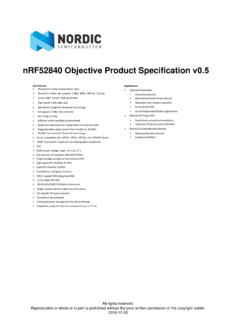
infocenter.nordicsemi.com0 a lrck sck 5