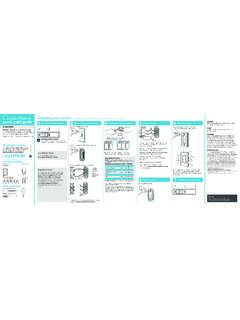
Transcription of Overview - Switch Pros
1 Pg. 1 3/2019 SP9100 8- Switch Programmable Switch Panel Power System Read before installing! Failure to follow installation instructions may affect warranty coverage 1. You MUST connect the Lt. Blue Ignition sense wire to an ignition or accessory source for the switches to operate. The default setting for all switches is Ignition controlled. 2. Connect the black ground wire directly to the Negative terminal of the battery. DO NOT connect to frame ground studs or ground distribution studs. 3. Do not connect any other power feeds to the power module s power stud.
2 4. Do not use the SP9100 to control a winch. Use the winch manufacturer s supplied device 5. Do not modify the Switch panel communications cable. 6. Recommended installation of Power Module is the VERTICAL position, so that water runs off and does not collect on the top of the connector, or face of the module. Improper mounting will allow water to collect on the connector and allow for water intrusion and/or corrosion. 7. The use of a Terminal Block IS NOT RECOMMENDED, as wires are left exposed and susceptible to water and corrosion.
3 Installation should be performed by a qualified technician , to avoid damage to the system or output accessories. Overview The SP9100 Switch Panel Power system is a solid state switching system that is fully programmable and features apple and Android Bluetooth accessibility and RGB backlighting. The Switch panel has 8 switches and one programming Switch . A red led indicates when the Switch panel is in programming mode and a blue led indicates when a Bluetooth connection is present. The power module has 8 outputs, switches 1 4 are rated at 20A, and switches 5 8 are rated at 35A.
4 The power module also has 3 inputs, one Ignition sense, one Lights sense that can also be configured as an external trigger input Trigger 2, and one dedicated external trigger input Trigger 1. The Trigger 1 and Trigger 2 inputs can be configured to sense active high or active low inputs. Both trigger inputs can Switch on up to 4 outputs. The power module has 3 led indicators to display the status of each input. The Switch panel has an idle mode and a sleep mode. The idle mode will start after 1 minute of inactivity with a current draw of The sleep mode will start after 8 hours (default) of inactivity which is adjustable in the App with a current draw of If Switch panel backlighting is on, the system WILL NOT enter sleep or idle mode.
5 The idle mode will activate when all switches are off, no Bluetooth connection, no Ignition, light, or trigger inputs. In idle mode, the system will still respond to all inputs including switches and Bluetooth. The sleep mode will activate when all switches are off, no Bluetooth connection, no Ignition, light, or trigger input is sensed. In sleep mode Bluetooth is disabled, but all other inputs (except lights input), including switches will wake up the system. Pg. 2 3/2019 Installation Disconnect the negative battery lead from the vehicle s battery before proceeding with installation, and to avoid damage to the electrical system!
6 See the last page for vehicle specific installations. 1. Installing the Switch Panel Identify which accessories you will be powering with your Switch Panel Power System. Remember that Switches 1-4 are limited to 20 amps, and switches 5-8 are limited to 35 amps. Therefore, the accessories with the largest draws should be connected to switches 5-8. Once your outputs are determined, select the appropriate legends from the Switch Legends sheet, and affix them to the panel. Center each legend inside the grey border of each Switch . Should you need to remove a legend, we suggest you use a straight pin and lift at a corner until you can grasp it with your fingers.
7 DO NOT dig at the graphic overlay, as the mem-brane could be damaged. The Switch panel can be mounted to a flat surface by drilling holes for the 6-32 mounting studs, and a hole for the harness feedthrough, then screwing the threaded studs into the Switch panel and securing the Switch panel with the supplied 6-32 nuts. For a bezel style mount, cut a rectangular opening measuring x with a corner radius of . See Template on the last page. Then screw the four 6-32 threaded studs into the backside of the Switch panel and tighten.
8 Place the Switch panel into the opening and slide the two mounting brackets over the studs. Then secure the mounting brackets with the 6-32 nuts. Do not over tighten the nuts. Connect the Switch panel harness to the Switch panel, then plug the black sealed connector into the power module connector. If the harness needs to be routed through a tight space in the firewall, the black 4-pin connector s pins can be removed, see directions on the next page. Pg. 3 3/2019 Switch panel harness connector removal When installing the Switch panel communications harness it might be necessary to remove the black MOLEX 4-pin connector in order feed the harness through tight spaces.
9 Follow the procedure below to remove the terminals. Check the 4-pin Harness Connector pin-out drawing above for proper wiring. Step 1: Insert a small screwdriver (max. width of (.118 ) into the designated pry point of the TPA. Step 2: Using the housing as a pivot point, gently pry out the TPA until it reaches pre-lock position. The TPA should never be fully removed from the connector housing. Excessive force can damage the TPA Step 3: Using the (.059 ) service tool #63813-1500, or a paper clip, insert the tip into the terminal service hole adjacent to the terminal to be serviced.)
10 Push straight down gently and apply pressure to release-locking finger. This motion will release the locking finger, picking is not required. A click can be felt once fully engaged. Do not insert the service tool at an angle, this may cause damage to the terminal. Gently pull the wire to be released. If the terminal resists, the service tool may not be fully engaged. Step 3 Correct Terminal Orientation Step 4: When re-installing the terminal make sure the TPA is in the released position, and the orientation of the terminal is correct, see pic above, Once the terminal is seated, push down on the TPA applying even force.