Example: bankruptcy
Quick Start Guide Phantom 2 GPS Models 362110 362111 ...
• Consult the dealer or an experienced radio/TV technician for help. Shielded interface cable must be used with the equipment in order to comply with the limits for a digital device pursuant to Subpart B of Part 15 of FCC Rules. Specifications and designs are subject to . change without any notice or obligation on the part of the manufacturer.
Tags:
Information
Domain:
Source:
Link to this page:
Documents from same domain
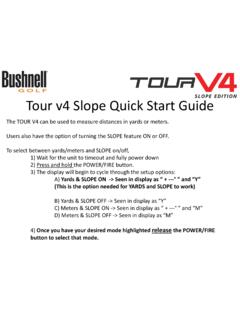
Tour v4 Quick Start Guide - Bushnell Golf
www.bushnellgolf.comTour v4 Slope Quick Start Guide The TOUR V4 can be used to measure distances in yards or meters. Users also have the option of turning the SLOPE feature ON or OFF. To select between yards/meters and SLOPE on/off, 1) Wait for the unit to timeout and fully power down 2) Press and hold the POWER/FIRE button.
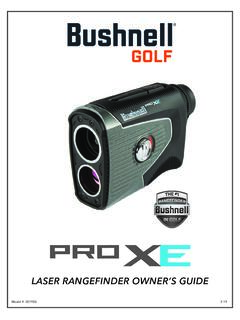
LASER RANGEFINDER OWNER’S GUIDE
www.bushnellgolf.comACTIVE LASER Crosshairs surrounding the aiming circle indicate that the laser is being transmitted. Once a range has been acquired, you can release the Power/Fire button. The crosshairs surrounding the circle will disappear once the Power/Fire button has been released (i.e. the laser is no longer being transmitted). 6 5 4 3 2 7 1
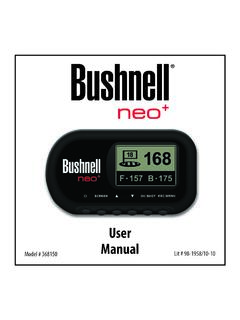
Neo+ Plus Golf GPS UserManual 1LIM rev101210
www.bushnellgolf.comThe Bushnell neo+ is preloaded with over 16,000 golf courses and ready to use out of the box without downloading any additional software. After you’ve had a chance to begin to get familiar with the capabilities of the neo+, please be sure go to iGolf.com to set up

GOLF GPS
www.bushnellgolf.comBushnell is committed to the safe and responsible enjoyment of the outdoors. Warning: Do not use this device with any batteries that have broken or cracked casings. Always use fresh, high quality batteries. Check the battery compartment after the unit has had any prolonged exposure to

201660+201661 Tour V4 5LIM rev071117 - bushnellgolf.com
www.bushnellgolf.com9 About TOUR V4 - Slope Edition (LCD Indicator “ - - - “ ) This advanced and patented technology found on SLOPE EDITION models features a built-in accelerometer-based inclinometer that digitally displays the exact slope angle from -20 to +20 degrees of elevation and is +/- 1.0 degree accurate.
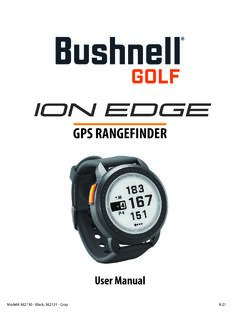
User Manual iON Edge GPS Watch Models 362130 362131
www.bushnellgolf.com– if you are a returning user to the app, select “See All” from the “My Devices Section”, click “Add Device”, and select Ion Edge. • Follow the on screen instructions in the app to pair and connect your Ion Edge . Note: After paired, once powered up the Bluetooth on/off state will be the last set state. Scan the code to
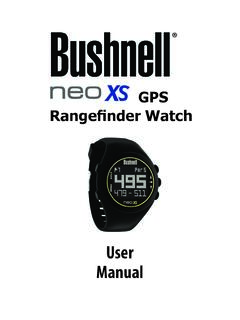
User Manual - Bushnell Golf
www.bushnellgolf.comUser. Manual. Rangefinder Watch. GPS ... By using this product, you agree that Bushnell Outdoor Products will not be held legally responsible . for any injury or damage to you or any person or property caused by the user’s improper operation and/or …
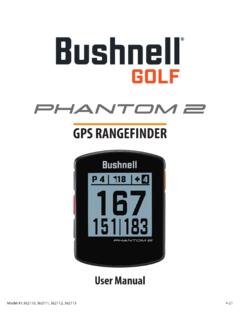
User Manual Phantom 2 Handheld GPS Models 362110 …
www.bushnellgolf.comBy using this product, you agree that Bushnell Outdoor Products will not be held legally responsible for any injury or damage to you or any person or property caused by the user’s improper operation and/or poor judgment while using this product. Note: See Limited Warranty for other limitations to our liability. Additional Information

How to do an Individual Course Sync and to your Bushnell ...
www.bushnellgolf.comSerial Number of your device. 3. Once signed-in, the Main Menu will be displayed. Select ‘MY DEVIE’ in the upper-left of the display and begin Device Setup/Bluetooth Pairing process. 4. Follow the instructions on the Device Setup page to Enable Bluetooth Discovery Mode on your device: i. Go to MENU ii. Select BLUETOOTH iii. Select TURN ON ...

Instruction Manual - Bushnell Golf
www.bushnellgolf.comGOLF MENU ITEMS (From Watch mode, press GOLF MENU button) • PLAY GOLF: from any screen, returns display to showing current hole and distances based on your current position on the course. • TEE TIME: Tee Time is a convenience feature that allows you to set up a tee time (golf date) in advance. When a Tee Time has been
Related documents
Wireless Installing your switch quick-start guide 1 2 3 4
www.casetawireless.comquick-start guide In-wall switch Welcome—and thank you for ... —Consult the dealer or an experienced radio/TV technician for help. 1 2 1 2 Wireless Warranty For warranty information, please visit ... App Store is a service mark of Apple Inc. Without a smartphone or tablet (Smart Bridge not required) MLV—up to 720 VA /575 W Control three ...

QUIETCOMFORT 35 - Bose
assets.bose.com• Consult the dealer or an experienced radio/TV technician for help. ... respectively, and has been certified by the developer to meet Apple performance standards. Apple is not responsible for the operation of this device or its compliance with safety ... refer to the quick start guide in the carton. 8 - ENGLISH GETTING STARTED Headphone ...

User Guide - Nektar Technology, Inc
support.nektartech.com• Consult the dealer or an experienced radio/TV technician for help. ... Throughout this guide we refer to Impact LX+ where the text is applicable to LX49+ and LX61+. The models operate identically, except where indicated in this manual. ... • Transpose up/down buttons • Connect to iPad via Apple USB Camera Connection Kit

Applied Behavioral Analysis (ABA) Billing Guide
www.hca.wa.govFeb 01, 2021 · programs for eligible Washington residents. Washington Apple Health is the name used in Washington State for Medicaid, the children’s health insurance program (CHIP), and state-only funded health care programs. Washington Apple Health is administered by HCA. Refer also to HCA’s . ProviderOne billing and resource guide. for valuable

Overview - Switch Pros
switchpros.comInstallation should be performed by a qualified technician, to avoid damage to the system or output accessories. Overview The SP9100 Switch Panel Power system is a solid state switching system that is fully programmable and features Apple and Android Bluetooth accessibility and RGB backlighting.

then follow step 11 to continue ink charging Start Here
files.support.epson.comUser’s Guide Windows: Click the icon on your desktop or Apps screen to access the online User’s Guide. Mac: Click the icon in Applications/Epson Software/Guide to access the online User’s Guide. If you don’t have a User’s Guide icon, go to the Epson website, as …
GK420d Users Guide (en) - Zebra Technologies
www.zebra.com980608-001 Rev. C GK420d™ User Guide 8/4/10 Who Should Use This Document This User Guide is intended for use by any person who needs to operate or to troubleshoot problems with the printer. How This Document Is Organized The User Guide is set up as follows: Section Description Introduction on page 1 This section describes what you get in your

SOUNDWEAR - Bose
assets.bose.comUse of the Made for Apple badge means that an accessory has been designed to connect specifically to the Apple product(s) identified in the badge, and has been certified by the developer to meet Apple performance standards. Apple is not responsible for the operation of this device or its compliance with safety and regulatory standards.

TM-m30 Technical Reference Guide
files.support.epson.comTechnical Reference Guide Describes features of the product. Describes setup and installation of the product and peripherals. Describes advanced usage methods for the product. Describes how to control the printer and necessary information when you develop applications. Describes how to handle the product.