Transcription of Pearson VUE Exam Testing Frequently Asked Questions (FAQs)
1 [1] 2016 Symantec Pearson VUE Exam Testing Frequently Asked Questions (FAQs) Pearson VUE CertTracker Registering for Symantec Pearson VUE Proctored IT Exams My Profile/Scheduling an Exam Testing Process Vouchers Delivering Symantec Exams at Your Organization General For Questions unanswered by the FAQ document, please contact Pearson VUE: 1. Who is Pearson VUE? Pearson VUE provides computer-based Testing for information technology, academic, government and professional Testing programs around the world. Pearson VUE provides a full suite of services from test development to data management, and delivers exams through the world s most comprehensive and secure network of Test Center Locations in 175 countries. Pearson VUE is a business of Pearson (NYSE: PSO; LSE: PSON), the international media company, whose businesses include the Financial Times Group, Pearson Education and the Penguin Group.
2 2. What are the steps to taking a Symantec exam? I. Prepare for an exam i. Participate in training classroom, virtual, web-based ii. Recommended additional preparation resources study guides, product documentation, hands-on experience) iii. Get certified the right way and be aware of Sym antec s T esting Po licies and Exam Security II. Select an exam and register with Pearson VUE [2] 2016 Symantec Pearson VUE Exam Testing Frequently Asked Questions (FAQs) i. Partners: Locate training paths on PartnerNet ii. Customers: Locate exams on our website iii. Log in to CertTracker iv. Locate a test center v. Pay for the exam to secure your Testing location and time III. Day of the Exam i. Bring two (2) forms of identification and the Pearson VUE confirmation letter 3. Can I walk in at a Pearson VUE location and expect to take an exam? 24-48-hour advance registration through CertTracker is required.
3 4. What is the admission process for Symantec candidates? The admission process when taking proctored exams includes enhanced security requirements for those wishing to take Symantec exams. The exam registration process is streamlined so that candidates will register for exams directly from their own Symantec CertTracker account. This will ensure that exam results flow to the intended candidate exam records. In addition to the current identification and admission requirements, candidates who are taking a proctored exam will now be photographed and Asked to provide a digital signature. The photograph and signature will become a permanent part of each candidate s Symantec certification record. Photos taken during the admission process will be printed on score reports and all candidate data will be securely stored and protected by Pearson VUE. These requirements may be modified according to local laws.
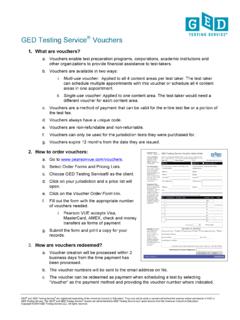
4 5. What are the benefits of capturing digital photos and signatures? Digital photos may be used to assure employers that the person presenting the certification credential is the same individual who took the exam. Likewise, candidates are given peace of mind knowing that their credentials are protected. Further, this initiative will help to ensure that Symantec IT certifications maintain their integrity and value within the marketplace. 6. How will candidate personal information be stored? Both Symantec and Pearson VUE employ rigorous measures to ensure data privacy. Although technical Testing is a significant part of Pearson VUE s business, the company also routinely delivers a variety of other high-stakes exams everything from medical board licensing exams to the GMAT. The same methodologies used for the collection, encryption and storage of data for these programs are used for the Symantec certification program.
5 For additional information, each company s Privacy Policy can be found on: [3] 2016 Symantec Pearson VUE Exam Testing Frequently Asked Questions (FAQs) 7. What forms of ID are acceptable for candidates to provide at the time of admission to a Pearson VUE test center? During the admissions process candidates must provide two (2) valid forms of identification. Acceptable forms of ID are: I. Driver s license II. Passport III. Other government-issued ID, such as a state/country identification card IV. Alien registration card (green card, permanent resident visa) V. Military ID VI. School ID on an exception basis (as long as the school is a part of the Symantec Academic Alliance) VII. Credit card (as long as it contains a photograph and signature) as a secondary ID only Note: In Japan, the Health Insurance card is an acceptable form of secondary identification.
6 CertTracker: 1. What is CertTracker? CertTracker is the database where the Symantec Accreditation and Certification Programs maintain all candidate assessment and exam records. It allows candidates to track their certification credentials and download logos for use on profiles, business cards, etc. CertTracker also includes links where candidates can request electronic certificates upon passing an exam. CertTracker. 2. How do I know if I have a Symantec CertTracker account already? If you have ever attempted a Symantec accreditation or certification exam, you have an existing Symantec CertTracker account. Click here to access Sym antec s CertT racker . If you need assistance logging into your account, select the Account Recovery link from the CertTracker login page if you have forgotten your CertTracker login credentials and follow the instructions provided.
7 If you need further assistance, please contact with your existing CertTracker login credentials. 3. How do I set up a new account in the Symantec CertTracker system in order to register for an exam at Pearson VUE? If you are a New User and have never attempted a Symantec Certification or Accreditation exam, you must create a new Symantec CertTracker account in order to register for an exam at Pearson VUE. For New Users - The Account Activation email notice will include a link and detailed instructions on how to access the site. Customers: Click here to access Symantec s CertTracker. Next, click on the New User link and [4] 2016 Symantec Pearson VUE Exam Testing Frequently Asked Questions (FAQs) follow the instructions provided to set up a new account. See detailed step-by- step registration instructions. Partners: Partners must be registered in Symantec PartnerNet before creating a new CertTracker account.
8 Upon creating a new PartnerNET account, you must wait 48 hours before attempting to register for a Symantec exam at Pearson VUE. For assistance in activating a new PartnerNET account, please contact your regional PartnerNet email In-box by selecting your country and you will be directed accordingly. If you have an existing Symantec PartnerNET account, click here to log in to your Symantec CertTracker account using your unique email that you use to login to PartnerNET and follow the steps listed below under Registering for Symantec Pearson VUE Proctored IT Exams . Symantec partners are automatically authorized for exam discounts. See detailed step-by-step registration instructions. In order for Partners to receive credit in CertTracker for Symantec Accreditation credentials, a partner candidate must register using his/her own contact profile and company email address that s/he uses to login to PartnerNet, otherwise, s/he risks losing exam results.
9 Exam results will not be transferred between different CertTracker accounts. Contact name must exactly match what is listed in CertTracker and identification presented at Pearson VUE test centers. Partner candidates must be registered in PartnerNet before creating a new CertTracker account. If a partner creates a new PartnerNet account, they must wait 48 hours before attempting to register for a Symantec exam. For assistance activating a new PartnerNet account, making a partner candidate name change, or making a partner company name change, contact your Partner Program Manager. Employees: Employees who need to create a new Symantec CertTracker account must log in to Learn Central and follow the instructions. Symantec employees are automatically authorized for exam discounts. See detailed step-by-step registration instructions. [5] 2016 Symantec Pearson VUE Exam Testing Frequently Asked Questions (FAQs) IMPORTANT NOTES ABOUT REGISTRATION: Once a CertTracker profile is created it will serve as the only login or the candidate and sync with Pearson VUE system.
10 Your name must exactly match what is listed in Symantec CertTracker and your identification that is presented at a Pearson VUE test center or you will be unable to take an exam and forfeit your exam fee. Candidate name and company name changes can only be made by submitting a CertTracker Incident or emailing please allow 24-48 hours for CertTracker updates to reflect in all systems. Registering for Symantec Pearson VUE Proctored IT Exams: To schedule a Symantec technical proctored exam: 1. Log in to CertTracker with your username and password. 2. On the Candidate Landing Page, view the left hand navigation and click Schedule Pearson VUE Exam to schedule a proctored exam. 3. On the screen listing the exams, choose your exam and follow the on-screen instructions to complete your transaction. 4. See the detailed step-by-step registration instructions: Customers, Partners, and Employees.