Transcription of PRINT THESE INSTRUCTIONS FIRST OR SAVE TO ...
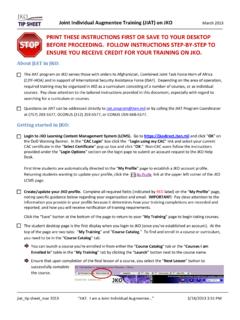
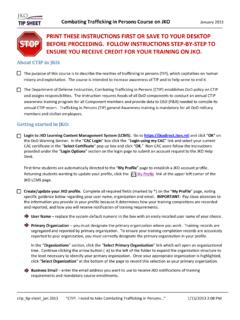
1 Survival, Evasion, Resistance and Escape (SERE) on JKO January 2013 sere_tip sheet_jan 2013 SERE. I need to take Survival, Evasion, Resistance 1/13/2013 2:10 PM PRINT THESE INSTRUCTIONS FIRST OR save TO YOUR DESKTOP BEFORE PROCEEDING. FOLLOW INSTRUCTIONS STEP-BY-STEP TO ENSURE YOU RECEIVE CREDIT FOR YOUR TRAINING ON JKO. About SERE in JKO: The purpose of this course is to provide DoD personnel the fundamental knowledge necessary to uphold the spirit and intent of the Code of Conduct and address the challenges of isolation, captivity, and recovery.
2 It provides the essential Personnel Recovery and Survival, Evasion, Resistance and Escape (SERE) knowledge necessary for personnel to execute their responsibilities when isolated. The new SERE blends the latest immersive gaming technology and scenario-driven activities with instructional video and other multimedia that focuses the student to develop SERE knowledge and skills, and at times, places them under realistic duress. The course includes personal interviews with former Vietnam, Desert Storm, and Operation Iraqi Freedom Prisoners of War (POW), putting the course in a "yes, it can happen to me" perspective.
3 Students are guided through the correct tactics, techniques, and procedures for outdoor survival and evasion, captivity resistance, captivity resolution through escape, and personnel recovery, ultimately preparing military members to return with honor, regardless of circumstance of isolation. All personnel entering USSOUTHCOM, USPACOM, USCENTCOM, USEUCOM and USAFRICOM geographic combatant commands are required to complete SERE 100 Code of Conduct training to meet established theater entry requirements. This course is preferably accomplished through Joint Knowledge Online (JKO), which is the established method to record joint course completion.
4 Other servers throughout the DoD may provide access to SERE 100, but have no consolidating electronic data-basing capability of completed courses as does JKO. Getting started in JKO: Login to JKO Learning Content Management System (LCMS). Go to and click OK on the DoD Warning Banner. In the CAC Login box click the Login using my CAC link and select your current CAC certificate in the Select Certificate pop up box and click OK. Non-CAC users follow the INSTRUCTIONS provided under the Login Options section on the login page to submit an account request to the JKO Help Desk.
5 FIRST time students are automatically directed to the My Profile page to establish a JKO account profile. Returning students wanting to update your profile, click the link at the upper left corner of the JKO LCMS page. Create/update your JKO profile. Complete all required fields (marked by *) on the My Profile page, noting specific guidance below regarding your user name, organization and email. IMPORTANT: Pay close attention to the information you provide in your profile because it determines how your training completions are recorded and reported, and how you will receive notification of training requirements.
6 User Name replace the system-default numeric in the box with an easily recalled user name of your choice. Survival, Evasion, Resistance and Escape (SERE) on JKO January 2013 sere_tip sheet_jan 2013 SERE. I need to take Survival, Evasion, Resistance 1/13/2013 2:10 PM Primary Organization you must designate the primary organization where you work. Training records are segregated and reported by primary organization. To ensure your training completion records are accurately reported to your organization, you must correctly designate the primary organization in your profile.
7 In the Organizations section, click the Select Primary Organization link which will open an organizational tree. Continue clicking the arrow button ( ) to the left of the folder to expand the organization structure to the level necessary to identify your primary organization. Once your appropriate organization is highlighted, click Select Organization at the bottom of the page to record this selection as your primary organization. Business Email enter the email address you want to use to receive JKO notifications of training requirements and mandatory course enrollments.
8 Click the save button at the bottom of the page to return to the JKO (LCMS) main page to begin taking courses. The student desktop page is the FIRST display when you login to JKO (once you ve established an account). At the top of the page are two tabs: My Atlas and Course Catalog. To find and enroll in a course or curriculum, you need to be in the Course Catalog tab. To launch a course once enrolled, you need to be in the My Atlas tab. Be sure you launch your courses from your My Training table in order to receive credit. You will NOT RECEIVE CREDIT if you start any course using the Preview icon.
9 To return to your student desktop page click the My Atlas tab. Ensure that upon completion of the final lesson of a course, you select the Next Lesson button to successfully complete the course. To cancel or withdraw from an enrolled course click the My Atlas tab. Fully display your My Training table by clicking the maximize icon in the top right corner of the My Training table. Find the course you wish to cancel or withdraw from and click the Withdraw button. You will be asked to confirm that you want to withdraw from the course selected. You can restore the My Training table to its original size by clicking on the minimize button in the upper right corner of the table.
10 JKO course completions are recorded and tracked in your My Training History table. To get there, you need to be on the My Atlas tab. Click the Open My Training History link in your My Training table. All of your JKO course completions are displayed in the table. To open and PRINT a copy of a completion certificate, click on the certificate icon in the Certificate column to the right of the course name. If a certificate icon is not in the Certificate column, your completion transaction may not have cycled successfully. To fix this, click the My Atlas tab and check your My Training table to see if the course is still listed there.