Transcription of Proctor Guide
1 This Proctor Guide is written for anyone who administers MAP Growth testing . Main Sections: lStarting Out on page 2 lPractice and Readiness Check on page 2 lProctor Quick Start: oSet Up testing in MAP on page 4 oStudent Sign-in on page 6 oPause, Suspend, or Terminate on page 8 oEnd of testing on page 8 lTesting Tips: oStudent Directions Script on page 10 oStudent Sign-In Tips on page 11 oTest Question Issues on page 12 oTest Engagement and Rapid Guessing on page 13 oContinuing Suspended Tests on page 15 lAccommodations and Accessibility on page 19 lText-to-Speech Accommodation on page 22 lTest Descriptions Summary on page 25 2016 2019 NWEANWEAandMAPareregisteredtrademarks,an dMAPG rowthandMAPR eadingFluencyaretrademarks, | PROCTORGUIDEJULY2022 NWEAS tarting Out lYour login.
2 In most cases, look for an automated email for your login credentials (sender is The email also provides a link to the MAP Growth site: you forget your passwordThere is a "Forgot Username or Password?" link under the main login prompt. This will send login information to the email address that was saved in MAP. If the email does not appear, check the junk or spam folder. If needed, a leader at your school or district can reset a password (NWEA cannot do this). Note: Each person can also change his or her own password, such as after a reset. After logging in, click Change Password from the bar on the top right of the screen.)
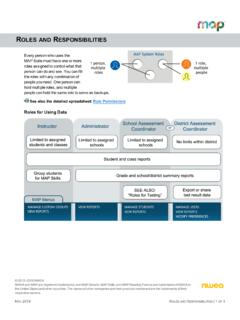
3 LYour role:The role or roles you are assigned in MAP determine what the system allows you to do (your permissions). Typically you have one or both of these roles: oProctor Enables you to conduct MAP testing . oInstructor Grants access to the test results of your students . Also enables the Test My Class feature (see Option 2 Test My Class on page 5).Practice and Readiness CheckAs a Proctor who administers MAP Growth testing , try to prepare at least a week Test and Student Preparations Use the videos and practice tests available here: Resources includes videos that the whole class can and Password for practice tests = grow.
4 Remind students that some questions will be more difficult, and it s okay not to know all of the answers. To give students practice with the math test calculator tool, see | PROCTORGUIDEJULY2022 NWEA Search for your students to ensure they are in this term s roster: Manage Test Sessions > Find students to Test. If students are missing, ask a leader to complete the Your testing Conventions Confirm the testing window dates set by your district. All tests should be started by the end of the window. Plan enough time for students to take breaks, especially early learners.
5 The test is not timed and can be taken over multiple days. You might also need to intervene or retest when students rapid-guess excessively. Confirm which method you should use in Manage Test Sessions: Find students to Test or Test My Class or Saved Test Session. Confirm your naming conventions for testing sessions:Examples: jbmath72 (your initials +subject +grade +period) or 21eagle918 (room +mascot +month +year).Device PreparationsBefore you can check devices, start a sample testing session under Manage Test Sessions, using any student. On a few sample devices, access the NWEA Secure testing browser or app.
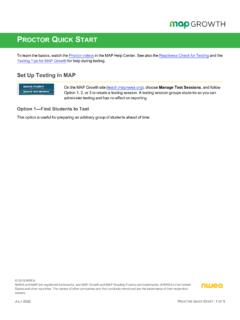
6 Typically, your school will already have it installed, or use the instructions referenced below. Or, if you are allowed to use a browser only, open the testing site: Join the testing session you started and look for warnings if the device fails to meets minimum requirements, such as screen resolution. Get headphones and check volume for early learners (K 2) or for students using Text-to-Speech. For installation instructions, see System and Technology Guide . 4OF27 | PROCTORGUIDEJULY2022 NWEASet Up testing in MAPOn the MAP Growth site ( ), choose Manage Test Sessions, and follow Option 1, 2, or 3 to create a testing session.
7 A testing session groups students so you can administer testing and has no effect on 1 Find students to TestThis option is useful for preparing an arbitrary group of students ahead of time. 1. Select Find students to Test. 2. Choose criteria and select Search. 3. Review the search results and select Add students . 4. Repeat the search as needed. Keep the student count below 100; too many students can slow the a student is missing, try using <No School Assigned> in the you need to add a student, contact a school leader for instructions. 5. Select students and make needed assignments (each student can have a different assignment):5OF27 | PROCTORGUIDEJULY2022 NWEA 1.
8 Select Assign Test and select a test from the list. 2. Select Assign Accommodations if a student requires accommodations, including more guidance, see Assignments for tests, accommodations, or Text-to-Speech on page 6. 6. If you plan to use this testing session at a later time, select Save Session. Use a name that s unique and easy to type. Avoid spaces, special characters, and capital letters. Examples: jbmath72 (your initials +subject +grade +period) or 21eagle918 (room +mascot +month +year) 7. If you need to test immediately, select Test 2 Test My ClassUse this option if you re testing your own class of students .
9 1. Select Test My the button doesn't work, your MAP profile was not associated with a class of students for this term. (This association must happen every testing term.) Contact a MAP leader in your school or district. 2. Select one of your classes, if Proctor console appears and the testing session starts. 3. Select students and make needed assignments (each student can have a different assignment): 1. Select Assign Test and select a test from the list. 2. Select Assign Accommodations if a student requires accommodations, including more guidance, see Assignments for tests, accommodations, or Text-to-Speech on page 6.
10 Option 3 Use Saved testing SessionUse this option if a session was already created and saved by you or someone in your school or | PROCTORGUIDEJULY2022 NWEA 1. Select Show next to Saved testing Sessions. 2. To see testing sessions created by others, change Created : Access may be limited. With the School Proctor role, you can only access sessions created by someone with the District Proctor role. 3. When you find and select a testing session, choose Test not available, you already have a session running (you can only run one at a time). Select Return to for tests, accommodations, or Text-to-SpeechWhen making test assignments, refer to this diagram of test naming conventions.