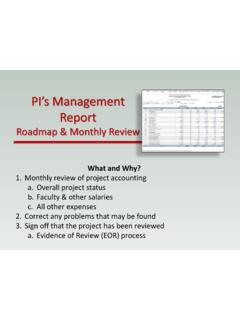
Transcription of Project Accounting Sample Reports - GP Dynamics
1 Microsoft Dynamics GPProject Accounting Sample ReportsCopyrightCopyright 2005 Microsoft Corporation. All rights with all applicable copyright laws is the responsibility of the user. Without limiting the rights under copyright, no part of this document may be reproduced, stored in or introduced into a retrieval system, or transmitted in any form or by any means (electronic, mechanical, photocopying, recording, or otherwise), or for any purpose, without the express written permission of Microsoft Corporation. Notwithstanding the foregoing, the licensee of the software with which this document was provided may make a reasonable number of copies of this document solely for internal and Microsoft Dynamics are either registered trademarks or trademarks of Microsoft Corporation or its affiliates in the United States and/or other countries.
2 FairCom and c-tree Plus are trademarks of FairCom Corporation and are registered in the United States and other names of actual companies and products mentioned herein may be trademarks or registered marks - in the United States and/or other countries - of their respective otherwise noted, the example companies, organizations, products, domain names, e-mail addresses, logos, people, places, and events depicted herein are fictitious. No association with any real company, organization, product, domain name, e-mail address, logo, person, place, or event is intended or should be propertyMicrosoft may have patents, patent applications, trademarks, copyrights, or other intellectual property rights covering subject matter in this document.
3 Except as expressly provided in any written license agreement from Microsoft, the furnishing of this document does not give you any license to these patents, trademarks, copyrights, or other intellectual disclaimerMicrosoft Corporation disclaims any warranty regarding the Sample code contained in this documentation, including the warranties of merchantability and fitness for a particular of liabilityThe content of this document is furnished for informational use only, is subject to change without notice, and should not be construed as a commitment by Microsoft Corporation.
4 Microsoft Corporation assumes no responsibility or liability for any errors or inaccuracies that may appear in this manual. Neither Microsoft Corporation nor anyone else who has been involved in the creation, production or delivery of this documentation shall be liable for any indirect, incidental, special, exemplary or consequential damages, including but not limited to any loss of anticipated profit or benefits, resulting from the use of this documentation or Sample agreementUse of this product is covered by a license agreement provided with the software product.
5 If you have any questions, please call the Microsoft Dynamics GP Customer Assistance Department at 800-456-0025 (in the or Canada) or + dateDecember 2005 Project Accounting Sample REPORTS1 Project Accounting Sample ReportsThis document includes information about and instructions for creating the most common Project Accounting Reports . samples of each report also are following Reports are explained: Aged Work-In-Progress report Fees List by Project report Pre-Billing Worksheet - CP/FP Pre-Billing Worksheet Fee (Billable) Pre-Billing Worksheet T&M and Fee (Billable) Pre-Billing Worksheet CP/FP and Fee (Billable)
6 Billing List Timesheet History report Projects In Progress - Customer List Projects in Progress - Fees List Projects in Progress - Cost Category/Transaction List Year To Date Employee Utilization List Project Cost Breakdown List Project Cost Breakdown Periodic List Change Order PA Detailed Trial Balance2 Project Accounting Sample REPORTSAged Work-In-Progress ReportThe Aged Work-In-Progress Budget report displays information about work in progress across aging periods you have set up and the balances or unbilled work in progress per budget. Use this report to analyze billing activity by budget for time and materials print an Aged Work-In-Progress report the Billing Activity Reports window.
7 ( Reports >> Project >> Billing Activity) Aged Work-In-Progress Budget from the Reports list and choose New to open the Billing Activity report Options an option name and select the range and sorting the Destination button to open the report Destination the report Destination window, select a printing destination and choose OK to return to the Billing Activity report Options Writer namePA Aged Work-In-Progress BudgetReport tablesPA Budget MSTR WIP SUMPA Project Master FileRM Customer MSTRPA Cost Category Master FileRangesCustomer NameCustomer IDSorting optionsBudget NameBudget IDPROJECT Accounting Sample REPORTS3 Aged Work-In-Progress report System: 6/5/2012 1:51:32 PM User Date: 6/5/2012 Page.
8 1 User ID: sa Fabrikam, Inc. Project Series Aged Work in Progress For Time and Materials Projects Ranges: Customer ID: ADVANCED0001 - ADVANCED0001 Customer Name: First - Last Sorting: by Project Number Project Number Project Name ---------------------------------------- ---------------------------------------- ---------------------------------------- ------- Cost Category ID Cost Category Name Current 31 - 60 Days 61 - 90 Days 91 and Over Total ---------------------------------------- ---------------------------------------- ---------------------------------------- ------- ADSTVCOMM TV Commercials BUILDING Building $ $
9 $ $ $ CASH Cash $ $ $ $ $ CLOTHING Clothing $ $ $ $ $ CONSULTING Consulting Fees $ $ $ $1, $1, DESIGN Product Design $ $ $ $ $ HARDWARE Hardware Purchase $ $ $ $ $ INSURANCE Insurance $ $ $ $ $ TELCOMM Telephone Communication $ $ $ $ $ XHARDWARE Testing Non -IV Item $ $ $ $
10 $ YHARDWARE Testing Non-IV Item - MU $ $ $ $ $ ZHARDWARE Testing Non-IV Item - None $ $ $ $ $ -------------- -------------- -------------- -------------- -------------- $ $ $ $1, $1, FIRST First CONSULTING Consulting Fees $ $ $ $7, $7, DESIGN Product Design $ $ $ $300, $300.