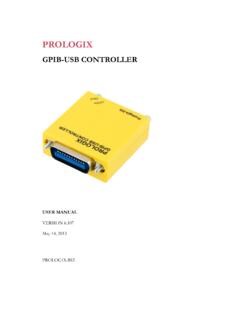
Transcription of PROLOGIX
1 PROLOGIX GPIB- ethernet CONTROLLER USER MANUAL VERSION May 14, 2013 PROLOGIX GPIB- ethernet Controller User Manual 9/9/2014 2 Table of Contents 1. Introduction .. 4 2. Installation .. 4 3. Firmware Upgrade .. 4 4. Host Software .. 4 5. Network Configuration .. 5 6. GPIB Configuration .. 5 7. Operating Modes .. 5 Controller Mode .. 5 Device Mode .. 6 8. Data Transmission .. 6 Binary Data Transmission .. 7 9. Commands .. 8 addr .. 8 auto .. 8 clr .. 9 eoi .. 9 eos .. 10 eot_enable .. 10 11 11 11 11 lon .. 11 mode .. 12 read .. 12 read_tmo_ms .. 13 rst .. 13 savecfg .. 13 spoll .. 14 srq .. 14 status .. 14 trg .. 15 ver .. 15 help .. 15 10. Specifications .. 15 PROLOGIX GPIB- ethernet Controller User Manual 9/9/2014 3 Change Log May 14, 2013 Added ++llo command description. May 7, 2012 Corrected error in ++status documentation. April 18, 2011 Added ++lon command description. Sept 14, 2009 Added ++savecfg command descripion.
2 Corrected maximum value of read_tmo_ms to 3000 ms. May 22, 2009 Added ++status command description. Updated ++addr, ++spoll and ++trg command descriptions to include secondary address. Added section on binary data transmission. Aug 5, 2008 Initial version. PROLOGIX GPIB- ethernet Controller User Manual 9/9/2014 4 1. Introduction PROLOGIX GPIB- ethernet controller converts any computer with a network port into a GPIB Controller or Device. In Controller mode, PROLOGIX GPIB- ethernet controller can remotely control GPIB enabled instruments such as Oscilloscopes, Logic Analyzers, and Spectrum Analyzers. In Device mode, PROLOGIX GPIB- ethernet controller converts the computer into a GPIB peripheral for downloading data and screen plots from the instrument front panel. In both modes, PROLOGIX GPIB- ethernet controller interprets high level commands received from the host computer and performs the appropriate low-level GPIB protocol handshaking. 2. Installation Connect PROLOGIX GPIB- ethernet controller to any network enabled computer using an ethernet cable.
3 No special drivers are required. The type of cable to use depends on the computer. If the computer supports auto-MDIX, which almost all newer ones do, use a straight ethernet cable. If the computer does not support auto-MDIX, use a cross-over ethernet cable. If a cross-over ethernet cable is not available, or does not work, connect both PROLOGIX GPIB- ethernet controller and computer to a network hub (or switch). 3. Firmware Upgrade PROLOGIX GPIB- ethernet controller firmware is field upgradeable. Latest firmware and upgrade installations are available at 4. Host Software A wide variety of host software may be used to communicate with PROLOGIX GPIB- ethernet controller: Terminal programs any terminal emulation program such as HyperTerminal, Tera Term Pro, or Minicom can be used to communicate with the controller and instruments connected to it. Custom applications any programming language or environment that provides network access may be used to develop custom applications. Graphical programming environments like National Instruments LabView and Agilent VEE may be used as well.
4 PROLOGIX GPIB- ethernet Controller User Manual 9/9/2014 5 EZGPIB an easy to use, programming environment developed by Ulrich Bangert for developing data acquisition applications. Web link to this tool can be found at Plotter emulators plotter emulation applications such as can be used to obtain screen plots from GPIB enabled instruments using PROLOGIX GPIB- ethernet controller. Details on how to configure these tools are available at 5. Network Configuration PROLOGIX GPIB- ethernet controller supports static IP address and dynamic (DHCP) IP address. The controller s network parameters can be configured using the NETFINDER tool available at 6. GPIB Configuration GPIB parameters of PROLOGIX GPIB- ethernet controller can be configured using any of the following methods: is an open source tool developed by John Miles for configuring the controller. Web link to the tool can be found at Terminal program any terminal emulation program such as HyperTerminal, Tera Term Pro, or Minicom can be used to configure the controller by manually entering appropriate commands (See Commands).
5 Using the terminal program open a TCP connection to port 1234 at PROLOGIX GPIB- ethernet controller s IP address. You may want to enable the Local Echo feature in the terminal program to view the commands being entered. Please consult the FAQ at , or the program s user manual, for detailed configuration steps for various terminal programs. PROLOGIX GPIB- ethernet Controller stores the latest configuration settings in non-volatile memory. These settings are not address specific. If you have multiple instruments on the GPIB bus that require different configuration settings, you must change the settings before communicating with each instrument. 7. Operating Modes PROLOGIX GPIB- ethernet controller can operate in two modes CONTROLLER and DEVICE. You can switch between the two modes using ++mode command (see Commands). Controller Mode In Controller mode, the GPIB- ethernet Controller acts as the Controller-In-Charge (CIC) on the GPIB bus. When the controller receives a command over the network port terminated by the network terminator CR (ASCII 13) or LF (ASCII 10) it addresses PROLOGIX GPIB- ethernet Controller User Manual 9/9/2014 6 the GPIB instrument at the currently specified address (See ++addr command) to listen, and passes along the received data.
6 When Read-After-Write feature is enabled (See ++auto command) PROLOGIX GPIB- ethernet Controller will addresses the instrument to talk after sending a command, in order to read its response. All data received from instruments over GPIB is sent to host over the network. Read-After-Write feature simplifies communication with instruments. You send commands and read responses without consideration for low level GPIB protocol details. When Read-After-Write feature is not enabled PROLOGIX GPIB- ethernet controller does not automatically address the instrument to talk. You must use the ++read command to read data. Controller mode is used to remotely control instruments and to download screen plots by sending plot commands from a host computer. Device Mode In Device mode, PROLOGIX GPIB- ethernet Controller acts as another peripheral on the GPIB bus. In this mode, the controller can act as a GPIB TALKER or GPIB LISTENER only. Since PROLOGIX GPIB- ethernet Controller is not the Controller-In-Charge while in this mode, it expects to receive commands from a GPIB controller.
7 When Device mode is enabled PROLOGIX GPIB- ethernet controller configures itself as a GPIB Listener. All data received by the controller over the GPIB port is passed along to the network port without buffering. All data received from the host over the network is buffered until the GPIB controller addresses PROLOGIX GPIB- ethernet controller to talk, at which time the buffered data is passed along to the GPIB port. The controller can buffer only one command. A subsequent command received over the network will overwrite the previously buffered one, if the previous one has not yet been transmitted over GPIB. Device mode is used to download screen plots from the instrument front panel for rendering using plotter emulation software. 8. Data Transmission In Controller and Device modes, characters received over ethernet port are aggregated in an internal buffer and interpreted when an ethernet termination character CR (ASCII 13) or LF (ASCII 10) is received. If CR, LF, ESC (ASCII 27), or + (ASCII 43) characters are part of ethernet data they must be escaped by preceding them with an ESC character.
8 All un-escaped LF, CR and ESC and + characters in ethernet data are discarded. PROLOGIX GPIB- ethernet Controller User Manual 9/9/2014 7 As mentioned earlier, an un-escaped CR or LF acts as the ethernet terminator. The terminating CR or LF is removed and GPIB termination characters (specified by ++eos command) are appended before transmitting data to instruments. Any ethernet input that starts with the unescaped ++ character sequence is interpreted as a controller command and not transmitted over GPIB. When configured to do so using the ++auto command or the ++read command characters received from instruments are transmitted to host. Unlike while sending data to instruments, no character substitution is performed. The ++eot_char command may be used to detect GPIB EOI signal assertion. Binary Data Transmission PROLOGIX GPIB- ethernet controller can send and receive binary data to and from GPIB enabled instruments. No special action is necessary to receive binary data from instruments.
9 Any binary data received from the instrument is transmitted over ethernet to PC unmodified, just as with ASCII data. Since binary data from instruments is not usually terminated by CR or LF characters (as is usually the case with ASCII data), you may want to use the ++eot_enable command to detect EOI indicating end of data. See ++eot_enable command help for more details. Special care must be taken when sending binary data to instruments. If any of the following characters occur in the binary data -- CR (ASCII 13), LF (ASCII 10), ESC (ASCII 27), + (ASCII 43) they must be escaped by preceding them with an ESC character. For example, to send the following (decimal) binary data: 00 01 02 13 03 10 04 27 05 43 06 it must be escaped as follows: 00 01 02 27 13 03 27 10 04 27 27 05 27 43 06 Further more, most instruments will get confused if GPIB termination characters, such as CR or LF, are appended to binary data. Use ++eos 3 command to disable such behavior. See ++eos command help for more details.
10 PROLOGIX GPIB- ethernet Controller User Manual 9/9/2014 8 9. Commands PROLOGIX GPIB- ethernet controller provides several commands to configure its behavior. They are explained in detail in the following sections. All commands start with the ++ character sequence. addr The addr command is used to configure, or query the GPIB address. Meaning of the GPIB address depends on the operating mode of the controller. In CONTROLLER mode, it refers to the GPIB address of the instrument being controlled. In DEVICE mode, it is the address of the GPIB peripheral that PROLOGIX GPIB- ethernet controller is emulating. An optional secondary address may also be specified. Secondary address must be separated from the primary address by a space character. Valid secondary address values are 96 to 126 (decimal). Secondary address value of 96 corresponds to secondary GPIB address of 0, 97 corresponds to 1, and so on. Specifying secondary address has no effect in DEVICE mode. If the command is issued with no parameters, the currently configured address (primary, and secondary, if specified) is returned.