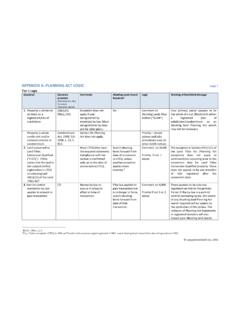
Transcription of Purchasing the OREA Standard Forms - …
1 RealtiWeb is a registered trademark of LawyerDoneDeal Corp. LDD WebDocumentServices is a trademark of LawyerDoneDeal Corp. 1 Purchasing the OREA Standard Forms 01/01/2011 Purchasing the OREA Standard Forms Before you can purchase the OREA Standard Forms , you require an Advanced User Access (AUA)* account, and a lawyer to whom the OREA Forms will be associated. Note: As required by OREA, each lawyer at a firm who would like to use the OREA Forms is required to purchase a license. To Sign up for an Advanced User Access Account As part of the AUA account setup, a representative of the firm will have to agree to the LDD Web Services Subscription Agreement. The Account Administrator will add authorized lawyers and system users. To sign up for an AUA account, click here. After you generate and fax the LDD WebServices Registration form to LawyerDoneDeal, an LDD representative will contact you tohelp you complete the AUA account registration Purchase the OREA Standard Forms You can purchase the OREA Forms in the following ways: From RealtiWeb - Ontario From any file within RealtiWeb - Ontario, click, and then click.
2 A message will redirect you to the LDD WebDocumentServices window. From the LDD WebDocumentServices window, the system automatically selects the lawyerassociated to the file you selected, (if you want to purchase the OREA Forms for anotherlawyer at your firm, select the other lawyer first), and then click . The OREA Forms subscription appears. Note: On the Terms of Use For OREA Forms subscription, ensure you click . To confirm the purchase, click OK. A message confirms that your purchase is processed and shows the expiry date. From LDD WebDocumentServices From the LDD WebDocumentServices window, sign in using your AUA account. On the OREA Standard Forms window, to select a lawyer, click and select the lawyer, and then click . The OREA Forms subscription appears. Note: On the Terms of Use For OREA Forms subscription, ensure you click . To confirm the purchase, click OK. A message confirms that your purchase is processed and shows the expiry date.
3 Need Help? Call LDD support at 416-367-0600 or 800 363-2253. *If you are currently using an LSUC ID to login, follow the instructions in the To Purchase the OREA Standard Forms note: An AUA account will soon be required to sign in and use the OREA OREA Forms in LDD WebDocumentServices vs RealtiWeb Subscribing to RealtiWeb gives you access to your paid OREA Forms subscription and significantly greater functionality. The following is a feature comparison chart showing how the OREA Forms work in LDD WebDocumentServices, as compared to the many benefits that are derived from producing OREA Forms within more information on using OREA Forms , comprehensive user guides can be accessed by clicking on the Help button in either LDD WebDocumentServices or Forms and clauses are the property of the Ontario Real Estate Association. Availability of Forms to the legal profession and usage thereof is solely subject to the discretion of estate wills 1 800 363-2253 RealtiWeb, RealtiWeb and design, LawyerDoneDeal and design are registered trademarks of LawyerDoneDeal Corp.
4 LDD WebDocumentRetrieval is a trademark of LawyerDoneDeal EntryEach form is available for you to enter data field-by-field. Fields need to be re-entered if needed on another part of the same form or on another form . One time entry of data in a file means you don t have to re-enter the same field more than once to print on any and all Forms . Saving Forms and Making ChangesOnly the latest version of each type of form in the system can be saved to the LDD database, no matter how many users are on the your data is saved in the RealtiWeb database, you can create as many OREA Forms , as many times, as required. Data is stored in your transaction files for re-use and reproduction of Forms , in PDF format, can be saved on your desktop. Once in PDF format, Forms can be changed, but not changes to your RealtiWeb database information and reproduce Forms in seconds. No need to make changes to Forms once access to OREA clauses for copying and pasting into Schedules.
5 User can enter additional text on a Schedule, on a one- time basis, or paste text from another clauses are organized in library format for simple, fast and convenient clause selection and modification. You can add your own custom clauses to the the clause you want is limited to browsing the index of the OREA clause are organized by category in RealtiWeb, making it quick and easy to find and select clauses. Additional FunctionalityUser only has access to the OREA Forms , in English and addition to the OREA Forms , user has access to all of RealtiWeb s functionality including databases, calculations, imports to and from e-reg and hundreds of real estate Forms Accessing and Using OREA Standard Forms in LDD WebDocumentServices Date: 13/06/2012 Use of OREA Standard Forms in LDD WebDocumentServices LawyerDoneDeal offers the Ontario Real Estate Association (OREA) Standard Forms , in English and French online and ready for you, when you need them.
6 Just select the form you want to use, type information into the fields and produce the form . Once completed, you can then merge and print a PDF version. You can also produce Schedules to go along with the Forms you need. Features of OREA Forms in LDD WebDocumentServices Each form is available for you to enter data field-by-field. Fields need to be re-entered if needed on another part of the same form or on another form Only the latest version of each type of form in the system can be saved to theLDD database, no matter how many users are on the system Completed Forms , in PDF format, can be saved on your desktop. Once in PDF format, Forms can be changed, but not re-saved Full access to OREA clauses for copying and pasting into Schedules. Usercan enter additional text on a Schedule, on a one- time basis, or paste text from another source Finding the clause you want is lim ited to browsing the index of the O REAclause document User only has access to the OREA Forms , in English and French* Using your OREA Forms subscription within RealtiWeb will give youmuch more flexibility and Accessing and Using OREA Standard Forms in LDD WebDocumentServices Date: 13/06/2012 How to Access and Produce OREA Forms in LDD WebDocumentServices 1.
7 Go to Click the Legal Professionals Login button and log i nusing your LDD Account and User Click the box at top left to select OREA Forms within LDD From the Lawyer dropdown, select the lawyer who is processing the Forms . (If you havenot purchased the OREA Forms for that lawyer for the current calendar year, clickPurchase to do so.) Then select English or Accessing and Using OREA Standard Forms in LDD WebDocumentServices Date: 13/06/2012 4. Select the form you wish to produce from the list of The form displays in PDF format. Fill in the blanks with the appropriate information foryour Use the Acrobat Print icon to print the Accessing and Using OREA Standard Forms in LDD WebDocumentServices Date: 13/06/2012 7. If you wish to save your completed form , you can save it in one of two ways: You can use the button which will save the latest version of this formto the LDD database. (Note that only one copy of each type of form can be savedin your firm.)
8 OR You can Refresh the form , then save the PDF in a location of your choosing. You can save as many PDF s as you wish. SchedulesAt the bottom of the list of documents is the OREA Residential & Commercial Clauses this document open in a Window, from the document list, click on the OREAS chedule you would like to complete. Complete the top part of the form , and into thebottom part where the clauses belong, find the clauses you require from the Clausedocument and paste them. Print and save the document as instructed above.