Transcription of Python for ArcGIS - Writing Scripts to Manipulate …
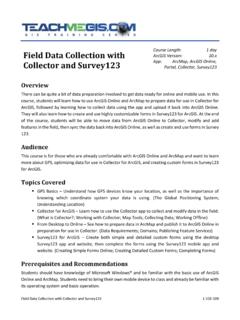
1 Python for ArcGIS - Writing Scripts to Manipulate GIS data 1-102-303 Python for ArcGIS - Writing Scripts to Manipulate GIS data Course Length: 3 days ArcGIS Version: App: ArcMap, PythonWIN Overview Python is becoming more and more popular for Writing custom Scripts in ArcGIS . Python Scripts can be used to Manipulate a map, execute geoprocessing commands, and read/write files. This three-day course takes a leveled approach to Writing Scripts ; beginning with basic Python syntax and simple Scripts , ending with Scripts that read files, Manipulate the information, and create GIS data . Audience This course is for those who are already comfortable with the basics of ArcGIS and want to learn how to write Python Scripts to Manipulate data and maps.
2 Topics Covered Day 1 Introduction to Python Learn about the Python scripting language, why it is useful, and begin with the basic building blocks of a script . (What is Python ?; Writing Python Scripts ; Python Syntax) Variables Getting input from the user, storing that information in containers, and converting between different data types. (Variable Declarations; Strings and Numbers; Help and Resources) Object Oriented Scripting Writing Scripts that look at data and make decisions based on the properties it discovers. (Objects, Properties, and Methods; Decision Making) Modules and ArcPy Accessing general, and ArcGIS -specific, functionality in Python . (Modules; ArcPy Site Package; ArcPy Methods; ) Day 2 Geoprocessing with Python Accessing ArcGIS geoprocessing tools, licenses, and extensions in Python .
3 (ArcToolbox; Calling Tools in Python ; Licenses and Extensions; Error Handling) Lists and Loops Reading through lists of information, such as all of the layers in a map document or all of the feature classes in a geodatabase. (Lists; Loops; List Methods) Python for ArcGIS - Writing Scripts to Manipulate GIS data 1-102-303 Map Documents manipulating the contents, layer properties, and other aspects of a map document with Python . (The Big 3 Objects; Table of Contents; data Driven Pages) data Access with Cursors Accessing, modifying, or updating the data within a table using Python . (Tuples; Search Cursors; Update Cursors; Insert Cursors) Day 3 Working with Geometry Understanding how shapes are stored for GIS data and how that information is handled in Python .
4 (Understanding Geometry; Python Objects for Geometry; Accessing Geometry) Custom Tools Advanced Python techniques in the Field Calculator and creating custom ArcToolbox tools from Python Scripts . (Custom Function Definitions; script Arguments; script Tools; ModelBuilder) File Input and Output Work with directories and paths to read and write files, such as creating log files. (Working with Directories and Paths; Reading and Writing Files; File Tips and Tricks) Format In-person instruction with hands-on practice and course materials you can keep. Prerequisites and Recommendations Attendees should have knowledge of Microsoft Windows and be familiar with the basic use of ArcGIS , including the topics covered in both the Fundamentals of ArcGIS and Intermediate GIS Concepts classes.
5