Transcription of RadioRA 2 Manual Setup Guide 044331a
1 Manual Setup guidea step-by-step Guide for manually setting up a complete Lutron RadioRAR 2 wireless control systemstart hereplease leave this Setup Guide with ownerLutron Technical Support Hotline hours, 7 days a weektable of contentsread through all instructions before starting overview 3 planning and design 6 installing 8 creating the system 10 choosing room/scene buttons 12 about programming 14 programming buttons 15 programming
2 Keypad columns 22 programming Pico wireless controls 24 programming shortcuts 27 programming Visor control Receiver 29 optional: configuring VCRX inputs 31 optional: testing RF signal quality 32 optional: setting shade/drapery limits 34 resetting devices to factory settings 35 repeater troubleshooting 37 device troubleshooting 38 Technical Support 24/7 you have any questions, visit us on the web at For immediate assistance, call the LutronR Technical Support Hotline at ( ) 24 hours, 7 days a | 3 Note: Once a system has been programmed using the RadioRAR 2 Design and Setup PC Tool, the system cannot be manually programmed.
3 All subsequent programming must be performed using the RadioRAR 2 Design and Setup PC MethodFeatureSimple SetupManualEssentials PCInclusive PC(No Repeater)(Main Repeater)(Requires qualification)IR Keypad control Single-Room Scenes Multi-Room Scenes Single-Action Buttons Toggle Buttons Individual Zone control Room Monitoring Time Clock and Away Mode Security Mode (Full/Flash) Integration (RS-232/Ethernet) Mobile Device Apps Occupancy/Vacancy Sensors Wallbox Power Module RF Softswitch Module HVAC Monitor and control +100 Devices (2 Main Repeaters) RadioRAR 2 is a wireless multi-room control system for lights and Shades/Draperies. Create the right ambiance for various activities, easily monitor and control your lights, reduce energy usage, and increase safety in and around your home.
4 Manually programmed systems can have up to 100 devices (1 Main Repeater, 0 to 4 Auxiliary Repeaters, and 1 to 95 other devices). Additional qualification is needed for PC programming and for systems over 100 devices. Qualified Level 2 (L2) dealers/installers can upgrade their software to provide support for a 200 device system. Contact your LutronR representative to learn more about PC programming or the qualification program. 24/7 Technical Support | Lutron Manual programming system components*Main Repeater Supports system Setup , allows integration and PC connectivity (ethernet, RS-232), and ensures error-free communication between system Repeater Extends RF coverage to ensure error-free communication between system Replaces a standard light switch.
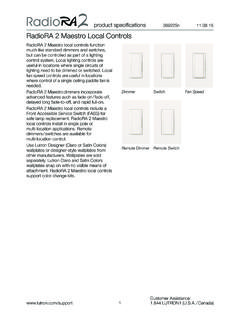
5 Dimmers allows smooth transitions of light and create unique lighting environments. seeTouch Keypad Wall-Mount controls lights and Shades / Draperies throughout the convenient, portable control of lights and Shades/Draperies throughout the Wireless control Battery-powered, retrofit, portable Keypad for convenient control of lights and Shades/Draperies throughout the ModuleLamp DimmeroverviewDimmerMain RepeaterAuxiliary RepeaterSwitchseeTouchR Wall-Mount KeypadseeTouchR Tabletop KeypadPicoR Wireless control * some systems do not require every component listed120 V 50 / 60 HzRR-3PD-1 COOPERSBURG, PA 18036 USAIH300 VA /200 W300 WLUTRONLUTRONS etupWiredRFCommunicationRepeater Status13 42 MPowerRepeater LinkCOM9 V1N / CMUXMUX234 AddTe stUSBI ntegrateProgram / IntegrateRS232 EthernetMain RepeaterAddTe stSetupWiredRFCommunicationRepeater Status13 42 MAuxiliary RepeaterPowerRepeater LinkCOM9 V1N / CMUXMUX234 AddTe | 5overviewHybrid Keypad Replaces a standard light switch for dimming control .
6 Buttons control lights and Shades/Draperies locally and throughout the control Transmitter Controls lights throughout the home from the comfort of your control Receiver Receives signal from Visor control Transmitter and transmits to the entire RadioRAR 2 Eye QS Wireless Unit Powers and controls up to six zones of lights and up to 3 zones of Shades/ Draperies in a Shade/Drapery Allows quiet, precise control of daylight. Manual programming system components* (continued)Visor control TransmitterVisor control Receiver * some systems do not require every component listedGRAFIK EyeR QS Wireless UnitSivoiaR QS Wireless Shade/DraperyHybrid KeypadSivoiaR QS TriathalonR Shade24/7 Technical Support | Lutron planning and designsystem planningA properly planned RadioRA 2 system is easy to use and provides the maximum benefits.
7 Planning a system involves creating areas. An area is a group of lights and Shades/Draperies that are controlled together. Consider the following questions when designing your system: What areas do I want to control ? What load types do I want to control ? How many devices do I need in each area? How will the Keypad buttons control the areas?Use the following five steps to answer the above questions when designing your design1. Identify the areas of the home to be areas: Master suite Kitchen/Family room2. Identify the load types to be loads: Incandescent/Halogen CFL/LED Magnetic Low Voltage (MLV) Electronic Low Voltage (ELV)3.
8 Install devices to control as much of the lighting within the areas as possible ( Dimmers, Switches, Shades/Draperies, etc.). 4. Place at least one Keypad or Wireless control in each area. Outdoor/Entry Basement Shade/Drapery Fluorescent Garage door Other switched | 7planning and design5. Choose how the Keypads will control the areas. Note: This step does not apply to Pico Wireless Controls and Visor control to control the areaBenefit1 Individual device control - control of a single Dimmer, Switch, or ability to turn an individual light on/off and allows changing level of an individual scene - Preset scene for all lighting and shading within a room.
9 Sets all room lighting and Shades/Draperies to the optimal level for a specific activity, at the touch of one button. Example Scenes: Read Watch TV Relax3 Whole home scene - Illuminates part of or most of the home for a specific activity or light and Shade/Drapery levels in multiple areas within the home to ensure that the entire home is in its best light, at the touch of one button. Example Scenes: Entertain Sleep4 Room monitoring - Allows a user to see if lights within a specific room (or entire house) are on or when lights are left on anywhere in the home and easily turn them off all from the convenience of a single of light - Illuminates a convenient path of light to take the user from one location to the daily activities.
10 Example: Nighttime path to the bathroom or Technical Support | Lutron installingAfter planning and designing the layout of the system, install system components according to the installation instructions that came with each devices Dimmers, Switches, and Hybrid Keypads Note: A Dimmer, Switch, or Hybrid Keypad in a 3-way or 4-way application must use RadioRA 2 Remote Dimmers or Remote Switches. seeTouch Wall-Mount and Tabletop Keypads Pico Wireless Controls Sivoia QS Wireless Shades/Draperies GRAFIK Eye QS Wireless Controls Visor control Transmitter (VCTX) and Visor control Receiver (VCRX) Note: The VCTX is typically clipped to a car visor.