Example: bachelor of science
Remote Access Gateway For Employees
Employees 1.21.20 3 Step 4: Log In to the Remote Access Gateway 1. From your remote computer, browse to https://workspace.uvmhealth.org 2. Enter in your login credentials and click Log On. a. Employees: Sign in using your work email address and password. b. Non employees: Sign in using your UPN and password. If you do not know your UPN, contact
Tags:
Information
Domain:
Source:
Link to this page:
Related documents
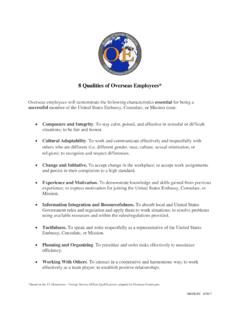
8 Qualities of Overseas Employees* - Careers
www.careers.state.gov8 Qualities of Overseas Employees* Overseas employees will demonstrate the following characteristics essential for being a successful member of the United States Embassy, Consulate, or Mission team: Composure and Integrity. To stay calm, poised, and effective in stressful or difficult situations; to be fair and honest. Cultural Adaptability. To ...

Kronos Self-Service for Employees - CPP
www.foundation.cpp.eduPage 1 Kronos Self-Service for Employees 4/8/2008 Please use the following website to input your hours into Kronos and to get your Earnings History using Kronos

Opening your Stock Plan Account - Fidelity Investments
workplaceservices.fidelity.comOutside U.S. Employees. tab to log in. 2.ou are a new NetBenefits user, you will need to complete the new user registration If y and then log in. A quick-start guide for stock plan participants. 3.o open your Stock Plan T Account, click . Get Started. and follow the prompts. Screenshot is for illustrative purposes only.
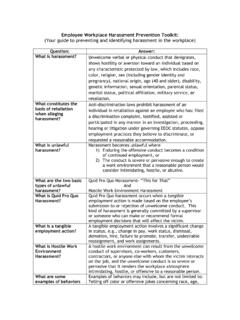
Employees Workplace Harassment Prevention Toolkit
www.edi.nih.govEmployees should also maintain a record of relevant events and communications between all parties involved, in the event another incident arises and further action is needed. Is an employee who brings a harassment claim protected from retaliation/ reprisal? Yes. The NIH is committed to promoting and maintaining a
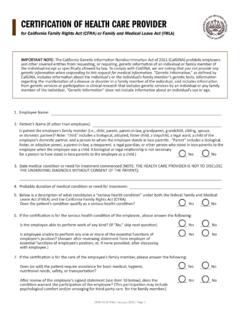
CERTIFICATION OF HEALTH CARE PROVIDER
www.dfeh.ca.govCERTIFICATION OF HEALTH CARE PROVIDER for California Family Rights Act (CFRA) or Family and Medical Leave Act (FMLA) IMPORTANT NOTE: The California Genetic Information Nondiscrimination Act of 2011 (CalGINA) prohibits employers

Pay stub (hourly) - California Department of Industrial ...
www.dir.ca.govCalifornia Labor Commissioner's Office . Pay stub (hourly) SMITH AND COMPANY, INC. 123 West Street Smalltown, CA 98765 . EMPLOYEE . Johnson, Bob . SOCIAL SECURITY NO.