Transcription of RESERVATIONLESS PLUS - meetingconnect.net
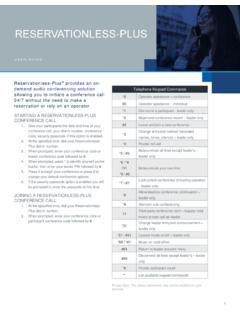
1 RESERVATIONLESS - plus . F E A T U R E S. W hen you need to host weekly recurring meetings or organize a last minute meeting, our RESERVATIONLESS - plus conferencing efficiently allows you to bring people together to help you meet your business objectives and succeed. AUTO CONTINUATION HOST A VARIETY OF. MEETINGS. Allow participants to stay on the conference call without your attendance. The conference will end Organize weekly status once the last participant disconnects. meetings AUTO RECORD Arrange sales meetings with employees and Automatically record all of your calls without prompting to start a recording via your telephone keypad prospects and eliminate the ability for anyone within your conference to stop the recording. Link cross-functional teams CALL MODERATOR DIAL-OUT from around the world Start your conference call by just answering your phone. Our system automatically calls your pre- Gather participants for a defined phone number when a participant joins your meeting.
2 Last-minute meeting CONFERENCE BREAKDOWN. Prevent your conference calls that have not been disconnected properly from continuing indefinitely FREE ADD-ONS. Schedule, start and by ending your conference once it has reached a set duration and number of participants limit. manage your meetings online with Call Manager CONFERENCE CODE-LEVEL CUSTOM GREETING*. Your company can set up a custom greeting to play after participants enter the conference code. Start meetings from your iPhone or Android device CONFERENCE ENTRY MODE with SmartMeet . Prior to participants joining your call, select one of the following entry mode options: Unmuted All participants have the standard talk privileges (same as the current default mode). Group Mute Participants are joined as muted, but have the ability to unmute their individual lines to speak. Lecture Mode Participants are joined as muted and do not have the ability to unmute their individual lines to speak.
3 CUSTOM/BRANDED GREETINGS*. Record a custom welcome message that is played to all your participants who join your conference using your dedicated toll-free or toll dial-in numbers. CUSTOM ENTRY. To quickly enter your conference, turn specified prompts off that are played after you enter your conference code or leader PIN. DIAL-OUT. Directly from your conference, you are able to dial-out to domestic participants and bring them into your call or you can contact the operator to dial out to international participants. DISCONNECT GRACE PERIOD. Provides a grace period allowing you to rejoin your conference in the event Auto Continuation is disabled and you have disconnected. DUAL PASSCODE. Eliminate the need to enter a leader PIN to start your conference. You will be provided with a 10-digit leader conference code to start your conference and your participants are provided with a participant conference code to join your conference.
4 ENTRY ANNOUNCEMENT LIMIT. Reduce the number of entry tones played when your call has started. Quick Start must be disabled and more than five to ten participants are on music hold. ENTRY/EXIT OPTIONS. Decide how your participants are announced when they join or leave the conference call. Choose from the following options: tone, name announce, name and tone, or silence. FORCE DISCONNECT. Clear your conference by disconnecting all participants from your call while you stay connected. This feature is useful when you have scheduled back-to-back meetings. GROUP MUTE/UNMUTE. Silence all participants' lines by pressing a keypad command on your telephone. Group mute/unmute helps reduce background noise and limits interruptions during your conference. INTER-DIGIT TIMER. Set an inter-digit timer, from 0 to 30 seconds, to wait in between digits when entering a telephone keypad command ( , leader PIN).
5 Currently, this is set to 8 seconds. INTERNATIONAL DIALING. Expand your global reach with our international conferencing solutions. We offer five methods to connect your international participants to your conference call, including links through our international call centers, toll and toll-free access numbers, a dial-out option, or a permanent dial-in number. LEADER ENTRY/EXIT ANNOUNCEMENT. Change your entry/exit announcement setting from your telephone keypad. LEADER EXPRESS ENTRY. Start your conference in one easy step by consecutively entering your conference code followed by * and your leader PIN followed by #. LEADER PIN EXPIRATION. For security purposes, a leader PIN is required to start your RESERVATIONLESS - plus conference call. Your account can be provisioned to allow you to change your leader PIN via your telephone keypad. Your account can also be enabled with the expiration feature that forces you to change your leader PIN at regular intervals (selected by your organization in terms of days; minimum 30/maximum 365) at midnight from the date your leader PIN was created.
6 LEADER SMART ENTRY. Store a phone number so when you dial in from that number to start your conference, our system will recognize the number and join you to your conference without inputting your conference code and leader PIN. LEAVE AND JOIN A CONFERENCE. Your participants have the ability to leave the conference they are attending and join a new conference without hanging up and redialing the same dial-in number. LECTURE MODE. Mute all participants during your conference to reduce background noise. Participants will not have the capability to unmute their lines, allowing you to deliver your message uninterrupted. LOCK/UNLOCK. Lock your conference call to prevent additional participants from joining the call, with the exception of dialing out. MOBILE APPS. Control and access your meetings while on the road from your iPhone or Android device using SmartMeet. MULTIPLE LEADERS. Have multiple leaders on your conference call, allowing them to have access to all leader controls.
7 When provisioned, the leader prompts will play for ALL callers. When a participant enters the leader PIN, they will be placed into the conference as a leader with full leader controls. NEWS ON HOLD*. News on Hold is provided by Rivet Radio. While waiting for your conference call to begin, your participants will hear up-to-the-minute news clips covering major national and world headlines across a broad range of categories including: business, sports, arts & entertainment, and technology & science. ONLINE ACCOUNT MANAGEMENT. Manage your conferencing account online with our customer portal, TCC Online, at From TCC Online you can update your profile and account settings, view your invoices and create reports. In addition, you can schedule and start your meetings. ONLINE CALL MANAGEMENT. Use Call Manager, our free online meeting tool for our RESERVATIONLESS - plus service. Call Manager is an application for your desktop available for download or to run in your browser putting you in control of all aspects of your meeting including scheduling, participant management and security.
8 OPERATOR ASSISTANCE. At any time after your call has started, you can request an operator simply by pressing *0 to join your conference for assistance or 00 to speak to the operator privately. PARTICIPANT LIST. A list of your participants will be provided in your conference summary report. PERSONAL GREETING*. Record a personal message for your participants to hear when joining your conference or request a professionally recorded file. PHONE COMMANDS. Control your conference with a touch of a button on your telephone keypad. You have the ability to mute lines, lock the conference, request operator assistance and much more. POST-CONFERENCE EMAILS*. Keep an attendance roster of your participants with an email record of which participants were on the phone and/or web. Also, keep track of your total conferencing minutes to anticipate your call's budget. PRIMARY/SECONDARY LANGUAGE OPTION. Assign a secondary language to all prompts within your conference.
9 Once activated, participants will receive an additional prompt to select a desired language. If no language is selected, your default language is used for that participant. PRIVATE PARTICIPANT COUNT. Privately announces the number of participants on the conference call at any participants' request. PROJECT ACCOUNTING CODES (PAC). Become more efficient when charging back for billable hours by using PAC Codes. They are ideal for attorneys, consultants and other professionals who track projects by cost center. You can establish a minimum/maximum number of digits required and provide up to twelve different prompts to play prior to entering the PAC value. We can capture your expense center, department or location, and the information will appear on your monthly invoice. QUALITY CASE MAKER. From your telephone keypad, automatically create a trouble ticket online, assigning it to a quality agent for review and resolution, without any interruption of your on-going meeting.
10 Please note prior approval is required. QUICK START. Select Quick Start to immediately begin the conference call by allowing participants to enter the conference before you and start speaking before the call officially begins. RECORD & PLAYBACK. Digitally record your RESERVATIONLESS - plus call for participants who were unable to attend or for participants who would like to listen to the conference call again. For easy, 24/7 availability, the recording can be accessed on the internet or by dialing a toll-free number. You may also purchase a CD, a downloadable link and/or a transcription of your recording. RECORD PAUSE/RESUME. Pause your recording in progress and then resume the recording when you are ready to continue. This is ideal for long conferences where a ten to fifteen minute break may occur and silence during the playback is not wanted. ROLL CALL. Prompt participants to record their name as they join the conference call.