Transcription of Restaurant Enterprise Series - Infinity POS
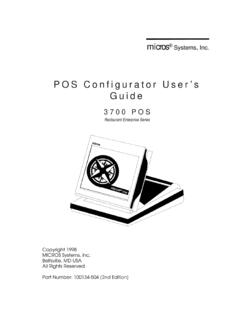
1 Micros Systems, Inc. User's Manual 3700 POS. Restaurant Enterprise Series Copyright 1998. MICROS Systems, Inc. Beltsville, MD USA. All Rights Reserved Part Number:100134-502 (2nd Edition). Declarations Declarations Warranties Although the best efforts are made to ensure that the information in this manual is complete and correct, MICROS Systems, Inc. makes no warranty of any kind with regard to this material, including but not limited to the implied warranties of marketability and fitness for a particular purpose. Information in this manual is subject to change without notice.
2 No part of this manual may be reproduced or transmitted in any form or by any means, electronic or mechanical, including photocopying, recording, or information recording and retrieval systems, for any purpose other than for personal use, without the express written permission of MICROS Systems, Inc. MICROS Systems, Inc. shall not be liable for errors contained herein or for incidental or consequential damages in connection with the furnishing, performance, or use of this manual. Trademarks CorelDraw is a registered trademark of Corel Corporation.
3 Crystal Reports is a registered trademark of Crystal Computer Services, Inc. FrameMaker is a registered trademark of Adobe Corporation. Microsoft, Microsoft Excel, Win32, Windows, and Windows NT are either registered trademarks or trademarks of Microsoft Corporation in the and/or other countries. SQL Server is a registered trademark of Microsoft in the and other countries. Sybase SQL Anywhere is a registered trademark of Sybase, Inc. Visio is a registered trademark of Visio Corporation. Design and Production This manual was written with FrameMaker for Windows.
4 Some illustrations and diagrams were designed in CorelDraw and/or Visio. Printing History New editions of this manual incorporate new and changed material since the previous edition. Minor corrections and updates may be incorporated into reprints of the current edition without changing the publication date or the edition number. Edition Month Year Software Version 1st September 1996 2nd April 1998 ii Table of Contents Preface Welcome .. viii What's New? .. xii Reader xiii Chapter 1: Introduction to the 3700 System What is the 3700 System?
5 1-2. 3700 Software .. 1-3. 3700 Hardware .. 1-4. Printers ..1-11. Chapter 2: Touchscreens Introduction .. 2-2. Screen 2-7. Screen Lighter/Darker .. 2-8. Change Color 2-9. Previous Screen ..2-10. Page Up/Page Down ..2-11. Home/End ..2-12. Chapter 3: Basic POS Operations Introduction .. 3-2. Clock In .. 3-3. Clock Out .. 3-5. Sign In .. 3-7. Sign In Using One Touch .. 3-9. Sign Out ..3-11. Information Screens ..3-15. Reprint Time Card ..3-17. Change Menu Assign Cash No Sale ..3-23. Media Loan ..3-25. Media Pickup ..3-27. 3700 User's iii Table of Contents Chapter 4: Basic Guest Check Operations Introduction.
6 4-2. Assign a 4-4. Begin Check by Check Number .. 4-6. Begin Check by Guest Check ID .. 4-8. Begin Check by Table Number .. 4-10. Begin Check for Another Employee .. 4-12. Edit Table 4-14. Post Guest Count to Check .. 4-16. Seat # .. 4-18. Edit Seat .. 4-20. Share an Item .. 4-22. View by Seat .. 4-24. Fast Transaction .. 4-26. Service Total .. 4-28. 4-30. Hold/Fire .. 4-32. Pick Up an Open Guest Check .. 4-34. Add a 4-36. Transfer a Check .. 4-40. Block Transfer .. 4-42. Chapter 5: Post Menu Items Introduction .. 5-2. Declare Order Type.
7 5-6. Post Regular Menu Items .. 5-8. Post Multiple Menu Items .. 5-11. Post Limited Availability Menu 5-13. Post Open Price Menu 5-15. Post Split Price Menu 5-17. Post Menu Item by Weight .. 5-19. Post 5-21. Post a Fixed Price Meal Using Course 5-23. Post a Fixed Price Meal Using Menu Item Keys .. 5-25. Repeat Round .. 5-27. Chapter 6: Guest Check Adjustments Introduction .. 6-2. Post an Open 6-5. Post a Preset Discount .. 6-7. Post an Item 6-9. Post an Employee Discount .. 6-11. Post an Open Service Charge .. 6-13. Post a Preset Service 6-15.
8 Post a Discount or Service Charge Using NLU .. 6-17. Exempt Check from Tax .. 6-19. Exempt Check from Autogratuity .. 6-21. iv Table of Contents Chapter 7: Correct a Mistake Introduction .. 7-2. Cancel a Transaction .. 7-5. Void an Item .. 7-7. Return an Item .. 7-10. Edit a Closed Check .. 7-12. Transaction Void .. 7-16. Chapter 8: Print and Split Check Operations Introduction .. 8-2. Print a Guest 8-5. Reprint Guest 8-7. On-Demand Customer Receipt .. 8-9. Filter 8-11. Print a Memo Check .. 8-13. Split a Guest 8-15. Print a Shared 8-18.
9 Chapter 9: Tender a Guest Check Introduction .. 9-2. Tender Guest Check to Cash .. 9-6. Tender a Memo Check .. 9-8. Tender Guest Check to Alternate Currency .. 9-10. Tender a Guest Check Using Number Lookup (NLU) .. 9-12. Enter Credit Card Information .. 9-14. Tender Guest Check to Credit Card (No Authorization) .. 9-16. Process Initial Credit Authorization (Start a Tab).. 9-18. Process Credit Authorization .. 9-20. Process Credit Authorization Manually .. 9-22. Suspend Credit 9-24. Assign Credit Authorization to a Seat .. 9-26. Finalize a Credit Card Payment.
10 9-28. Use Credit Card Lookup .. 9-30. Recall a Credit 9-32. Correct a Credit Card 9-34. Reprint a Credit Card Voucher .. 9-36. Conduct a PMS Inquire .. 9-38. PMS Posting .. 9-40. Chapter 10:Tip Operations Introduction .. 10-2. Declare Cash Tips .. 10-5. Pay Tips .. 10-7. Appendix A:Prompts and Messages Introduction .. A-2. List of Prompts and Messages .. A-4. 3700 User's v Table of Contents Index vi Preface This preface gives an overview of the manual's contents, how they're organized, and the various conventions used throughout the manual.