Example: bankruptcy
SOUNDSPORT - Bose
the headphones or adjust your volume to ensure you can hear surrounding sounds, including alarms and warning signals. • Do NOT use the headphones if they emit any loud unusual noise. If this happens, turn the headphones off and contact Bose customer service.
Tags:
Information
Domain:
Source:
Link to this page:
Documents from same domain
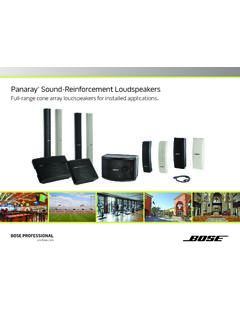
Panaray Sound-Reinforcement Loudspeakers
assets.bose.comPanaray ® Sound-Reinforcement Loudspeakers Full-range cone array loudspeakers for installed applications. 2 From the legendary Bose® 901 ® to the Professional 802 Bose first demonstrated the advantages of full-range cone driver arrays with the revolutionary 901 Direct/Reflecting® high-fidelity loudspeaker. Based on extensive …
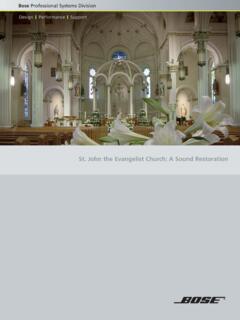
St. John the Evangelist Church: A Sound Restoration
assets.bose.comA major restoration at St. John the Evangelist Catholic Church in Delphos, Ohio, created an unexpected reverberation problem that lasted for more than seven years.
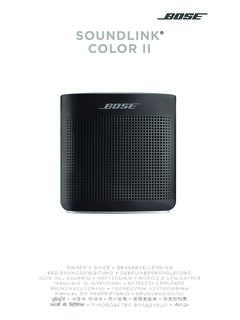
SOUNDLINK COLOR II - Bose Corporation
assets.bose.comBose Corporation hereby declares that this product is in compliance with the essential requirements and other relevant provisions of Directive 2014/53/EU and all other applicable EU directive requirements.
SOUNDLINK - Bose Corporation
assets.bose.comBose Corporation hereby declares that this product is in compliance with the essential requirements and other relevant provisions of Directive 2014/53/EU and all other applicable EU directive requirements.
PRELIMINARY TECNICAL DATA SEET - Bose Corporation
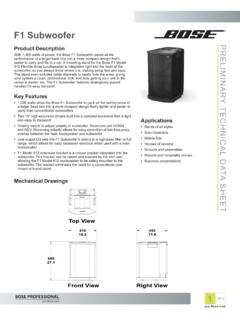
assets.bose.com1 OF 3 PRELIMINARY TECNICAL DATA SEET proBosecom F1 Subwoofer Applications • Bands of all styles • Solo musicians • Mobile DJs • Houses of worship • Schools and universities • Resorts and hospitality venues • Business presentations Product Description With 1,000 watts of power, the Bose F1 Subwoofer packs all the
SoundSport Free Wireless - Bose
assets.bose.comWIRELESS. 2 - ENGLISH ITN SE INSINS Please read and keep all safety and use instructions. Important Safety Instructions ... • Do NOT submerge or expose the earbuds for extended period to water, or wear while participating in water sports, e.g., swimming, waterskiing, surfing, etc.
WAVE SOUNDTOUCH PEDESTAL - Bose
assets.bose.comSoundTouch pedestal: • Place the rear feet of the Wave music system into the recesses on top of the SoundTouch pedestal. • Make sure the Wave music system sits flat and the side edges of both parts are aligned. 3. Insert the SoundTouch pedestal’s cable into the Bose link connector. Connect the system to power
Gebruikershandleiding
assets.bose.comDUTCH - 3 WETT CHT UDCH ORMAT ... Apple, het Apple-logo, iPad, iPhone en iPod zijn handelsmerken van Apple Inc., gedeponeerd in de VS en andere landen. App Store is een servicemerk van Apple Inc. Het handelsmerk ‘iPhone’ …
Owner’s Guide - Bose
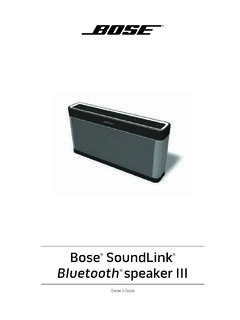
assets.bose.comPlug the power cord on the AC power supply into the DC connector on the back of the speaker. 3. Plug the AC power supply into a live AC (mains) outlet. The speaker emits a tone to confirm connection to AC power, and charging begins. On the front of the speaker, the battery status indicator blinks yellow to show the battery is charging.

Bose SoundLink
assets.bose.comConnect to AC power via the speaker You can connect to AC power by connecting the DC power cord directly into the speaker. 1. Follow steps 1 and 2 from “Connecting to AC power” on page 10. 2. Plug the DC power cord on the power supply into the DC connector on the Bose® SoundLink® Mini speaker. 3. Follow step 5 from “Connecting to AC ...
Related documents
NOISE CANCELLING HEADPHONES 700 - Bose
assets.bose.comthe headphones. • Do NOT use the headphones if they emit any loud unusual noise. If this happens, turn the headphones off and contact Bose customer service. • Remove headphones immediately if you experience a warming sensation or loss of audio.

SoundLink On-Ear Bluetooth Headphones - Bose
assets.bose.comheadphones. These wireless stereo headphones combine the audio performance and comfort you expect from Bose with the freedom to move away from your source. Unpacking Check the carton for: the Bose SoundLink on-ear Bluetooth headphones, audio cable, USB charging cable, and carry case. Be sure to save all packing materials.
Bluetooth Headphones User Manual
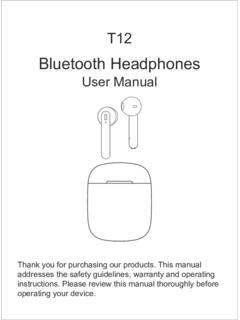
images-na.ssl-images-amazon.comBluetooth Headphones User Manual Thank you for purchasing our products. This manual addresses the safety guidelines, warranty and operating instructions. Please review this manual thoroughly before operating your device. T12
CAN I USE THIS FORM?
eforms.state.govHeadphones, "bluetooth", or similar devices must not be worn in the passport photograph. Glasses or other eyewear are not acceptable unless you provide a signed statement from a doctor explaining why you cannot remove them due to medical reasons (e.g., during the recovery

User Guide - The Sharper Image
cdn4.sharperimage.comThe TV Wireless Headphones can be connected to the TV three different ways: Headphone Jack — Use the included 3.5mm audio cable. Plug one end into the TV headphone jack. Plug the other end into the Audio In jack on the back of the transmitter base.
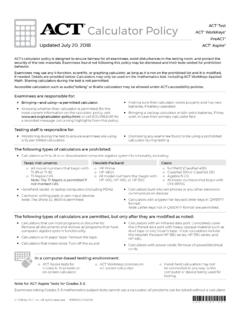
Calculator Policy Test - ACT
www.act.orgAug 05, 2019 · This calculator policy is designed to ensure fairness for all examinees, avoid disturbances in the test room, and protect the security of the test materials.