Transcription of Startup SCL S7 - Siemens
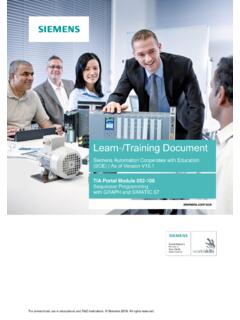
1 For unrestricted use in educational / R&D institutions. Siemens AG 2018. All rights DocumentSiemens Automation Cooperates with Education(SCE) | From Version V14 Portal Module 051-201 High-Level Language Programmingwith SCL and SIMATIC S7-1200 Learn-/Training Document | TIA Portal Module 051-201, Edition 2018 | Digital Factory, DF FAFor unrestricted use in educational / R&D institutions. Siemens AG 2018. All rights SCE Trainer Packages for these Learn-/Training Document SIMATIC S7-1200 AC/DC/RELAY (set of 6) "TIA Portal"Order no.: 6ES7214-1BE30-4AB3 SIMATIC S7-1200 DC/DC/DC (set of 6) "TIA Portal"Order no.: 6ES7214-1AE30-4AB3 Upgrade SIMATIC STEP 7 BASIC V14 SP1 (for S7-1200) (set of 6) "TIA Portal"Order no.: 6ES7822-0AA04-4YE5 Note that these trainer packages are replaced with successor packages when necessary. Anoverview of the currently available SCE packages is available trainingFor regional Siemens SCE Continued Training, get in touch with your regional SCE information regarding regarding useThis SCE Learning/Training Document for the integrated automation solution Totally IntegratedAutomation (TIA) was prepared for the program " Siemens Automation Cooperates with Education(SCE)" specifically for training purposes for public educational facilities and R&D AG does not guarantee the document is to be used only for initial training on Siemens products/systems, which means itcan be copied in whole or part and given to those being trained for use within the scope of theirtraining.
2 Circulation or copying this Learning/Training Document and sharing its content ispermitted within public training and advanced training facilities for training require written consent from the Siemens AG contact person: Roland will be held liable. All rights including translation are reserved, particularly if a patent isgranted or a utility model or design is for industrial customer courses is explicitly not permitted. We do not consent to commercialuse of the Learn-/Training wish to thank the TU Dresden, particularly Prof. Leon Urbas and the Michael DziallasEngineering Corporation and all other involved persons for their support during the preparation ofthis Learn-/Training Document | TIA Portal Module 051-201, Edition 2018 | Digital Factory, DF FAFor unrestricted use in educational / R&D institutions. Siemens AG 2018. All rights of Contents1 Objective .. 42 Requirements .. 43 Hardware and software required.
3 54 Theory .. programming language .. development .. task Tank volume .. of the sample task ..96 Planning .. data block "Data_Tank" .. "Calculate_Volume" function .. of the "Calculate_Volume" function .. 107 Structured step-by-step instructions .. an existing project .. the project under a new name .. the "Data_Tank" data block .. the "Calculate_Volume" the interface of the "Calculate_Volume" function .. the "Calculate_Volume" function .. the "Main [OB1]" organization block .. and downloading the program .. and testing the organization block .. of the "Calculate_Volume" function .. the organization block .. , saving and downloading the program .. and testing the organization block .. and testing the "Calculate_Volume" the project .. 348 Checklist .. 359 Exercise .. description Exercise .. Exercise .. 3710 Additional information .. 38 Learn-/Training Document | TIA Portal Module 051-201, Edition 2018 | Digital Factory, DF FAFor unrestricted use in educational / R&D institutions.
4 Siemens AG 2018. All rights Language Programmingwith SCL and S7-12001 ObjectiveIn this section, you will become familiar with the basic functions of the SCL high-level functions for eliminating logical programming errors will also be SIMATIC S7 controllers listed in section 3 can be RequirementsThis section builds on the hardware configuration of a SIMATIC S7-1200. It can be implementedwith any hardware configurations that have digital input and output cards. To implement thissection, you can use the following project, for example:" "You should also be familiar with high-level language programming, such as Document | TIA Portal Module 051-201, Edition 2018 | Digital Factory, DF FAFor unrestricted use in educational / R&D institutions. Siemens AG 2018. All rights Hardware and software required1 Engineering Station: The requirements are hardware and operating system (for additional information, see Readme on the TIA Portal Installation DVD)2 SIMATIC STEP 7 Basic software in the TIA Portal - as of V14 SP13 SIMATIC S7-1200 controller, CPU 1214C DC/DC/DC Firmware or higher4 Ethernet connection between the engineering station and controller2 SIMATIC STEP 7 Basic (TIA Portal)as of V14 SP13 SIMATIC S7-1200 controller1 Engineering station4 Ethernet connectionLearn-/Training Document | TIA Portal Module 051-201, Edition 2018 | Digital Factory, DF FAFor unrestricted use in educational / R&D institutions.
5 Siemens AG 2018. All rights SCL programming languageSCL (Structured Control Language) is a high-level, Pascal-based programming language thatenables structured programming. The language corresponds to the "Structured Text" (ST)programming language specified in DIN EN-61131-3 (IEC 61131-3). In addition to high-levellanguage elements, SCL contains typical elements of the PLC as language elements such asinputs, outputs, timers, block calls, etc. It supports the STEP 7 block concept and enables blockprogramming in compliance with standards in addition to programming with Ladder Logic (LAD)and Function Block Diagram (FBD). This means SCL supplements and expands the STEP 7programming software with its LAD and FBD programming do not have to create every function yourself but can use pre-compiled blocks, such assystem functions and system function blocks that are present in the CPU's operating that are programmed with SCL can be mixed with LAD and FBD blocks.
6 This means thata block programmed with SCL can call another block that is programmed in LAD or , SCL blocks can also be called in LAD and FBD networks can also be inserted in LAD and FBD SCL test functions can be used to find logical programming errors in an SCL development environmentThere is a development environment that is tailored to the specific properties of both SCL andSTEP 7 for use and application of SCL. This development environment consists of aneditor/compiler and a for S7-1200 Editor/compilerDebuggerLearn-/Training Document | TIA Portal Module 051-201, Edition 2018 | Digital Factory, DF FAFor unrestricted use in educational / R&D institutions. Siemens AG 2018. All rights SCL editor is a text editor that can be used to edit any text. The main task of the SCL editoris the creation and editing of blocks for STEP 7 programs. A basic syntax check is performedduring the input which makes it easier to avoid errors during programming.
7 Syntax errors aredisplayed in different editor offers the following options: Programming of an S7 block in the SCL language Convenient insertion of language elements and block calls using drag & drop Direct syntax check during programming Customization of the editor to meet your needs, color-coding for the different languageelements according to syntax Checking of the finished block through compiling Display of all errors and warnings that occur during compiling Localization of error locations in the block, optionally with error description and information ontroubleshootingLearn-/Training Document | TIA Portal Module 051-201, Edition 2018 | Digital Factory, DF FAFor unrestricted use in educational / R&D institutions. Siemens AG 2018. All rights SCL debugger enables you to check a program while it is running in the automation system(AS) and thus find potential logical provides two different test modes: Continuous monitoring Step-by-step monitoringWith "Continuous monitoring" you can test a group of instructions within a block.
8 During the test,the values of the tags and parameters are displayed in chronological order and if possible updated "Step-by-step monitoring" the logical program sequence is followed. You can run theprogram algorithm instruction-by-instruction and observe how the contents of the processed tagschange in a result type of CPU you are using determines whether or not you can use "Step-by-stepmonitoring". The CPU must support the use of breakpoints. The CPU used in this document doesnot support Document | TIA Portal Module 051-201, Edition 2018 | Digital Factory, DF FAFor unrestricted use in educational / R&D institutions. Siemens AG 2018. All rights Example task Tank volumeIn the first part, you are to program the calculation of the tank Expansion of the sample taskIn the second part, the task is expanded and you are to program an error PlanningThe tank is in the shape of a vertical cylinder.
9 The filling level is measured with an analog the first test, the filling level value should be available as a scaled value (in meters).Global parameters, such as the diameter and height of the tank, are to be stored in a structuredmanner in a global data block "Data_Tank".The program for calculation of the volume should be written in a"Calculate_Volume" function andthe parameters are to use the unit 'meter' or 'liter'. Global data block "Data_Tank"The global parameters are stored in multiple structures in a global data type Start value metermeasured_dataSTRUCT filling_level_per INT0value between of tank in literfault_flagsSTRUCT calculate_volumeBOOL fault == trueScalingBOOL fault == trueTable 1: Parameters in the "Data_Tank" data blockLearn-/Training Document | TIA Portal Module 051-201, Edition 2018 | Digital Factory, DF FAFor unrestricted use in educational / R&D institutions. Siemens AG 2018. All rights "Calculate_Volume" functionThis block calculates the volume of the tank in the first step, there is to be no check of the transferred parameters for following parameters are required for this step:InputData type CommentDiameterREALD iameter of cylindric tank in meterFilling_levelREALF illing level of liquid in meterOutputVolumeREALV olume of liquid in the tank in literTable 2: Parameters for "Calculate_Volume" function in the first stepThe formula for calculating the volume of a vertical cylinder is used to solve the task.
10 Theconversion factor 1000 is used to calculate the result in = =>1000velFilling_le# #Volume# = Expansion of the "Calculate_Volume" functionThe second step checks whether the diameter is greater than zero. In addition, a test is to beperformed to determine whether the filling level is greater than or equal to zero and less than orequal to the height of the case of an error, the new parameter "er" is set to TRUE, and the "Volume" parameter is set tothe value this purpose, add the "er" and "Height" parameters to the type CommentHeightREALH eight of cylindric tank in meterDiameterREALD iameter of cylindric tank in meterFilling_levelREALF illing level of liquid in meterOutputerBOOL fault flag; fault == trueVolumeREALV olume of liquid in the tank in literTable 3: Parameters for "Calculate_Volume" function in the second step2 Learn-/Training Document | TIA Portal Module 051-201, Edition 2018 | Digital Factory, DF FAFor unrestricted use in educational / R&D institutions.