Transcription of Step Sheet: Typing Spanish Characters in Microsoft …
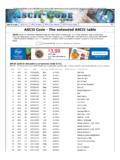
1 "Step Sheet: Typing Spanish Characters in MicrosoftOffice" Microsoft WordThe following are common symbols that are used in Spanish and theshortcut keys provided by Microsoft Word. It takes some practice, but in thelong run they are quicker than the use of the ALT key and memorizing thenumber codes ALT+130 = . There are two charts at the end with someof the other techniques that can be used, but students should be stronglyencouraged to learn the Microsoft Word CTRL+ (APOSTROPHE), a CTRL+ (APOSTROPHE), e CTRL+ (APOSTROPHE), i CTRL+ (APOSTROPHE), o CTRL+ (APOSTROPHE), u SHFT+CTRL+~(TILDE), n CTRL+(COLON), u ALT+SHFT+CTRL+? ALT+SHFT+CTRL+!PC and ASCII character CodesThese are the commands that can be used on MS-DOS based programs, butthey require the typist to memorize complicated codes, move hands off thehome keys, and increase the chance of ALT+160, or ALT+0225 ALT+130, or ALT+0233 ALT+161, or ALT+0237 ALT+162, or ALT+0243 ALT+163, or ALT+0250 ALT+164, or ALT+0241 ALT+129, or ALT+0252 ALT+168, or ALT+0225 ALT+173, or ALT+0161 MACINTOSHT hese are the commands that can be used on Macintosh computers.
2 Theyare provided here strictly for reference purposes. However, the purpose ofthis Unit of Study is to practice Microsoft Word commands and techniques,the use of these is strongly OPTION+e, a OPTION+e, e OPTION+e, i OPTION+e, o OPTION+e, u OPTION+n, n OPTION+u, u OPTION+SHIFT+? OPTION+!HTML CodesThere are also codes for Typing these symbols in HTML, but that is beyondthe scope of this worksheet.