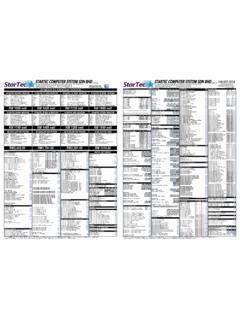
Transcription of T E C H 2 0 0 9 - meritgames.com
1 T E C H 2 0 0 9 11/03/08 I O N H A R D W A R E motherboard : ECS asus CPU: AMD GHz CPU: AMD GHz Memory: 128MB \\ 256MB PC2700 DDR 333 MHz (DDR Double Data Rate) TechTip: The motherboard does not emit an audio tone when DDR DIMM is defective or not seated correctly.
2 TechTip: No video or sound? Try reseating DDR DIMM and CPU on the motherboard . Kernel Panic: Possible defective motherboard or IDE ribbon cable. (Most cases defective hard drive.) I/O board (Titan I/O board) 4 LEDs: D1, D2, D3 & D8 Setup and calibration buttons are located on the I/O board and OSD board. OSD Board (On Screen Display) Features: Setup & calibrate buttons. Program security key. LCD video control buttons. I O N S O F T W A R E ION 2006 ION Version: Version: Security Key: SA3505-XX Security Key: SA3505-XX ION 2007 ION Version: Version: Security Key: SA3522-XX // SA3523-XX Security Key: SA3522-XX // SA3523-XX ION 2008 ION Version: Version: Security Key.
3 SA3547-XX // SA3548-XX Security Key: SA3547-XX // SA3548-XX ION 2009 Version: Security Key: SA3559-XX // SA3560-XX F O R C E H A R D W A R E motherboard : ECS CPU: Intel Celeron 533\566 MHz Memory: DIMM Dual Inline Memory Module (PC133) Invalid motherboard configuration: Proper CMOS configuration needs to be performed. See Force ECS configuration. I/O Board 3 in 1 I/O & USB I/O Board 3 in 1 I/O board (T-Shaped I/O board) Used in eVo, Edge, Wallette & Fusion systems and it is not interchangeable with the USB I/O board. USB I/O Board (square I/O board) Used in the Radion, Elite, Vibe, Classic, 19 Upright, and Mr.
4 VIPs. USB I/O jumper settings for the FORCE Series games: J5B - USB port setting for Elite & Upright games. J5A - USB port setting for Radion & Classic games. J5B J5A JP6 JP5 JP6 JP5 TechTip: If the jumpers are not set correctly, the I/O board will display an Invalid Key error. TechTip: Check I/O board LEDs for voltages: Diodes D1: +3vdc; D2: +5vdc; D4: VSS; D3: USB VCC. All four LEDs should be lit red. If not, an Invalid Key error will appear. Setup and calibration buttons are located on the I/O board and OSD board. OSD Board: On Screen Display Features: Setup & calibrate buttons. Program security key.
5 LCD video control buttons. TechTip: OSD board is only used on eVo, Edge, Wallette, and Fusion cabinets. TechTip: Security key socket on the OSD board was not operational on Force Fusion games. F O R C E S O F T W A R E FORCE 2002 FORCE Version: - Version: - Security Key: SA3050-XX Security Key: SA3050-XX FORCE 2003 FORCE Version: - Version: - Security Key: SA3059-XX Security Key.
6 SA3059-XX FORCE 2004 FORCE Version: - Version: - Security Key: SA3068-XX Security Key: SA3068-XX FORCE 2005 FORCE Version: - Version: Security Key: SA3083-XX Security Key: SA3083-XX FORCE 2006 FORCE Version: Version: Security Key: SA3501-XX // SA3504-XX Security Key: SA3501-XX // SA3504-XX FORCE 2007 FORCE Version: - - Security Key: SA3526-XX Security Key: SA3526-XX FORCE 2008 FORCE Version.
7 Version: Security Key: SA3542-XX // SA3543-XX Security Key: SA3542-XX // SA3543-XX FORCE 2009 Version: Security Key: SA3570-XX // SA3572-XX 64 MB of DIMM (64512K) is required for Force 2002(5), 2003(5), 2004(5) 2005(5), 2006(5), 2007(5), and 2008 (5). C M O S C O N F I G U R A T I O N S CMOS stores information such as the date, time, and system configuration settings on the motherboard . CMOS battery: CR2032 ( VDC lithium battery) 3 asus (ION) 1 - Plug the keyboard into PS2 (purple) port or the USB port on the motherboard . 2 - Power the game on.
8 Press and hold the Del key to enter the BIOS SETUP UTILITY screen. 3 - Once you re at the BIOS SETUP UTILITY screen, arrow over to EXIT. 4 - Arrow down to LOAD SETUP DEFAULTS. 5 - Press Enter. Select OK. 6 - Arrow back to MAIN, and adjust the System Time and System Date. 7 - Arrow back over the EXIT screen. 8 - With the EXIT & SAVE CHANGES already highlighted, press Enter. Select OK. 9 - The game should reboot. Unplug the keyboard. ECS (ION) 1 - Plug the keyboard into PS2 (purple) port or the USB port on the motherboard . 2 - Power the game on. Press Del to enter SETUP. 3 - Arrow over and down to Load Optimized Defaults. 4 - Press Enter.
9 Press Y for Yes, then press Enter. 5 - Arrow back up and over to Standard CMOS features, then press Enter. 6 - Adjust the date and time, then press Esc. 7 - Press F10, then press Y for Yes. Then press Enter. 8 - The system should reboot. Unplug the keyboard. ECS (FORCE) 1 - Plug the keyboard into PS2 (purple) port or the USB port on the motherboard . 2 - Power the game on. Press Del to enter SETUP. 3 - Arrow over and down to Load Fail-Safe Defaults. 4 - Press Enter, then select Y for Yes. 5 - Arrow over and down to Load Optimized Defaults. 6 - Press Enter. Then press Y for Yes. 7 - Arrow back over to Standard CMOS features, then press Enter.
10 8 - Adjust the date and time, then press Esc. 9 - Press Enter. Press F10 and then press Enter. 10 - The system will reboot. Unplug the keyboard. Instructions to change the date and time are normally right in the Date\Time area. Keyboards: Both the USB port or PS2 port (purple port) will work with Force and Ion version motherboards. TechTip: DIP switch 8 (DS8) should be tried first before doing a keyboard CMOS. C M O S E R R O R S ** Corrupted motherboard Possible causes Outside influences: Electrical disturbance or thunderstorms.