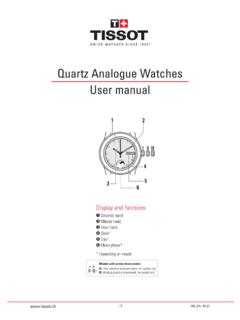
Transcription of T-TOUCH II User’s Manual
1 Would like to thank you for choosing a TISSOT watch, a Swiss brand among the most highly renowned in the world. Your T-TOUCH watch has the most recent technical innovations. It gives you a constant analogue time display and a variety of digital addition, the following functions can be accessed simply by touching the glass: Weather, Altimeter, Chronograph, compass , Alarm and IIUser s Manual *Recommended service TACTILE WATCHES MUST ONLY BE SERVICED BY TISSOT S AUTHORIZED CUSTOMER SERVICE CENTERS, WHICH ARE LOCATED IN OVER 160 COUNTRIESO fficial service centers II*K27 FUNCTIONS+- 27 Time TTime T2 Alarm 2R Relative pressureA Absolute pressureWater resistance: 100 m / 330 ftActive touch-sensitive glass2nd function1st function1st functionACTIVATE LIGHTACTIVATE TOUCH- SENSITIVE GLASSCENTRE Date 4 CENTRE Time 1 4 Activate touch-sensitive glass / Activate lightCENTRE Time 2 4 CENTRE Options 5 METEO Weather, relative pressure 7 METEO Weather, absolute pressure 7 ALTIMETER Altimeter 8 CHRONO Chronograph 9 compass compass 10 ALARM Alarm 1 11 ALARM Alarm 2 11 THERMO Thermometer 12 compass Calibration 10 Battery type: button-type lithium-manganese dioxide primary battery II GENERAL user INFORMATIONA ctivating the touch-sensitive glassActivating the lightSetting modeSelect a functionTouch one of the 7 touch-sensitive areas of the glass to activate the corresponding modeActivate the glassWhen the glass is activated, the symbol will flash on the digital the glass is not touched, it will automatically deactivate after 15.
2 In compass mode, the glass will deactivate after 30 display = Default displayTime 1 display: T Time 2 display: T2 Options Display: move display and/or hand position forward: move display and/or hand position backwardIf no manipulation for 10 seconds, the setting mode is display light will stay on for 5 to Date displaySETTING > TIMES T & T2 SETTING > DATEP ressing and holding or will move the hands forward or backward. After a full revolution, the minutes hand will stop and the hour hand advances/reverses in steps of one hour. Time T2 is set in steps of 15 glassTime T or T2 display (example: T)Setting modeValidate setting a) The seconds restart at zero b) The seconds continueActivate glassDate display: forward one day : back one dayValidate settingThe calendar is perpetual, the number of days per month is predefined. In continuous setting, the days scroll past slowly at first, and then quicker. After a full month, the calendar scrolls in months, and then likewise in )b)ororSetting modeor: forward 1 min.
3 : back 1 min. (hands and display) II READING > OPTIONSA ctivate glassOptions display (see page 4)Switch to sub-menus: Units displayAutomatic switch to standby mode after 5 seconds Beep every secondBack to units displayAt any time: exit sub-menu back to date displayClimate zone displayBeep display1 displaySETTING > UNITSSETTING > BEEPS etting modeSelect mode 12/24 hours in 12 hour mode, the letter A (AM) or P (PM) appears between minutes and sec-onds when setting the timeSelect Mode " C / m" or " F / ft"Validate setting. Selecting 12 hour mode displays the date in the format (month, day, year), and 24 hour mode in the format (day, month, year).Beep displaySetting modeActivated = on , Deactivated = offValidate setting2 the sound silences adjustment beeps but not the II NSSETTING > STANDBYS tandby mode is a battery economy mode. All the functions are deactivated, with only the time & date counters updated.
4 This mode economises the battery when the watch is not being to time & date modeb) / : stop the count, the watch does not switch to standby modea) The watch is in standbyAutomatic switch to standby mode after 10 seconds Beep every secondBack to time & date modeorSETTING > HEMISPHERE AND CLIMATE ZONETo get the best from the altimeter function, it is possible to adjust the hemisphere and climate zone to your geographic location. Select your climate zone according to the simplified Koeppen climate classification (see illustration on right).If the watch is not set ("No Set"), the standard atmosphere model is used: set temperature at sea level = 15 C, mean pressure at sea level: hPaClimate zone displaySetting modeSelect hemisphere: North = North, South = South not set = not setSet the local climate: T = temperate; M = Mediterranean; A = arid; tr = tropical; P = polarValidate setting2 II 1005hPARSETTING > SYNCHRONISATIONThe watch needs to be synchronised if the watch hands do not display the same time as the digital display, or if they are not correctly superimposed when accessing the functions.
5 The watch is desynchronised when its electric motor s mechanism is disturbed due to heavy impacts for example. : The glass must be active to access the synchronisation displaySynchronisation setting modeThe hands should be perfectly superimposed in the 12 o'clock positionPosition the hour hand at 12 o'clockValidate settingPosition the minutes hand at 12 o'clockValidate setting Return to Time T modeororor Synchronised Desynchronised5 glassRelative pressure display in hPa: up one hectopascal: down one hectopascalValidate settingSetting this pressure changes the altitude displayed. The possible relative pressure is deliberately limited between 950 hPa and 1100 modeAbsolute pressure display in hPaSETTING > RELATIVE PRESSURE PRESETTING1 weather mode, the hands are superimposed to indicate the weather II GLOSSARY > WEATHERThe T-TOUCH program takes account of atmospheric pressure variation over the last 6 hours to calculate the trend to indicate.
6 Furthermore, the pressure variation caused by a rapid change in altitude is detected by the watch and compensated for automatically. So it only has a minimal impact on the baro-metric T-TOUCH digital display indicates the absolute and relative atmospheric pressure values in hectoPascals [hPa]. Absolute atmos-pheric pressure is the actual pressure at the time and place of measurement, and cannot be altered. Relative pressure is a value rela-tive to sea level, based on local absolute at-mospheric pressure . Barometers and weather charts show relative pressure values. The relative pressure value depends on the climate zone set, and can be preset on the watch. The relative pressure presetting is in line with the of functionMeasurement range: absolute pressure: 300 hPa to 1100 hPa relative pressure: 950 hPa to 1100 hPaAccuracy: absolute pressure: 3 hPa relative pressure: varies with altimeterResolution: 1 hPa Unit conversion: 1 hectoPascal [hPa] = 1 millibar [mb]Description of functionIn weather mode, the hands are superimposed to indicate the weather changes are related to variations in at-mospheric pressure.
7 When atmospheric pressure increases the sky clears. The area is then referred to as a "high pressure" area or "anticyclone" (A). When atmospheric pressure decreases the sky clouds over. The area is then referred to as a "low pressure" area or "depression" (D). The T-TOUCH measures these pressure variations and indicates the weather trend with the hands, which can adopt the following 7 positions according to the weather developments:- 6 : Big pressure drop, rapid deterioration- 4 : Moderate pressure drop, probable deterioration- 2 : Small pressure drop, probable slight deterioration12 o'clock: No notable weather change+ 2 : Slight pressure rise, probable slight improvement+ 4 : Moderate pressure rise, probable improvement+ 6 : Big pressure rise, rapid improvementALTIMETERA ctivate glassAltitude display: up 1 m or 3 ft: down 1 m or 3 ftValidate settingSetting modeAltitude displaySETTING > ALTITUDE PRESETTING1 altitude is displayed on the digital screen for 4 hours continuously.
8 After 4 hours, the altimeter mode is deactivated, and the date is II :9 Note 1: "Presetting" an altimeter means setting the actual altitude of a known point (see presetting procedure on page 8). The actual altitude values are indi-cated on various media: signposts, contour lines and spot heights on maps. The altitude "preset-ting" is in line with relative atmospheric 2: In an airliner, since the cabin is pressur-ised, your altimeter will not indicate an accurate 3: To optimise the accuracy of your altim-eter, you are advised to select the climate zone, see page of functionDescription of functionIn altimeter mode, your T-TOUCH becomes a baro-metric altimeter, displaying the altitude relative to mean sea is a barometric instrument, which calculates the altitude as a function of absolute pressure (atmospheric). As the altitude rises, pressure drops, and vice versa.
9 So the altimeter measures the difference between absolute pressure (atmos-pheric) and relative pressure (relative to sea level) to display the altitude. Your T-TOUCH is temperature compensated, and you can adjust your geographic location (hemisphere and climate zone). The altitude displayed is therefore cor-rected > ALTIMETERM easurement range 400 m to +9000 m 1333 ft to +30,000 ftAltimeter resolution1 m3 ftUnit conversion 1 metre [m] = feet [ft]1 foot [ft] = metres [m]NB!Due to the use of pressure to calculate altitude, the altimeter is sensitive to variations in atmospheric pressure in weather changes. It is not uncommon to observe altitude differences of 100 m in a night. So the value displayed may vary without the altitude having actually changed. Weather change = pressure variation = displayed altitude change4473 m4473 m4473 mCHRONOA ctivate glassChrono displayb) Restart the chrono counting the elapsed timeResolution: 1/100 sec / Measurement range: 99 hrs 59 59 and 99/100 secReset chronoStart chronoSplit (partial time) a) Flashing stop with partial time displayed, and chrono running in backgroundStop chronoStart chrono540 m540 m0m500m1000m1500m2000m540 m780 m540 mAttention!
10 P = II 20ER CAL COMPASSThe minutes hand points to True North, factoring in the magnetic declination setting. In compass mode, the digital screen displays the angle between 12 o'clock and the minutes hand. This angle is called azimuth and is used to obtain your heading shown at 12 o clock on the glassCompass displayUser compass calibrationBack to compass displaySETTING > compass > MAGNETIC DECLINATIONC ompass display: +/- 1 degree East: +/- 1 degree WestValidate setting2 mode and magnetic declination displaySETTING > compass > compass CALIBRATIONC ompass Calibration displayActivate calibration mode glass deactivated during calibrationb) Calibration failed repeat calibrationBack to compass displayTurn the watch more than a complete revolution on a horizontal surface ( a table) in an environment free from magnetic interference, at a rotation speed of around 30 per time: 20 seconds maximum a) Calibration successful data stored2 II : time forward: time backwardHeadingCompassIn compass mode, your T-TOUCH indicates the True North Pole, factoring in magnetic declination.