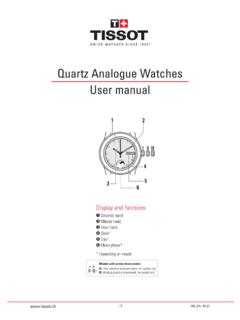
Transcription of T-Touch, multifonctions User’s manual
1 138_en / , multifonctionsUser s manualPage96944556788 SynchronisationDisplay modeSetting the timeSetting the dateSelecting the unitsMinute handHour handRotating bezelDigital displayScratch-resistant sapphire tactile crystal+ correction / chrono- correction / chronoActivation / validationTactile areaCongratulationsCongratulations on choosing to buy a Tissot watch, a Swiss brand with one of the greatest reputations in the T-Touch watch incorporates state-of-the-art technology. It offers permanent analogue display of the time as well as varied digital displays. In addition, the following functions are available by simply touching the crystal: meteo, altimeter, chronograph, compass , alarm and notesGeneral information on use Activate the crystal by pressing When the crystal is activated, a flashing bar will appear on the digital display Select a function by touching the corresponding area on the crystal Brief pressures on the pushers = step by step movement of the hands or incrementa-tion (decrementation) on the digital display Long pressures on the pushers = continuous movement or incrementation (decre-mentation)
2 Incorrect operation of the pushers = different alarm signal from the normal beep No operation for 30 seconds = automatic deactivation of the crystal No operation for 3 seconds in setting mode = exit from setting the best reading of the temperature, remove the watch from your wrist and wait for approximately 15 to 30 minutes. For more information see the explanation of the thermometer on page correct use of the altimeter, adjust it as often as possible. For more information see the explanation of the altimeter on page METEO function indicates a trend. Hands superposed to the left of midday = bad weather, at midday = stable weather, to the right of midday = good weather. For more information, see the explanation of the METEO function on page T-Touch is water-resistant to 3 bar (30 m / 100 ft), but it is not an instrument suitable for sports diving.
3 It is not advisable to press the pushers while the watch is submerged. None of the functions can be activated if the crystal is in contact with a / recommend that you clean your watch regularly using a soft cloth and lukewarm water. After bathing in salt water, rinse your watch with fresh water and leave it to dry completely. Avoid exposing your watch to excessive variations in temperature or humidity, to strong sunlight or stong magnetic type: button-type lithium-manganese dioxide primary battery and maintenanceTouching action (without pres-sing)Listening / VisionAdditional informationHand position displayBeepTime for pressing on the pushers(e. g. 2 seconds)Repetitive actionsUse:Adjustment:138_en / mode(h-m-s / date / units)(1)(1) Procedure allowing the digital display to be synchronised with the hands.
4 Note: it is not necessary to perform this synchronisation operation when the digital display and the hands show the same time.(1) The h-m-s and date modes remain active.(2) The units mode is a temporary setting mode.(3) This procedure is valid when the crystal is activated for the ALTIMETER, CHRONO, compass , ALARM, THERMO and METEO of the crystalSelecting the Units modeUsing pushers and , bring the 2 hands precisely to 12 o clockIncrementation of the minute hand (3 steps = 1 minute)Incrementation of the hourhand (3 steps = 1 minute)Validation of the setting1 5 Activation of the crystalSelecting the display modeReturn to h-m-s mode(3)1 date(1)h-m-sunits(2) / the timeSetting the date(1)1 2 ouActivation of the crystalSelecting the h-m-s mode(eg. 8 h 34 20 )Activation of the setting(1)Incrementation or decrementation by one minute(2)Validation of the setting, the seconds restart at zeroValidation of the setting, the seconds continue normally(1) Accuracy: to + seconds / day.
5 (2) Press continuously on or to set the time. After one complete revolution, the minute hand stops and the hour hand advan-ces in one hour 2 + or - 1 dayActivation of the crystalSelecting the "date" mode (eg. 5 July)Activation of the settingIncrementation or decrementationby one day Validation of the setting(1) The calendar is semi-perpetual, that is the number of days per month is predefi-ned. For February it is necessary to reset the date when it is only 28 days.+ or - 1 minute138_en / the unitsMETEOI ndication of the meteorological tendencies(1)Activation of the crystal1 Selecting the Units modeActivation of the settingSelecting Celsius degree / metre or Fahrenheit degree / foot Selecting 12 or 24 hours(1)Validation of selections2 Activation of the crystal1 Activation of the meteo function(2)(1) For more information, see the explanation of the meteo function on page 10.
6 (2) The two hands indicate a tendency while the digital display gives a calculated pressure in hectoPascal (absolute value). After 30 seconds, the digital display returns to h-m-s mode.(1) Selection of the 12 hour mode automatically inverts the calendar reading. Example: (July 5) instead of (5 July). / (split)Precise measurement of a specific durationPrecise measurement of a specific duration with intermediate timeActivation of the crystalActivation of the chronograph(1)Starting the chronographResetting the chronograph(2)Stopping the chronograph(eg. 10 and 34/100) (1) Resolution: 1/100 of a second Measuring range: 9 h 59 59 and 99/100.(2) After 30 seconds, the hands display the time again but the digital display remains in CHRONO mode. After 10 h, the digital display returns to h-m-s of the crystalActivation of the chronographStarting the chronographDisplaying the intermediate time(eg.)
7 48 and 15/100)Restarting the chronograph, taking into account the running timeStopping the chronograph(eg. 2 54 and 88/100)Resetting the chronograph 1 1 138_en / of the geographical northActivation of the crystalActivation of the compass function(1)Activation of the adjustment of the magnetic variation(2)Setting the magnetic variation to the east (+) or west (-)Validation of the setting (eg. 2 East)(1) The minute hand points to the North. A more accurate reading is obtained by holding the T-Touch horizontally. The digital display gives the set magnetic variation. After 30 seconds, the digital display returns to h-m-s mode.(2) For more information, see the explanation of the magnetic variation on page 2 + or - 1 degreeActivation of the crystalActivation of the alarm function (eg.
8 12h19 ) Activation of the alarmSetting the timeIncrementation or decrementationby one minuteValidation of the setting(1) When the programmed time is reached, the alarm can be stopped by pressing one of the pushers. The alarm bell sounds for 30 sec. and is not of the alarm1 1 2 + or - 1 / ALTIMETERTHERMOI ndication of altitude in relation to sea levelIndication of the temperature(1)Activation of the crystal(1) The altitude is displayed in metres or feet depending on the units selection (see Selecting the units on page 6). After 30 seconds, the hands show the time again but the digital display remains in ALTIMETER mode. After 10 h, the digital display returns to h-m-s mode(2) The adjustment shows the altimeter setting at the value of the actual altitude. For more information, see the explanation of the altimeter on page 12.
9 (1) To obtain the best reading, it is necessary to remove the watch from your wrist and wait for approximately 15 to 30 minutes. For more information, see the explanation of the thermometer on page 13.(2) The temperature is displayed in degrees Celsius or in degrees Fahrenheit depen-ding on the units selected (see selecting the units on page 6). After 30 seconds, the hands display the time again but the digital display remains in THERMO of the altimeter function(1)Adjusting the altitude(2)Incrementation or decrementa-tion (1 m or 3 ft)Validation of the settingActivation of the crystal Activation of the thermometer function1 2 + or - 1 step1 138_en / *METEOI ndication of the meteorological trendDescription of the functionIn METEO mode, the watch hands are superposed to indicate the meteorological in weather are linked to variations in atmospheric pressure.
10 The T-Touch watch measures these pressure variations and indicates the meteorological trend for the coming 24 atmospheric pressure increases, the sky clears. The hands move to the right. This is called a high pressure zone or anticyclone (A).When atmospheric pressure decreases, the sky clouds over. The hands move to the left. The is called a low pressure zone or depression (D).The change in pressure is measured and displayed using the hands which can assume the following 7 positions depending on the meteorological trend:-6 : Major drop in pressure, rapid deterioration -4 : Moderate drop in pressure, probable deterioration-2 : Minor drop in pressure, probable slight deterioration12h: No notable meteorological change+2 : Minor increase in pressure, probable slight improvement+4 : Moderate increase in pressure, probable improvement+6 : Major increase in pressure, rapid improvementThe digital display gives the value of absolute atmospheric pressure in hectoPascals [hPa].