Example: air traffic controller
THE TOP 20 CYBERATTACKS - FireEye
protection” illustration at right reflects a proposed change to the security program to incorporate modern ICS best practices, including: a strict removable media control policy, Unidirectional Security Gateways and Unidirectional CloudConnect appliances at network perimeters, and an upgrade to the control system test bed.
Tags:
Information
Domain:
Source:
Link to this page:
Documents from same domain
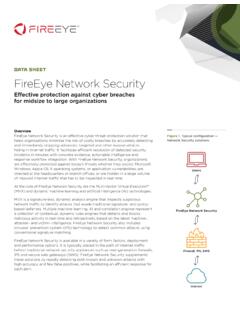
data sheet FireEye Network Security
www.fireeye.comcommand and control (CnC) callbacks. It also extracts and submits suspicious network traffic to the MVX engine for a definitive verdict analysis. In addition to client-side protection, engines support server side detections, lateral movement detection and detection on post-exploitation traffic. • Alerts generated by FireEye Network Security ...
Exposing One of China’s Cyber Espionage Units
www.fireeye.comMandiant APT1 4 www.mandiant.com aPt1 focuses on compromising organizations across a broad range of industries in english-speaking countries. »» Of the 141 APT1 victims, 87% of them are headquartered in countries where English is the native language.

data sheet FireEye Email Security Cloud Edition
www.fireeye.comis a fully featured secure email gateway that leads the industry in identifying, isolating, and immediately stopping URL, impersonation, and attachment-based ... developed innovative algorithms, systems and tools ... Email Security—Cloud Edition meets the ISO 27001 information security standard that ensures data centers are securely managed.

Endpoint Security Agent Software - FireEye
www.fireeye.comDATA SHEET | FIREEYE ENDPOINT SECURITY AGENT SOFTWARE data sheet Endpoint Security Agent Software The latest version of the Endpoint Security Agent software is 34 for use with Server version 5.2 or greater.

FireEye Endpoint Security
www.fireeye.comEndpoint Security unites default engines and downloadable modules to protect, detect and respond, and manage endpoint security. To prevent common malware, Endpoint Security uses a signature-based endpoint protection platform (EPP) engine. To find threats for which a signature does not yet exist, MalwareGuard uses machine learning seeded

Ransomware Protection and Containment Strategies - …
www.fireeye.comis also useful for protecting against brute force attacks, which often target open internet-facing RDP servers. NLA can be configured either via the User Interface (UI) (Fig. 6) or via Group Policy (Fig. 7). Figure 6. Enabling NLA via the UI.
Related documents

Continental Belt Monitoring Systems Conveyor Belt ...
www.continental-industry.comTHE RIGHT MONITORING SYSTEM FOR EVERY CONVEYOR SYSTEM. › Best-in-class sensor technology › Reliability and high quality data output › User-friendly graphical interfaces Our web-based monitoring technologies can be accessed via an Ethernet network connection, making it available to multiple users.

Device Inclusion Upon successful Device Inclusion to the ...
shelly.cloudChoose “Add Device”. In order to add more Devices later, use the app menu at the top right corner of the main screen and click “Add Device”. Type the name (SSID) and password for the WiFi network, to which you want to add the Device. Step 3 If using iOS: you will see the following screen: Press the home button of your iPhone/iPad/iPod. Open

How to Configure PTZ Function - Hikvision
www.hikvision.comproblems. To choose the right Min. Focus Distance according to the actual monitoring distance. 2. Lens Initialization 1) Go to Configuration->Image->Display Setting->Other interface, the lens get initialized when you enable the Lens Initialization. The Lens initialization can solve the focus issue caused by poor focus curve.
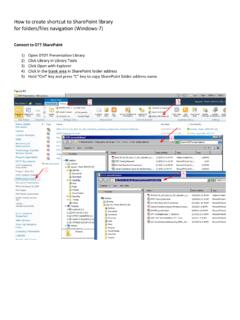
How to create shortcut to SharePoint library for folders ...
www.ott.nih.govAdd Network Location Where do you want to create this network location? Choose a custom network location the address of a website, network location, or FTP site. Next Add Network Location Add Network Location Specify the location of your website Type the address of the website, FTP site, or network location that this shortcut will open.

Q-See QT Series Remote Monitoring Quick Set Up Guide
static.highspeedbackbone.netFixed Local Network Address. STEP 3. Static Internal IP (Network) Address. Most routers assign connected devices a random IP address that is not . currently in use by another device on your internal network. With the exception of 2Wire brand routers, when a router or networked device reboots due to a power loss or other issue, the addresses ...
SupportAssist for PCs and tablets
i.dell.comNetwork security — all monitoring components are located behind a firewall and are managed by a Dell network security team. All network traffic is tightly controlled, requiring all inbound traffic to be transmitted via specific ports and sent only to …

DRAGON CENTER User Guide
download.msi.comSetting Network Speed 1. Select the Network Test control panel. 2. Click Test Network Speed. 3. cFos Speed Test web page will be opened. 4. Click to test Upload speed, and click to test Download speed. 5. Fill in the speed test results in the Upload speed and Download speed input boxes. 6. Check the Enable Bandwidth Control checkbox.