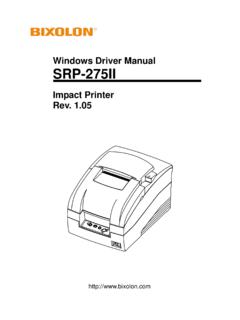
Transcription of Thermal Printer Rev. 1 - Bixolon
1 User s Manual SRP-350 Thermal Printer Rev. Rev. - 2 - SRP-350 Safety Precautions In using the present appliance, please keep the following safety regulations in order to prevent any hazard or material damage. WARNING Violating following instructions can cause serious injury or death. Do not bend the cable by force or leave it under any heavy object. A damaged cable can cause a fire. Do not plug in or unplug with your hands wet. You can be electrocuted. Keep the plastic bag out of children s reach. If not, a child may put the bag on his head.
2 Do not pull the cable to unplug. This can damage the cable, which is the origin of a fire or a breakdown of the Printer . You must use only the supplied adapter. It is dangerous to use other adapters. Do not plug several products in one multi-outlet. This can provoke over-heating and a fire. If the plug is wet or dirty, dry or wipe it before usage. If the plug does not fit perfectly with the outlet, do not plug in. Be sure to use only standardized multi-outlets. PROHIBITED PROHIBITED PROHIBITED PROHIBITED PROHIBITED ONLY SUPPLIED ADAPTER PROHIBITED Rev. - 3 - SRP-350 CAUTION Violating following instructions can cause slight wound or damage the appliance.
3 Do not use the Printer when it is out of order. This can cause a fire or an electrocution. Switch off and unplug the Printer before calling your dealer. Do not let water or other foreign objects in the Printer . If this happened, switch off and unplug the Printer before calling your dealer. Use only approved accessories and do not try to disassemble, repair or remodel it for yourself. Call your dealer when you need these services. Do not touch the blade of auto cutter. Install the Printer on the stable surface.
4 If the Printer falls down, it can be broken and you can hurt yourself. Keep the desiccant out of children s reach. If not, they may eat it. If you observe a strange smoke, odor or noise from the Printer , unplug it before taking following measures. Switch off the Printer and unplug the set from the mains. After the disappearance of the smoke, call your dealer to repair it. TO UNPLUG PROHIBITED DISASSEMBLINGPROHIBITED PROHIBITED PROHIBITED TO UNPLUG Printer Printer Printer Printer DEALER Printer Rev. - 4 - SRP-350 Warning - This equipment has been tested and found to comply with the limits for a Class A digital device pursuant to Part 15 of the FCC Rules.
5 These limits are designed to provide reasonable protection against harmful interference when the equipment is operated in a commercial environment. This equipment generates uses, and can radiate radio frequency energy and, if not installed and used in accordance with the instruction manual, may cause harmful interference to radio communications. Operation of this equipment in a residential area is likely to cause harmful interference in which case the user will be required to correct the interference at his own expense. Notice - Canada This Apparatus complies with class A limits for radio interference as specified in the Canadian department of communications radio interference regulations.
6 Get appareil est conforme aux normes class A d interference radio tel que specifier par ministre canadien des communications dans les reglements d interference radio. Caution Some semiconductor devices are easily damaged by static electricity. You should turn the Printer OFF , before you connect or remove the cables on the rear side, in order to guard the Printer against the static electricity. If the Printer is damaged by the static electricity, you should turn the Printer OFF . Waste Electrical and Electric Equipment (WEEE) This marking shown on the product or its literature, indicates that is should not be disposed with other household wastes at the end of its working life, To prevent possible harm to the environment or human health from uncontrolled waste disposal, please separate this from other types of wastes and recycle it responsibly to promote the sustainable reuse of material resources.
7 Household users should contact either the retailer where they purchased this product, or their local government office, for details of where and how they can take this item for environmentally safe recycling. Business users should contact their supplier and check the terms and conditions of the purchase contract. This product should not be mixed with other commercial wastes for disposal. Label Material * Control Label: PC * Other Labels: PET Rev. - 5 - SRP-350 Introduction The SRP-350 Roll Printer are designed for use with electronic instruments such as system ECR, POS, banking equipment, computer peripheral equipment, etc.
8 The main features of the Printer are as follows: 1. High speed printing : (1/6 Feed) lines per second. 2. Low noise Thermal printing. 3. RS-232 (IFA-S TYPE), Parallel (IFA-P TYPE), USB (IFA-U TYPE), Ethernet (IFA-E TYPE), RS-232 + USB (IFA-SU TYPE). 4. The data buffer allows the unit to receive print data even during printing. 5. Peripheral units drive circuit enables control of external devices such as cash drawer. 6. Characters can be scaled up to 64 times compared to it s original size. 7. Bar code printing is possible by using a bar code command. 8. Different print densities can be selected by DIP switches.
9 Please be sure to read the instruction in this manual carefully before using your new SRP-350. NOTE - The socket-outlet shall be near the equipment and it shall be easy accessible. All specifications are subjected to change without notice. We at Bixolon maintain ongoing efforts to enhance and upgrade the functions and quality of all our products. In following, product specifications and/or user manual content may be changed without prior notice. Rev. - 6 - SRP-350 Table of Contents 1. Setting Up the Printer ..7 1-1 1-2 Connecting the Cables ..8 1-2-1 Serial Interface (RS-232C).
10 8 1-2-2 Serial Interface (RS-485) ..9 1-2-3 Parallel Interface (IEEE1284) ..10 1-2-4 USB Interface ..11 1-3 Connecting the Drawer ..11 1-4 Setting the Dip 1-4-1 Serial Interface ..12 1-4-2 Parallel & USB Interface ..13 1-5 Installing or Replacing the Paper 1-6 Adjustments and Settings ..16 1-7 Using the Printer ..16 1-8 Connecting the 1-9 Connecting the Power Supply ..17 2. Self 3. Hexadecimal Dumping ..19 4. Specification ..20 5. Appendix .. 21 5-1 Cleaning Printer ..21 5-2 Printing Rev. - 7 - SRP-3501. Setting Up the Printer 1-1 Unpacking Your Printer box should include these items.