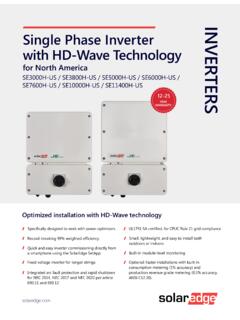
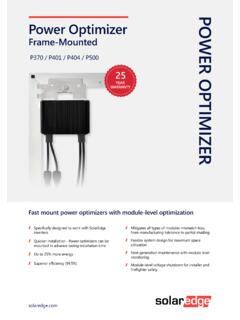
Transcription of Three Phase System Installation Guide - SolarEdge
1 Installation Guide SolarEdge System Installation GuideFor North AmericaVersion NoticeCopyright SolarEdge Inc. All rights part of this document may be reproduced, stored in a retrieval System or transmitted, in any form or by any means, electronic, mechanical, photographic, magnetic or otherwise, without the prior written permission of SolarEdge material furnished in this document is believed to be accurate and reliable. However, SolarEdge assumes no responsibility for the use of this material. SolarEdge reserves the right to make changes to the material at any time and without notice. You may refer to the SolarEdge web site ( ) for the most updated company and brand products and service names are trademarks or registered trademarks of their respective marking notice: see general terms and conditions of delivery of SolarEdge shall content of these documents is continually reviewed and amended, where necessary.
2 However, discrepancies cannot be excluded. No guarantee is made for the completeness of these images contained in this document are for illustrative purposes only and may vary depending on product models. Disclaimers ComplianceThis equipment has been tested and found to comply with the limits for a Class B digital device, pursuant to part 15 of the FCC Rules. These limits are designed to provide reasonable protection against harmful interference in a residential Installation . This equipment generates, uses and can radiate radio frequency energy and, if not installed and used in accordance with the instructions, may cause harmful interference to radio communications. However, there is no guarantee that interference will not occur in a particular Installation . If this equipment does cause harmful interference to radio or television reception, which can be determined by turning the equipment off and on, you are encouraged to try to correct the interference by one or more of the following measures:Reorient or relocate the receiving the separation between the equipment and the the equipment into an outlet on a circuit different from that to which the receiver is the dealer or an experienced radio/TV technician for or modifications not expressly approved by the party responsible for compliance may void the user s authority to operate the FCCC omplianceSupport and Contact InformationIf you have technical problems concerning SolarEdge products, please contact us:Support Center: and Canada: 1 510 498 3200 Worldwide: +972 073 2403118 Fax: +1 (530) 273-2769 Email.
3 Center: contact, make sure to have the following information at hand:Model and serial number of the product in error indicated on the InverterLCD screen or on the monitoring platform or by the LEDs, if there is such an configuration information, including the type and number of modules connected and the number and length of communication method to the SolarEdge server, if the site is inverter software version as appears in the ID status HistoryVersion (February 2019)Added appendix 'Determining the Circuit Breaker Size' and paragraphreferencing to it, in the 'Grid Connection guidelines ' Specifications removed 'Recommended OCPD size per grid' (July. 2018)This Guide describes Three Phase inverters onlyUpdate of product namesHardware change - new enclosure, interfaces and communication boardAddition of possibility to use compatible connectors from third-partymanufacturersUpdate regarding use of extension cables in power optimizer installationguidelinesRecommendation to mount the power optimizer in a location protected fromdirect sunlightPower optimizer clearance - no clearance is required on the mounting bracketsideAddition of caution - Installation in saline environmentClearance for Three Phase inverters installed side-by-side, single row of invertersoutdoors: 5 cm / 2 PVRSS is enabled by default.
4 Enabling/ disabling PVRSS feature can be donefrom the inverter LCD of reference to troubleshooting undetected devices application noteTorque for grounding using the equipment grounding bus-bar: N*M *inTorque for connecting DC strings to the fuse holders in the Safety Switch: *M / 30 lb*inAddition of link to the Designer web pageUpdated warning about sealing unused power optimizer input connectors-ThreePhaseSystemInstallationG uideMAN- 01- RevisionHistoryAdded Proposition 65 warning (for California).wDC safety voltage is 1V ( )Addition of RS485-2 supportVersion (Aug. 2017)Updated the Safety section:New warning: The Safety Switch meets all requirements for a code-compliant Installation of this System . The DC Disconnect Switch disconnects both the positive and negative important safety feature information for inverters with automatic rapid shutdown (PVRSS) Overview section updated ( System image , additional safety voltage initiator: Rapid Shutdown (PVRSS)In Supported AC Grids, added: Ground connection is required for all gridsIn Power Optimizer Installation chapter: Added warning about grounding the power optimizer metallic enclosureUpdated string extension cable length Added information for connecting multiple modules in parallel to an optimizerAdded grounding method testing information Added: circuit conductors must be sized according to NEC when combining stringsRemoved reference to racking models and their grounding methodsRemoved mentioning of trackerIn inverter Installation chapter.)
5 Added note about copper conductorsRemoved previous interface panel description and images, and type 1 bracketIn Inverter Interfaces - updated ON/OFF switch description, added warning regarding PVRSSA dded a caution about not altering the Safety Switch enclosure: SolarEdge does not permit opening or puncturing the Safety Switch in any location other than the pre-defined drill Guide locations, RevisionHistory otherwise altering the construction of the enclosure, as this may compromise safety and will void the warranty. Reference to horizontal mounting application noteUpdated clearance specifications and added link for annual-average high temperature database Connection to/from the Safety Switch:AC grounding to bus bar instead of terminal block - updated instructions and Safety Switch model imagesString fusing requirement note updated: Fuses needed for 4 strings or more (instead of 3).
6 Added conduit sealing requirementIn Commissioning chapter:Updated the activation sequence Updated menu information descriptionsRemoved RS232 referenceRapid shutdown (PVRSS):Added important safety information notes and warningsFor a compliant PV Rapid Shutdown Installation , use no more than 30 optimizers per PVRSS from the inverter menu is only required if the installed optimizers were manufactured before 2015, otherwise it is enabled by testing PVRSS functionality after pairingIn Configuration Menu Options:Communication section: Removed RS232 ConfAdded GSM ConfPower Control section:Removed Phase Balance link and infoAdded a note about compliance with UL 1741 Supplement link to P(Q) diagram application noteMaintenance RevisionHistoryAdded links to application notes (Upgrading the inverter usingSD card; Isolation fault troubleshooting; Arc fault detection)Removed Optimizer ConfStatus Screens updates:Meter status screen - added Power and Energy linesTelemetry status screen - updatedGSM status screen - newCommunication options - updatedInverter cover removal sequence - updatedRS485-E option - newAdded link to Arc Detection application noteTroubleshooting:Error codes moved to a separate document.
7 A link was added to Detect and Slave List - updatedMechanical specifications - removed type 1 bracketExternal fan replacement - updatedUpdated the technical specification documentAddition of 2D codes to all links, to enable accessing by scanningVersion (Oct. 2015)Added and modelsExplained which optimizer Installation steps to skip when using smart modules. Power optimizer grounding section aligned with the grounding application note. Clearances as distance from the inverter instead of the Safety SwitchAdded RS485 slave detect featureRemoved USBR evisionHistory 7 ThreePhaseSystemInstallationGuideMAN- 01- Notice1 FCC Compliance2 Support and Contact Information3 Revision History4 Contents8 HANDLING AND SAFETY INSTRUCTIONS10 Safety Symbols Information10 IMPORTANT SAFETY INSTRUCTIONS11 Chapter 1: Introducing the SolarEdge Power Harvesting System15 Power Optimizer15 Inverter with Safety Switch16 Monitoring Platform16 Supported AC Grids17 Installation Procedure17 Installation Equipment List17 Inverter Transport and Storage18 Chapter 2: Installing the Power Optimizers19 Safety19 Package Contents21 Installation Guidelines21 Step 1: Mounting and Grounding the Power Optimizers25 Step 2: Connecting a PV Module to a Power Optimizer28 Step 3.
8 Connecting Power Optimizers in Strings28 Step 4: Verifying Proper Power Optimizer Connection29 Chapter 3: Installing the Inverter31 Inverter Package Contents31 Identifying the Inverter31 Inverter Interfaces31 Opening Conduit Drill Guides35 Mounting the Inverter36 Chapter 4: Connecting the AC and the Strings to the Safety Switch42 Grid Connection Guidelines43 Setting the Inverter to Support 208V 3-wire Grid44 Connecting the AC Grid to the Safety Switch45 Connecting the Strings to the Safety Switch49 Chapter 5: Commissioning the Installation52 Step 1: Activating the ContentsStep 2: Pairing Power Optimizers to the Inverter55 Step 3: Verifying Proper Activation56 Step 4: Reporting and Monitoring Installation Data57 Chapter 6: User Interface60 LCD User Buttons60 Inverter Configuration Setup Mode62 Status Screens - Operational Mode74 Chapter 7: Setting Up Communication83 Communication Options83 Communication Connectors85 Removing the Inverter Cover86 Creating an Ethernet (LAN) Connection87 Creating an RS485 Bus Connection91 Verifying the Connection95 Appendix A: Errors and Troubleshooting96 Troubleshooting Communication96 Power Optimizer Troubleshooting98 Appendix B: Mechanical Specifications100 Appendix C: External Fan Maintenance and Replacement101 Fan Maintenance101 External Fan Replacement102 Appendix D: Replacing and Adding System Components104 Replacing an Inverter104 Replacing the Safety Switch106 Adding, Removing, or Replacing Power Optimizers109 Appendix E.
9 Determining the Circuit Breaker Size110 Revision History110 Introduction110 Using Transformers in Commercial Three Phase Inverter Installations110 Determining the Size of an Inverter Circuit Breaker112 Technical Specifications - Single Phase Inverters (North America)114 Default Trip Limits and Times According to IEEE1547119 Safety Switch120 Technical Specifications - Three Phase Inverters (North America)121 Default Trip Limits and Times According to IEEE1547127 Safety Switch127 Contents AND SAFETY INSTRUCTIONSD uring Installation , testing and inspection, adherence to all the handling and safety instructions is mandatory. Failure to do so may result in injury or loss of life and damage to the Symbols InformationThe following safety symbols are used in this document. Familiarize yourself with the symbols and their meaning before installing or operating the !
10 Denotes a hazard. It calls attention to a procedure that, if not correctly performed or adhered to, could result in injury or loss of life. Do not proceed beyond a warning note until the indicated conditions are fully understood and met. AVERTISSEMENT!D note un risque: il attire l'attention sur une op ration qui, si elle n'est pas faite ou suivi correctement, pourrait causer des blessures ou un danger de mort. Ne pas d passer une telle note avant que les conditions requises soient totallement comprises et !Denotes a hazard. It calls attention to a procedure that, if not correctly performed or adhered to, could result in damage or destruction of the product. Do not proceed beyond a caution sign until the indicated conditions are fully understood and ! D note un risque: il attire l'attention sur une op ration qui, si elle n'est pas faite ou suivi correctement, pourrait causer un dommage ou destruction de l' quipement.