Transcription of Universal Design for Learning in the Classroom
1 Denise C. DeCoste, Incidence Accessible Technology (HIAT)Montgomery County Public Schools, Design for Learning in the ClassroomUniversal Design for Universal Design for LearningLearningAn introductionAn introductionUDL is the practice of embedding flexible strategies into the curriculum during the planning process so that ALL students can access a variety of Learning solutions.( )UDL is built on the premise that there is no one kind of Learning Learning differs across tasks Learning differs across development Learning differs across individualsUDL strategies for instruction are frontloaded rather than retrofitted. More efficient in the long run. Benefits more students More acceptable to studentsUniversal Design for Learning (UDL) is a framework for removing barriers by anticipating the needs of all studentsThe American Disabilities Act prompted rethinking about architectural Design for disabled individuals.
2 (Curb cuts, automatic doors) The concept of Universal Design has also been applied to web page designs, which enables users who are blind or deaf to access the Internet (Goodrich, 2004).More recently, Universal Design has been applied to education. UDL has entered the educational world at this point in time because the technology is more available to make it HistoryUniversal Design and Education In the mid 1990 s, the concept of Universal Design was applied to education ( ) UDL is a national initiative at this time in the educational world because the technology is available to make it reforms that have set the stage for UDL Classroom demographic changes Greater understanding of brain development and Learning (multiple pathways for Learning ) Understanding that one size does not fit all Educational legislation: Emphasis on progress for ALL children.
3 NCLB AYP Full inclusion IDEA the power and flexibility of modern technology. Technology provides the flexibility needed to adjust to learner differences Universal Design for Universal Design for LearningLearningExamples of UDL strategies Examples of UDL strategies using technology toolsusing technology toolsFlexible strategies for all students are a hallmark of UDLU sing a curriculum that is rooted in 3 UDL have:1. Options for how they receive content2. Choices which will engage student interest 3. Choices for how they demonstrate their learningTeachers provide:1. Flexible ways of presentinglesson content2. Flexible options for student engagement3.
4 Flexible methods of expression, and assessmentMultiple means of engagementProvide Learning choices Audio/ visual/ hands on Multimedia projects Webquests Project-based inquiry Email projects Cooperative Learning projectsMultiple Means of Presentation1. Visual presentations, , United Streaming2. Enlarged print3. Audio text support, , Kurzweil, Solo4. Multimedia presentations, , Windows movie maker, PowerPoint with Power Talk5. Internet links to background information6. Access to definitions, illustrations, sound files or picturesMultiple means of expression Graphic outlining tools Keyboarding with spelling supports Podcasting Multimedia tools: PowerPoint, Windows moviemaker Product models Drawings Video or digital photo reports Collages GraphsExamples ofFlexible MaterialsClick to view examples forElementaryor Secondaryclassroom materialssImplementing UDL Implementing UDL in your school in your school and classroomand classroomFirst StepsFirst StepsHow do you incorporate the principles of UDL into lesson planning?
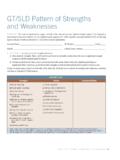
5 Relook at Start with a manageable curriculum unit Be clear on the goals of the unit Be clear on what students need to do to show mastery Determine what the instructional barriers are for a range of students Determine what tools would help this Identify more flexible methods, materials and assessmentsThe UDL Solutions Table Reexamining instructional strategiesCustomize the UDL Solutions Tableto match your instructional activities and the range of learners in your classroomUDL Solutions Planning Table UDL Solutions Planning Table Stepping Challenge yourself to learn to create flexible, digital materials. Attend in-school and out-of-school training on the tools available at your school.
6 Use the Internet to locate curriculum specific digital materials. Build an a personal and school inventory of digital Increase awareness of UDL principles at your school. Make a commitment as a school to make curriculum materials more flexible. Foster school team collaboration to share the work to move toward a more universally designed curriculum. Look for ways to increase Classroom computers at your school administrators can Make UDL part of the school improvement plan. Support the development of a UDL leadership team Conduct UDL walks to look for good uses of instructional technology. Recognize staff for applications of UDL by email, at staff meetings.
7 Direct staff members to develop Individualized UDL Plans. Encourage the use of teacher ePortfolios. Encourage peer coaching Support before and after school training, 10 minute tech tips at staff meetings, and annual technology showcases. Identify ways to increase computers in development should be on-site, intensive, collaborative, and job Wagner et al (2006).Change leadership: A practical guide to transforming our a UDL leadership team can Survey staff needs Identify short and long term UDL objectives Offer training geared to identified needs in various formats: Tech Tuesdays 20 minute skill builders Hands-on trainings to create instructional materials Display and share teacher made materialsNeed multiple teacher training methods and supportsSingle day, one-size fits all model assumes that the audience of teachers have similar teaching and Learning styles At schools, you need just-in-time instruction and ongoing support Teachers need time to exchange ideas and reflect of technology adopters.
8 Which will you be?Rogers, E. (2003). Diffusion of innovations (5thed.) NY: Free Press Professional Development Professional Development to promote UDLto promote UDLF irst StepsFirst StepsProfessional development is the biggest technology challenge facing schools , K. A. and Pelligrino, J. W. (2007). Professional development in integrating technology into teaching and Learning : Knowns, unknowns, and ways to pursue better questions and answers. Review of Educational Research, 77, , J. (Feb. 2008). One Size doesn t fit all: Customizing educational technology professional development. Learning and Leading with Technology. p. 18-23. Only 37% of teachers report using computers instructionally with students daily 90% of teachers report participating in fewer than days of PD on technology per year.
9 Research shows 30 hours of focused PD is needed to change professional practices. Approaches to Training: Think Broadly You will need a variety of training approaches9 After school training 9 Stipend training91 to 3 credit courses9On-line training 9 Website resource development9 Summer training9 Independent study9 Job-embedded trainingSome thoughts about staff training Don t teach software; teach strategies in the context of general ed. curriculum themes. Embed UDL principles of front-loading AT into all training topics. Expose teachers to the power of the internet to obtain digital material. Show teachers how to use technology applications that are other teachers become comfortable with technology (10 year Apple Study)Stages of Concern1.
10 Entry: address teacher uncertainty2. Adoption: address skills and strategies3. Adaptation: focus on integrating content and technology seamlessly 4. Appropriation: technology as an effortless teaching tool5. Invention: create new Learning environments using technology toolsTechnology implementation requires a long term commitmentFocused, sustained innovations take at least 3-5 years to implement21stCentury Teaching and LearningUDL creates a vision for what teaching will look like in the 21stCentury. According to Oliver Wendell A mind that is stretched to a new idea never returns to its original dimension. Think Universal Design for LearningFrontload accessible technologies into the curriculum