Transcription of Unix Toolbox - cb.vu
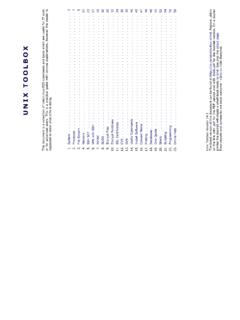
1 unix TOOLBOXT hisdocumentisacollectionofUnix/ ,howeverthereaderissupposed to know what s/he is .. System .. SCP .. with SSH .. Files .. Partitions .. Certificates .. Commands .. Software .. Media .. Quota .. Help .. 58 unix Toolbox revision the booklet will create a small book ready to bind. See also theabout reports and comments are most welcome (p2)|Statistics(p2)|Users(p3)|Limits(p3) |Runlevels(p4)|rootpassword(p5)|Compile kernel(p6)|Repair grub(p7)|Misc(p7)Running kernel and system information# uname -a# Get the kernel version (and BSD version)# lsb_release -a# Full release info of any LSB distribution# cat /etc/SuSE-release# Get SuSE version# cat /etc/debian_version# Get Debian versionUse/etc/DISTR-releasewithDISTR=ls b(Ubuntu),redhat,gentoo,mandrake,sun(Sol aris),andsoon.
2 See also/etc/issue.# uptime# Show how long the system has been running + load# hostname# system's host name# hostname -i# Display the IP address of the host. (Linux only)# man hier# Description of the file system hierarchy# last reboot# Show system reboot InformationsKernel detected hardware# dmesg# Detected hardware and boot messages# lsdev# information about installed hardware# dd if=/dev/mem bs=1k skip=768 count=256 2>/dev/null | strings -n 8# Read BIOSL inux# cat /proc/cpuinfo# CPU model# cat /proc/meminfo# Hardware memory# grep MemTotal /proc/meminfo# Display the physical memory# watch -n1 'cat /proc/interrupts'# Watch changeable interrupts continuously# free -m# Used and free memory (-m for MB)
3 # cat /proc/devices# Configured devices# lspci -tv# Show PCI devices# lsusb -tv# Show USB devices# lshal# Show a list of all devices with their properties# dmidecode# Show DMI/SMBIOS: hw info from the BIOSFreeBSD# sysctl # CPU model# sysctl hw# Gives a lot of hardware information# sysctl # number of active CPUs installed# sysctl vm# Memory usage# sysctl # Hardware memory# sysctl -a | grep mem# Kernel memory settings and info# sysctl dev# Configured devices# pciconf -l -cv# Show PCI devices# usbdevs -v# Show USB devices# atacontrol list# Show ATA devices# camcontrol devlist -v# Show SCSI , statistics and messagesThe following commands are useful to find out what is going on on the system.
4 # top# display and update the top cpu processes# mpstat 1# display processors related statistics# vmstat 2# display virtual memory statistics# iostat 2# display I/O statistics (2 s intervals)# systat -vmstat 1# BSD summary of system statistics (1 s intervals)# systat -tcp 1# BSD tcp connections (try also -ip)# systat -netstat 1# BSD active network connections# systat -ifstat 1# BSD network traffic through active interfaces System 2# systat -iostat 1# BSD CPU and and disk throughput# ipcs -a# information on System V interprocess# tail -n 500 /var/log/messages# Last 500 kernel/syslog messages# tail /var/log/warn# System warnings messages see # id# Show the active user id with login and group# last# Show last logins on the system# who# Show who is logged on the system# groupadd admin# Add group "admin" and user colin (Linux/Solaris)
5 # useradd -c "Colin Barschel" -g admin -m colin# usermod -a -G <group> <user># Add existing user to group (Debian)# groupmod -A <user> <group># Add existing user to group (SuSE)# userdel colin# Delete user colin (Linux/Solaris)# adduser joe# FreeBSD add user joe (interactive)# rmuser joe# FreeBSD delete user joe (interactive)# pw groupadd admin# Use pw on FreeBSD# pw groupmod admin -m newmember# Add a new member to a group# pw useradd colin -c "Colin Barschel" -g admin -m -s /bin/tcsh# pw userdel colin; pw groupdel adminEncryptedpasswordsarestoredin/etc/s hadowforLinuxandSolarisand/ (saytodeleteapassword),run#pwd_mkdb-p rebuild the (forallusersbutroot) will be displayed (might not work with ssh pre-shared keys).
6 # echo "Sorry no login now" > /etc/nologin# (Linux)# echo "Sorry no login now" > /var/run/nologin# (FreeBSD) (likeaproxywebserver,database). The default limits are usually too the open files limit from 1024 to 10240 do:# ulimit -n 10240# This is only valid within the shellTheulimitcommand can be used in a script to change the limits for the script user/processLogin users and applications can be configured in/etc/ For example:# cat /etc/ * hard nproc 250# Limit user processesasterisk hard nofile 409600# Limit application open filesSystem wideKernel limits are set with sysctl.
7 Permanent limits are set in/ # sysctl -a# View all system limits# sysctl # View max open files limit# sysctl # Change max open files limit# echo "1024 50000" > /proc/sys/net/ipv4/ip_local_port_range# port range# cat / # Permanent entry in # cat /proc/sys/fs/file-nr# How many file descriptors are in use System 3 FreeBSDPer shell/scriptUse the commandlimitsin csh or tcsh or as in Linux, useulimitin an sh or bash user/processThedefaultlimitsonloginarese tin/ maximal The syntax is the same as Linux but the keys are different.# sysctl -a# View all system limits# sysctl # maximum number of file # Permanent entry in / # Typical values for # TCP queue.
8 Better for apache/sendmail# sysctl # How many file descriptors are in use# sysctl # How many open sockets are in use# sysctl # Default is 1024-5000# netstat -m# network memory buffers statisticsSee TheFreeBSD handbook Chapter 111for details. And alsoFreeBSD performance tuning2 SolarisThe following values in/etc/systemwill increase the maximum file descriptors per proc:set rlim_fd_max = 4096# Hard limit on file descriptors for a single procset rlim_fd_cur = 1024# Soft limit on file descriptors for a single , default runlevel is configured in /etc/inittab.
9 It is usually 3 or 5:# grep default: /etc/inittabid:3:initdefault:The actual runlevel can be changed withinit. For example to go from 3 to 5:# init 5# Enters runlevel 50 Shutdown and halt1 Single-User mode (also S)2 Multi-user without network3 Multi-user with network5 Multi-user with X6 RebootUsechkconfigto configure the programs that will be started at boot in a runlevel.# chkconfig --list# List all init scripts# chkconfig --list sshd# Report the status of sshd# chkconfig sshd --level 35 on# Configure sshd for levels 3 and 5# chkconfig sshd off# Disable sshd for all the runlevels scripts.
10 Default is to start in 2,3,4 and 5 and shutdown in 0,1 and System 4# sshd defaults# Activate sshd with the default runlevels# sshd start 20 2 3 4 5 . stop 20 0 1 6 .# With explicit arguments# -f sshd remove# Disable sshd for all runlevels# shutdown -h now (or # poweroff)# Shutdown and halt the systemFreeBSDTheBSDbootapproachisdiffere ntfromtheSysV, (singleuser,withorwithoutX)isconfiguredi n/ The scripts responds at least to start|stop|status.# / statussshd is running as pid 552.# shutdown now# Go into single-user mode# exit# Go back to multi-user mode# shutdown -p now# Shutdown and halt the system# shutdown -r now# #init6for and turn the power off (signalUSR2)1Go to single-user mode (signalTERM)6 Reboot the machine (signalINT)cBlock further logins (signalTSTP)qRescan the ttys(5) file (signalHUP)WindowsStartandstopaservicewi theithertheservicenameor"servicedescript ion"(shownintheServices Control Panel) as follows.