Example: bankruptcy

User goes to www.goprogram - CA Child Support Services

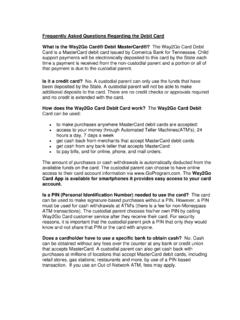
Steps For EPC Registration Step 1: User goes to You will need to Register your account first. User ID is to be used once the account is created. Step 2: Verify your card This is the page the new user would verify their card information during the registration process. Step 3: Enter your DOB and Unique ID (which is PAR ID, if there are leading zeros, that should be included) Step 5: Create Username and Password and complete account setup processes. Customers will be prompted through various screen to set up their account. User can now choose notification preferences after creating security profile Once they set up the profile they will be forced to logout. Registration doesn t activate the card ; the user will be required to log in to pin the card . Step 6: User will pin their card by going to Pin Management under Services Step 7: Activate Pin This will activate the card and allow the person to use it.

Jul 09, 2020 · Way2Go Card 3. Account Setup 4. Security Profile Find An ATM 5. Notification CONTINUE Contact us Register account 1. Card Information All field are required 2. User Validation Card Number 16 digit number embossed on the front of your Debit Card. CW is the 3 digit code that can be found on the back of your card Cancel

Tags:

  Card, Debit, Debit card, Way2go, Way2go card

Information

Domain:

Source:

Link to this page:

Please notify us if you found a problem with this document:

Other abuse

Advertisement

Transcription of User goes to www.goprogram - CA Child Support Services

1 Steps For EPC Registration Step 1: User goes to You will need to Register your account first. User ID is to be used once the account is created. Step 2: Verify your card This is the page the new user would verify their card information during the registration process. Step 3: Enter your DOB and Unique ID (which is PAR ID, if there are leading zeros, that should be included) Step 5: Create Username and Password and complete account setup processes. Customers will be prompted through various screen to set up their account. User can now choose notification preferences after creating security profile Once they set up the profile they will be forced to logout. Registration doesn t activate the card ; the user will be required to log in to pin the card . Step 6: User will pin their card by going to Pin Management under Services Step 7: Activate Pin This will activate the card and allow the person to use it.

2


Related search queries